Language

AI Editing on THRON Platform is expanding. With AMBRA AI Transform, you choose the type of operation from seven structured modes, each built around a real-world use case. Optimized templates guide the workflow with no prompt engineering skills required. It’s also accessible directly from the asset list by clicking the three-dot menu and selecting Transform image.
Five AI-powered post-production tools, all brought together in a single workspace.
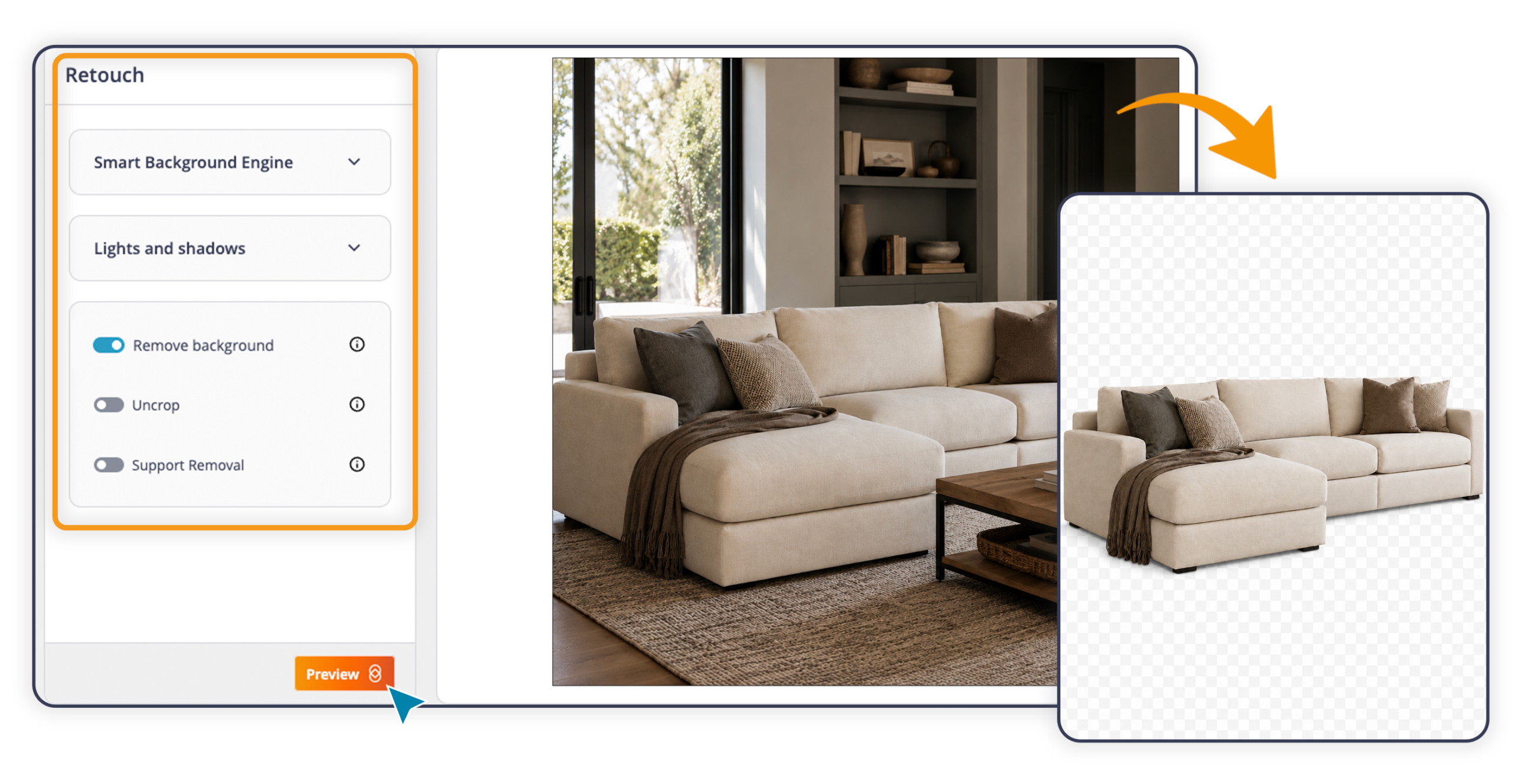
Smart Background: background removal or replacement, plus extension beyond the borders
Visual Composition: adjustment of lighting, shadows, and product placement
Product Beautifier: automatic enhancement of the product’s appearance
Support Removal: removal of mannequins, hangers, and props
Uncrop AI: regeneration of missing parts of the main product in the photo
 Human Touch
Adds a human presence to still life shots. Choose the model’s characteristics (gender, ethnicity, pose), decide whether to include a setting or keep a neutral background, and define the shooting angle. The AI generates the scene: a garment being worn, a cream held in hand, a tool in use. Particularly useful for fashion, beauty, grocery, manufacturing, and sporting goods.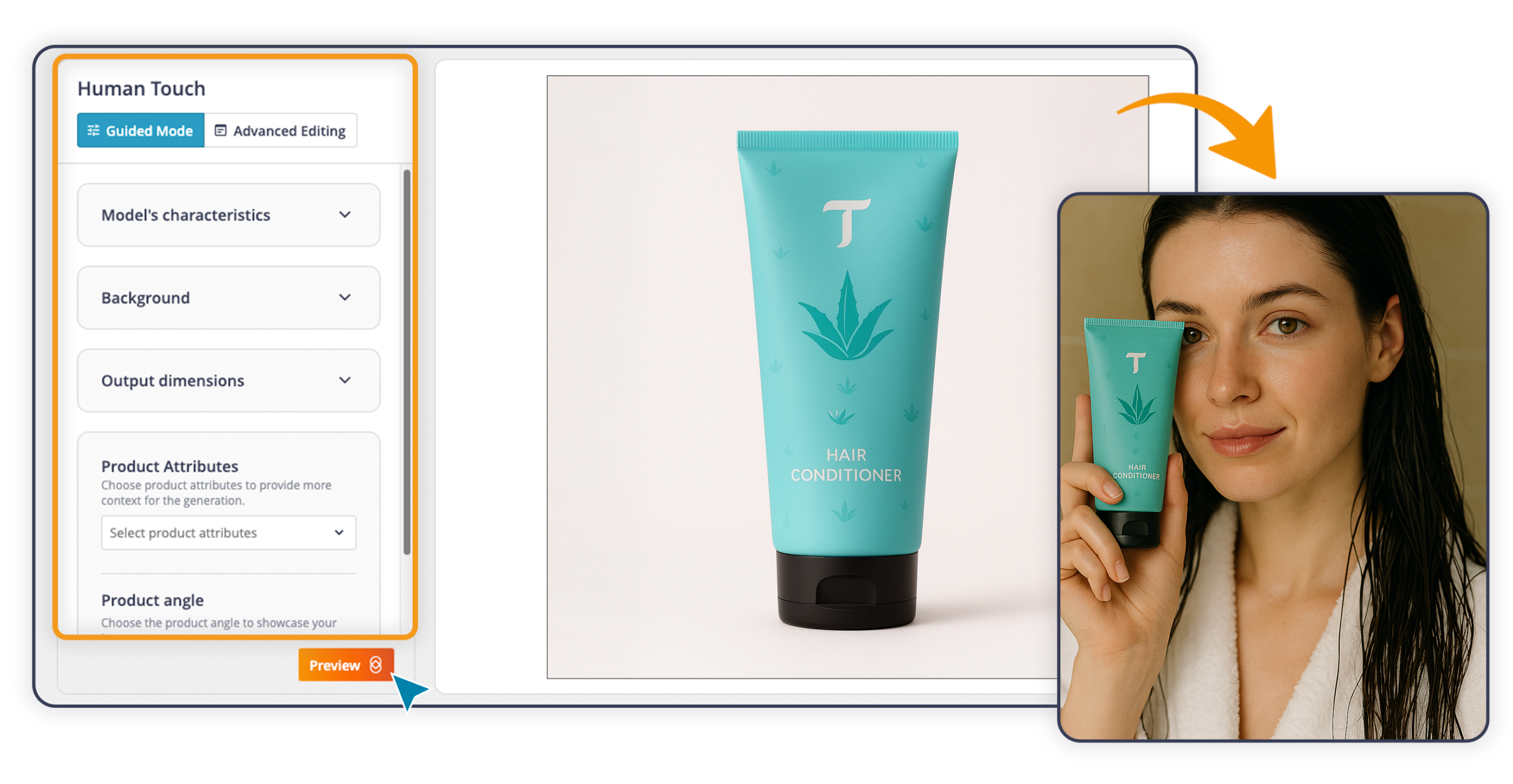
Place your product in an environment, indoors or outdoors. Define the type of setting and the framing characteristics, and the AI will position the product in the chosen context with full visual consistency. A sofa in a living room, a car in a showroom, an appliance in a kitchen.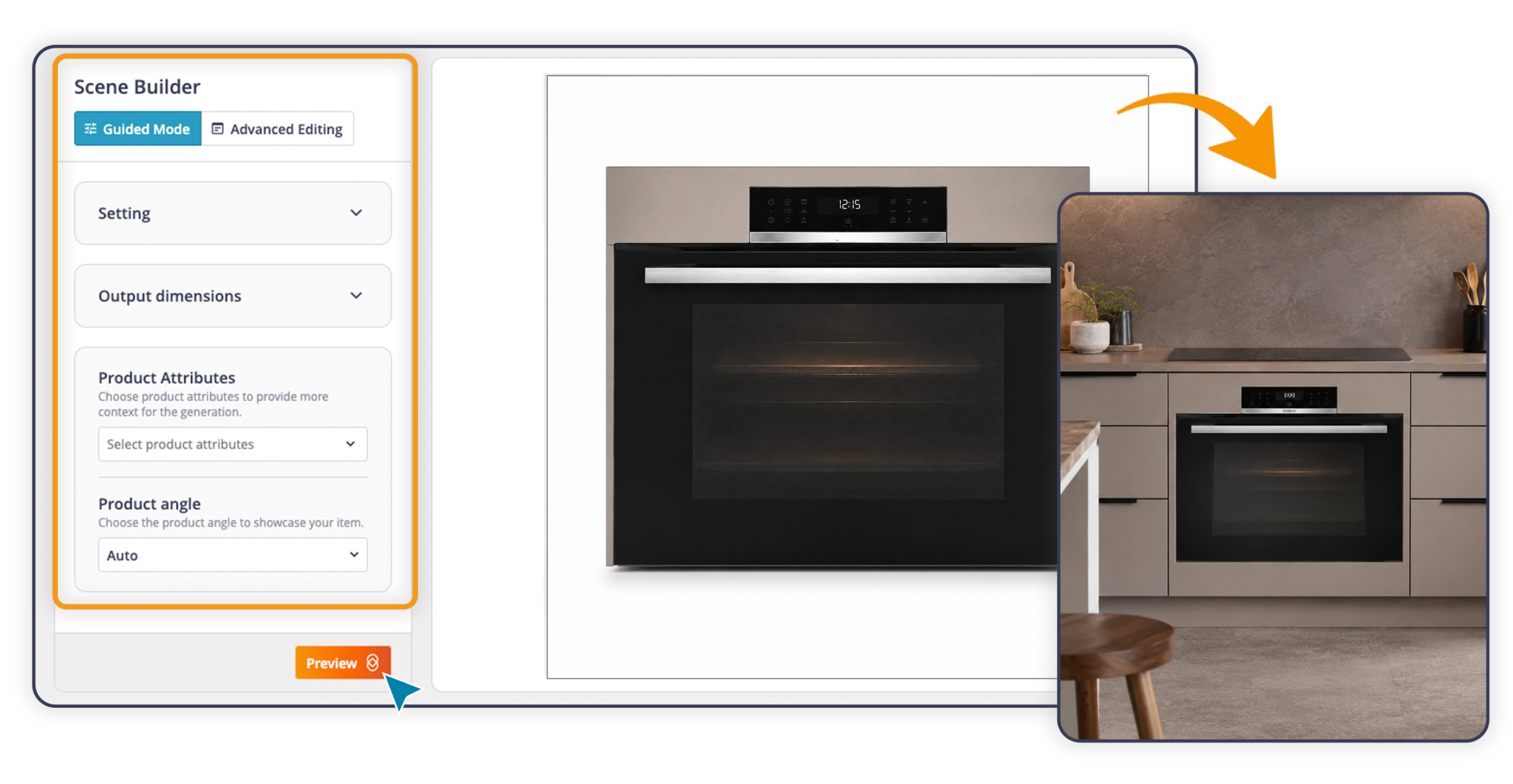
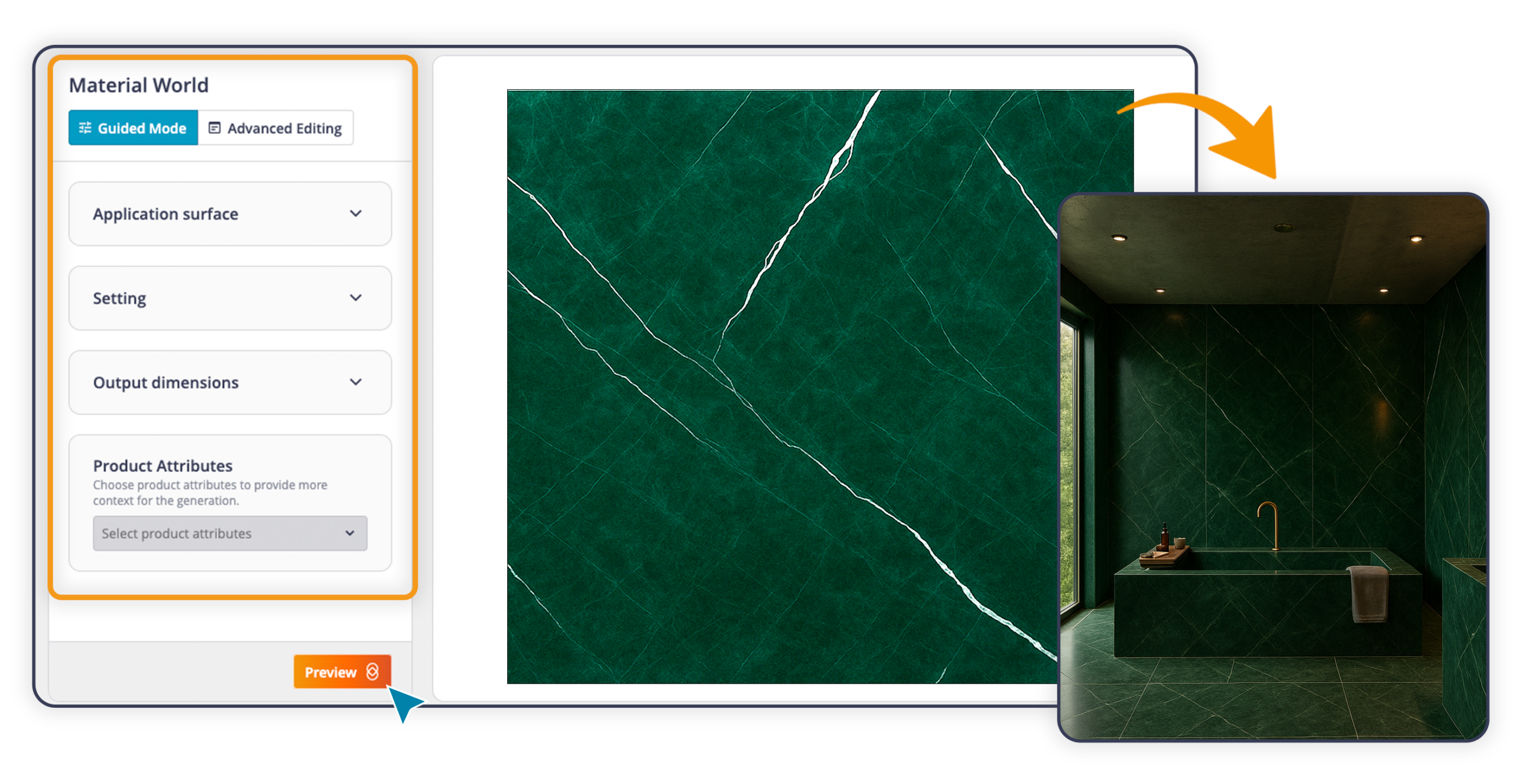
Starting from an image of a porcelain stoneware floor, a marble cladding, or a wood panel, the AI reads the visual characteristics of the material and generates a setting that shows it already installed. A tile becomes a bathroom; a parquet floor becomes a living room.
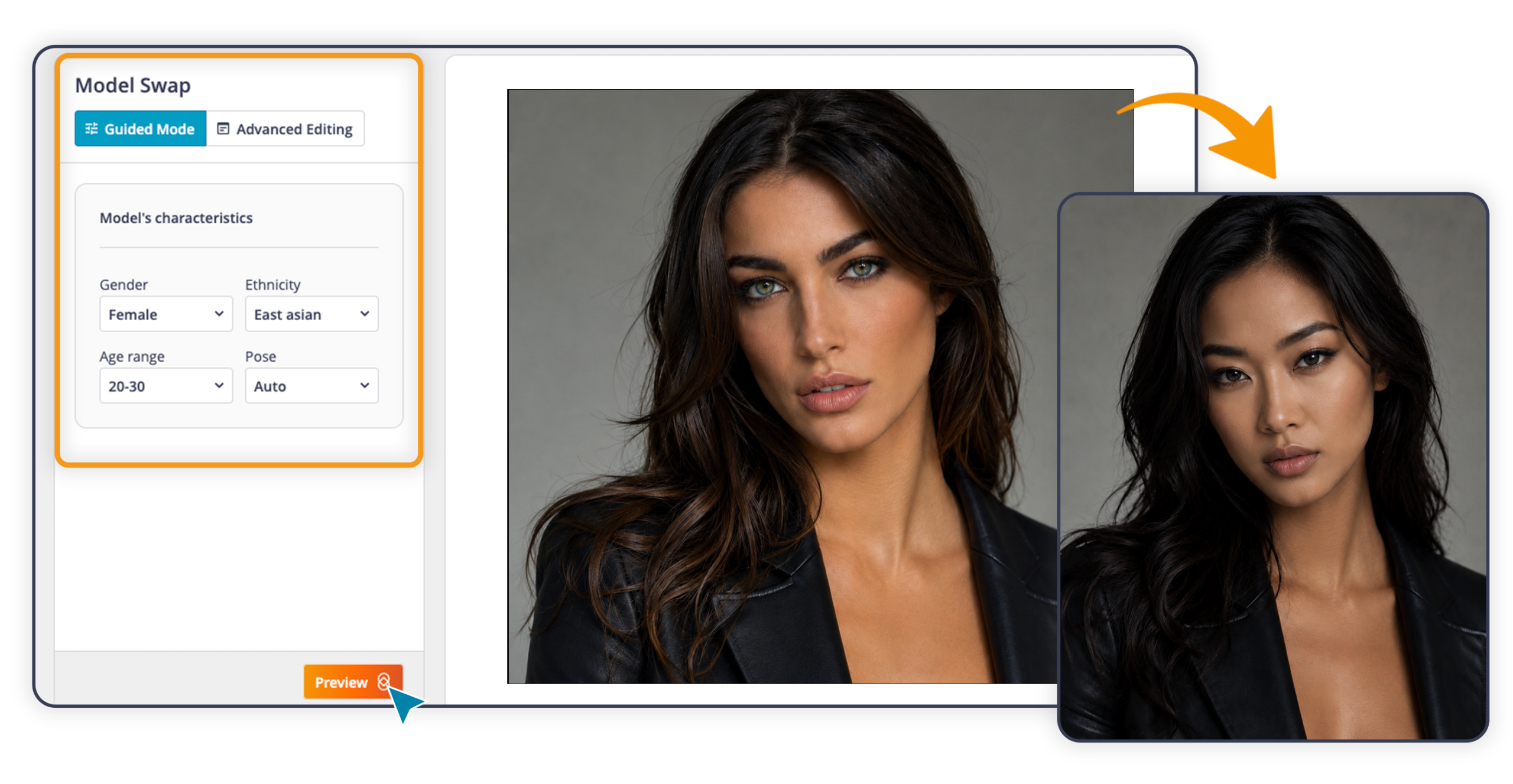
Replace the model in an existing shot while keeping the product unchanged, with the option to alter the pose as well. Useful when the usage rights for an image expire or when the same shot needs to be adapted for a different market.
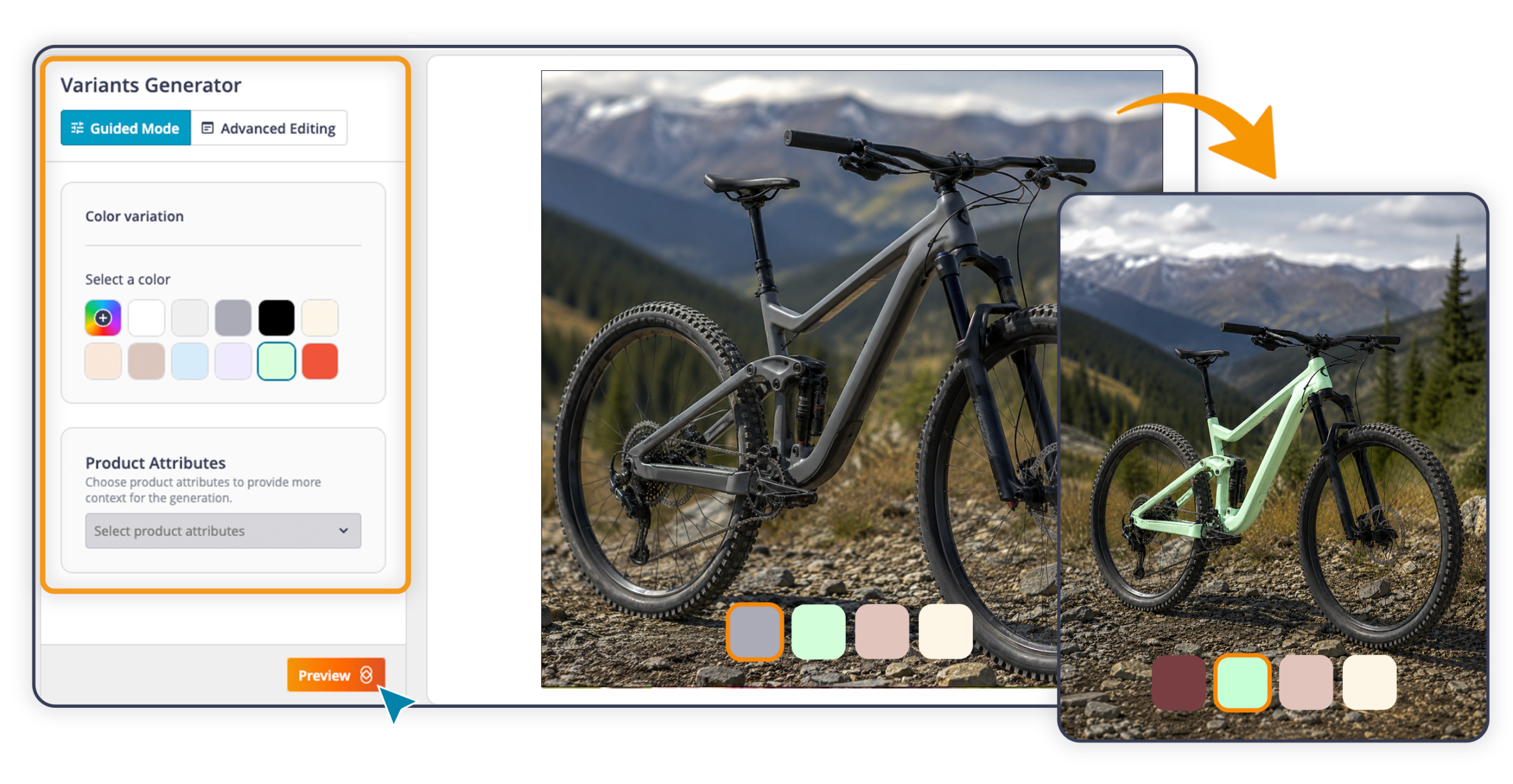
From a single shot, the entire color range. One image becomes the starting point for generating all color variants of a product, giving you a single source asset for the whole collection. You can select a preset, enter a color code (HEX), or describe it using advanced prompting.
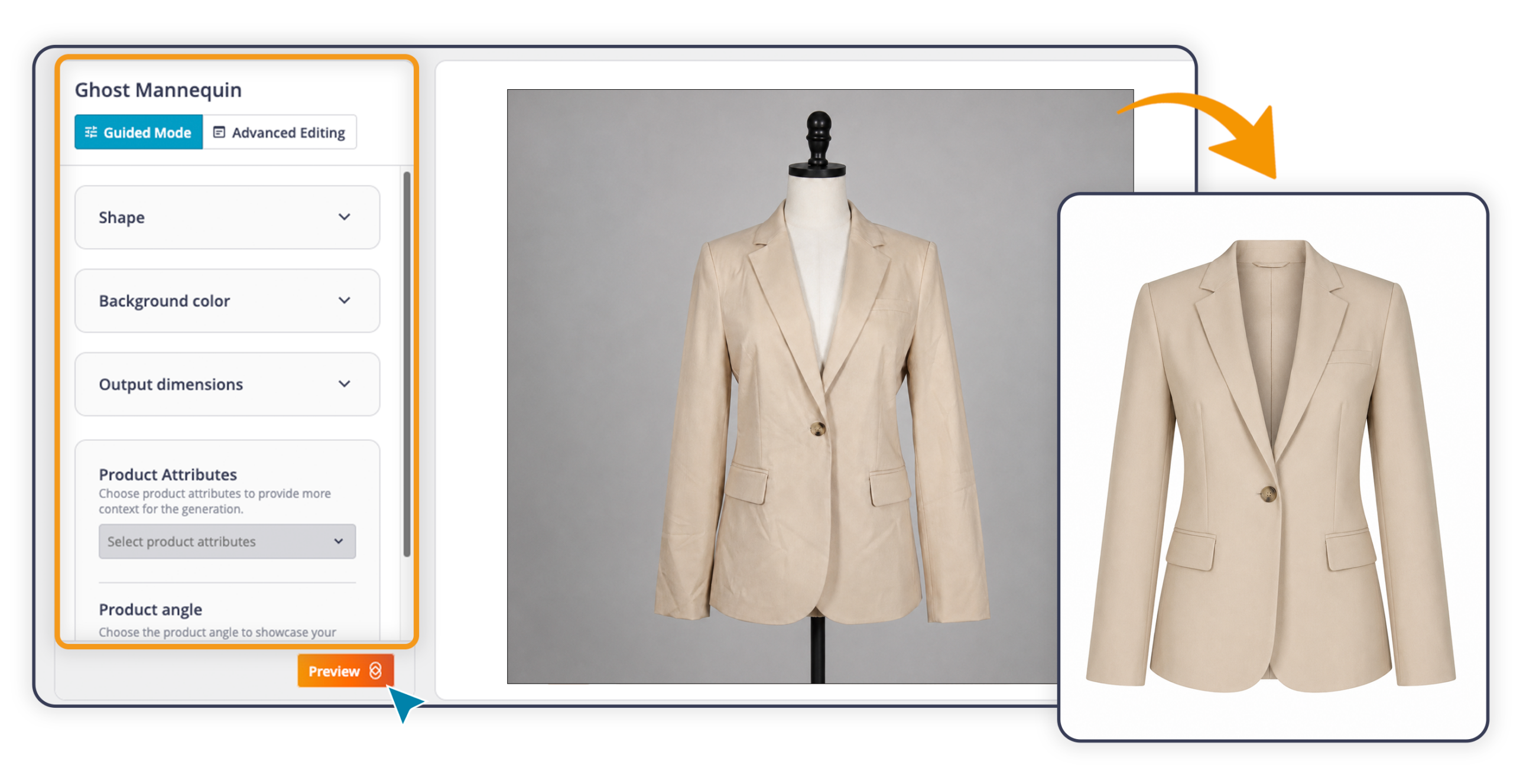
Turns a photo of a garment into a clean, professional image. Starting from the original shot, the AI corrects the lighting and removes creases and imperfections. Shape and fit are communicated clearly and professionally, in line with fashion catalog standards.
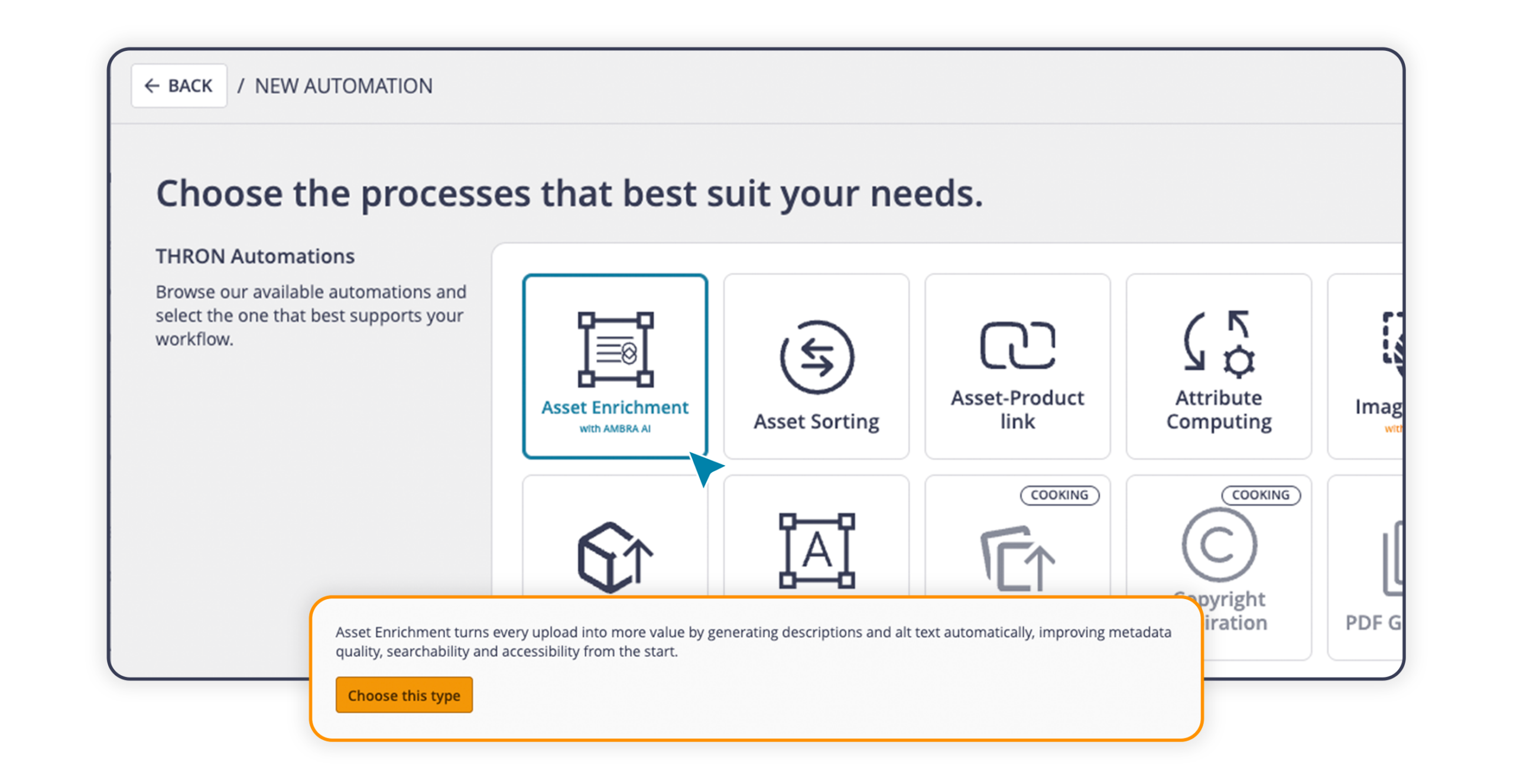
When images or documents are uploaded or updated in THRON Platform, the Asset Enrichment automation kicks in and AMBRA AI analyzes the content, automatically detecting color, type, orientation, and aspect ratio. At the same time, the AI fills in the text fields you’ve selected from your data model attributes. You can configure multiple automations, each with different inputs and purposes.
For teams managing large archives, metadata is complete from the very first moment. Consistent, structured descriptions improve asset searchability within the platform, and automatically generated alt texts support compliance with European digital accessibility regulations.
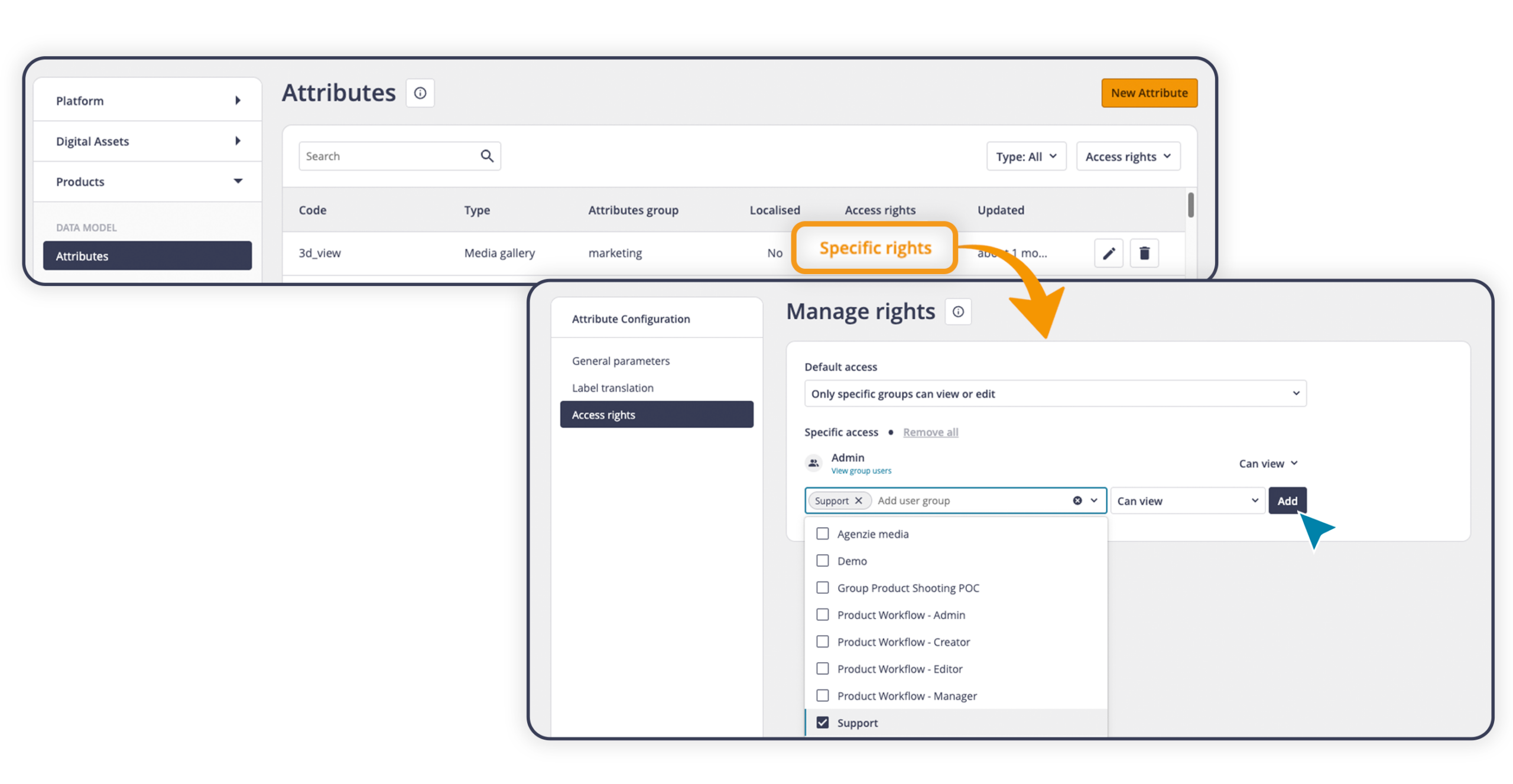
With selective attribute permissions, you can assign read or write access to each user group for every individual attribute. If no permission is assigned, the attribute won’t appear in the interface or in the export options.
Read: the attribute is visible but cannot be edited
Write: the attribute is visible and can be edited
Permissions are set on an attribute-by-attribute basis. This is because people doing a specific job often need to view information from multiple areas without necessarily being able to edit all of it. A marketing team member, for example, might read ERP data to write a product description without needing to update it.
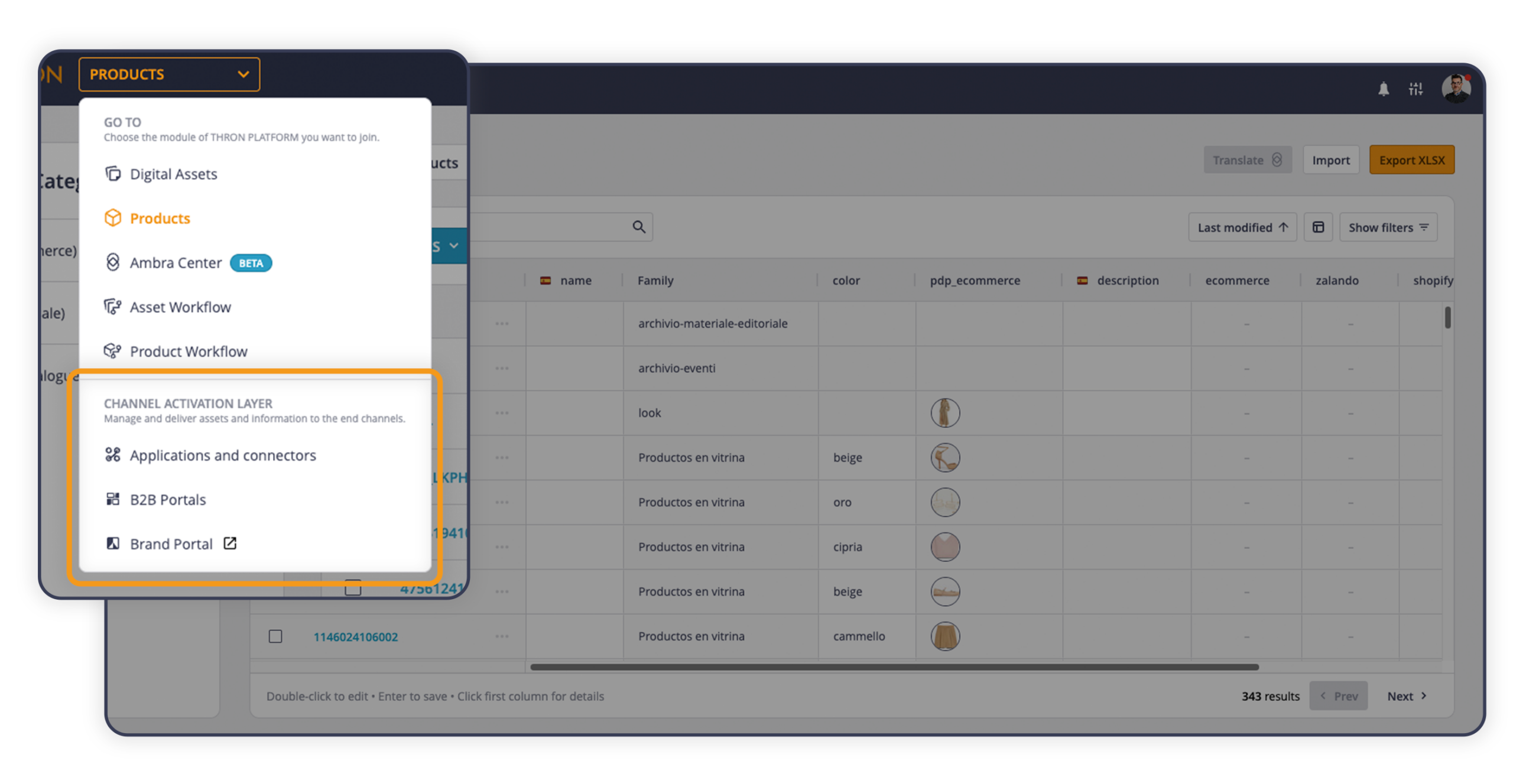
The B2B Areas, the portals that THRON provides for suppliers and resellers, are now accessible from the main menu under the new Channel Activation Layer section. If only one area is active, it opens directly with a single click; if more than one is active, a selection window lets you choose which one to open.
Also worth noting: Analytics moves to Platform Tools, alongside other platform configuration and monitoring utilities such as Users and Taxonomy. The everyday working menu becomes cleaner, with operational tools on one side and monitoring and configuration tools on the other.