Language

Discover news, releases and enhancements of our platform.
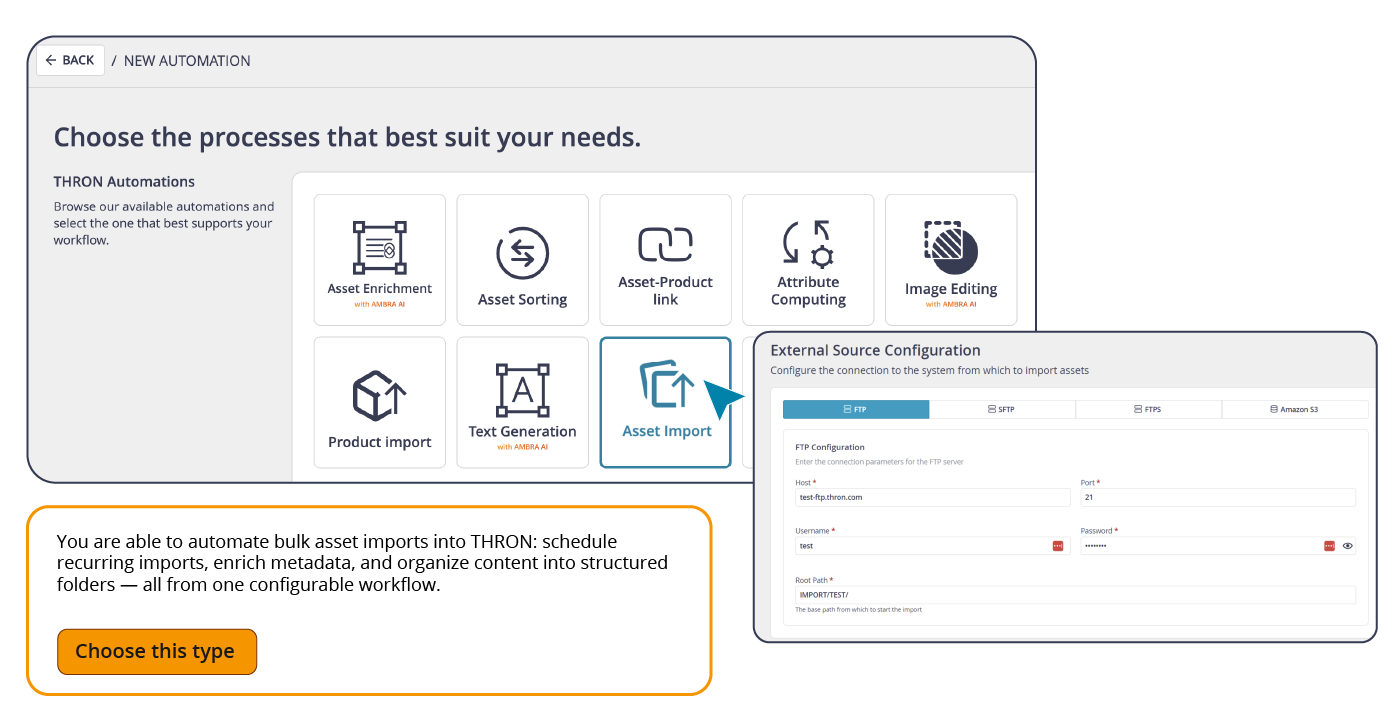
Starting with this release, files arriving from external sources enter THRON already cataloged and ready to use, with no need for anyone to import them manually or reorganize them after upload.
With the new Asset Import automation, you connect the external source, define where files should go and how they should be cataloged, and set the frequency. From that point on, THRON handles everything.
It works with the protocols already in use within your IT infrastructure (FTP, SFTP, FTPS, S3 buckets), requiring no changes to existing systems. For each imported asset, you can choose how to manage it:
Versioning: if a file with the same name already exists, the automation creates a new version of the asset while preserving the full history
New content: if the file is not present, or if you prefer to keep it separate, a new asset is created without touching the original
Attributes are mapped automatically based on the data in the configuration file, so every asset enters with the information your data model requires, already in place.
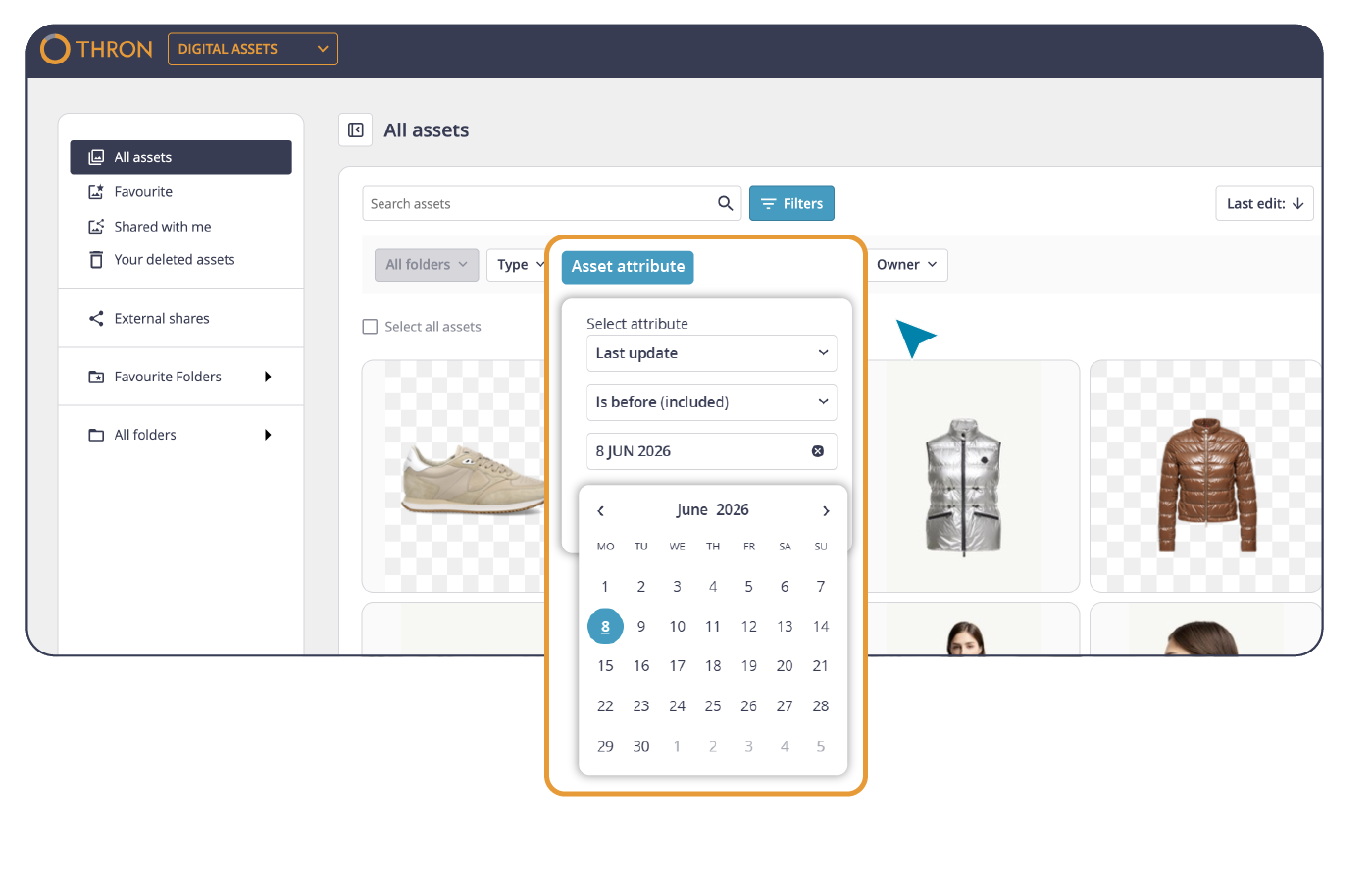
Some content has a direct relationship with time: images whose copyright expires within 30 days, assets uploaded during the last campaign, everything that was modified the week before a launch. Finding them, until now, meant scrolling, combining filters, and running manual checks.
Starting with this release, the Digital Asset Library lets you filter by date range on any date-type attribute. The filter offers three selection modes:
Specific date: to find assets tied to a particular day
Knowing which assets have copyright expiring soon, what has just arrived, and what has been updated becomes part of your daily workflow, letting you retrieve assets tied to campaigns, events, or seasonal needs with precision and in the shortest time possible.
When you already know the name of the file you’re looking for, browsing the entire Library is not the fastest route.
Starting with this release, the filename is available as a system attribute in the attributes section of the Digital Asset Library: filterable, visible, and non-editable.
Anyone working with defined naming conventions, files delivered by agencies, assets organized according to company standards, or content identified by name in external systems now has a direct link between the name they already know and the asset in the Library.
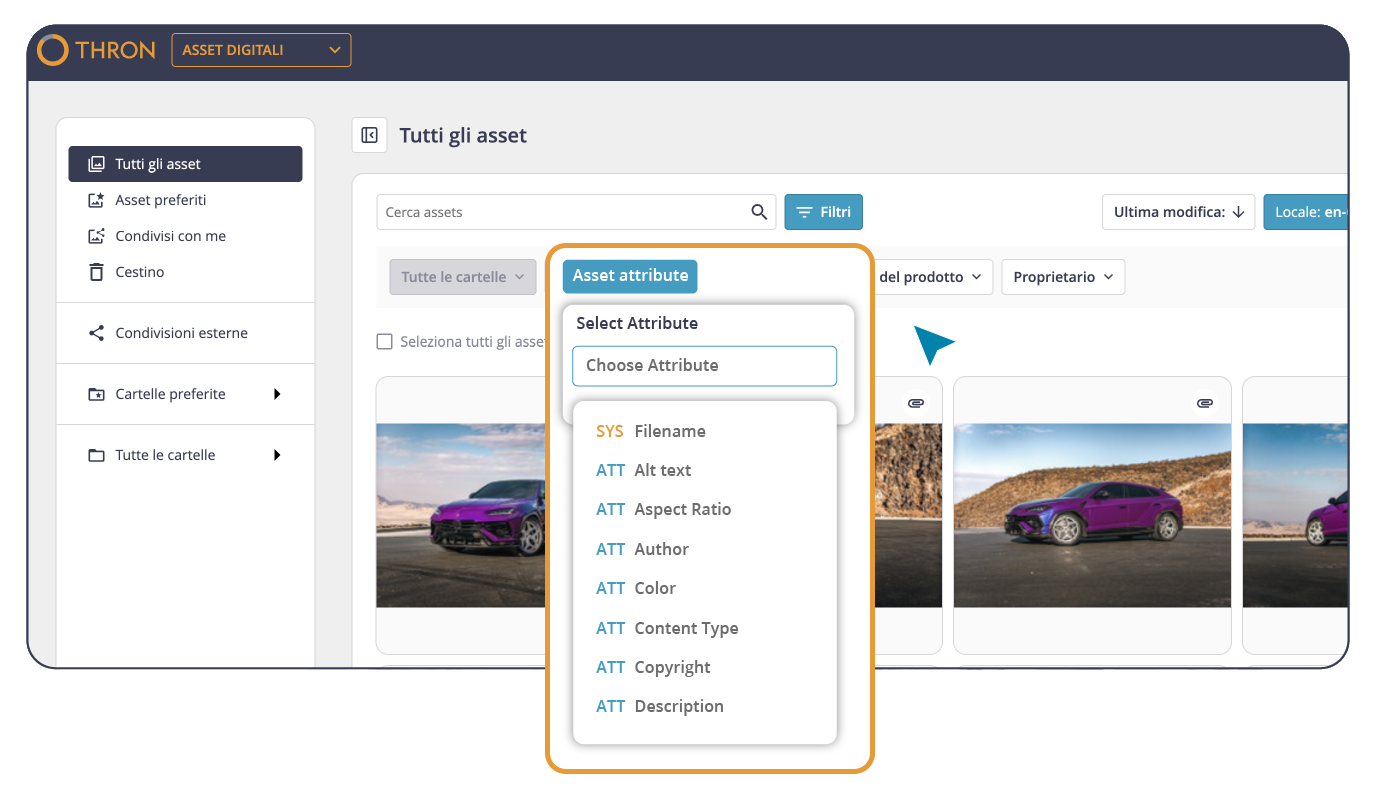
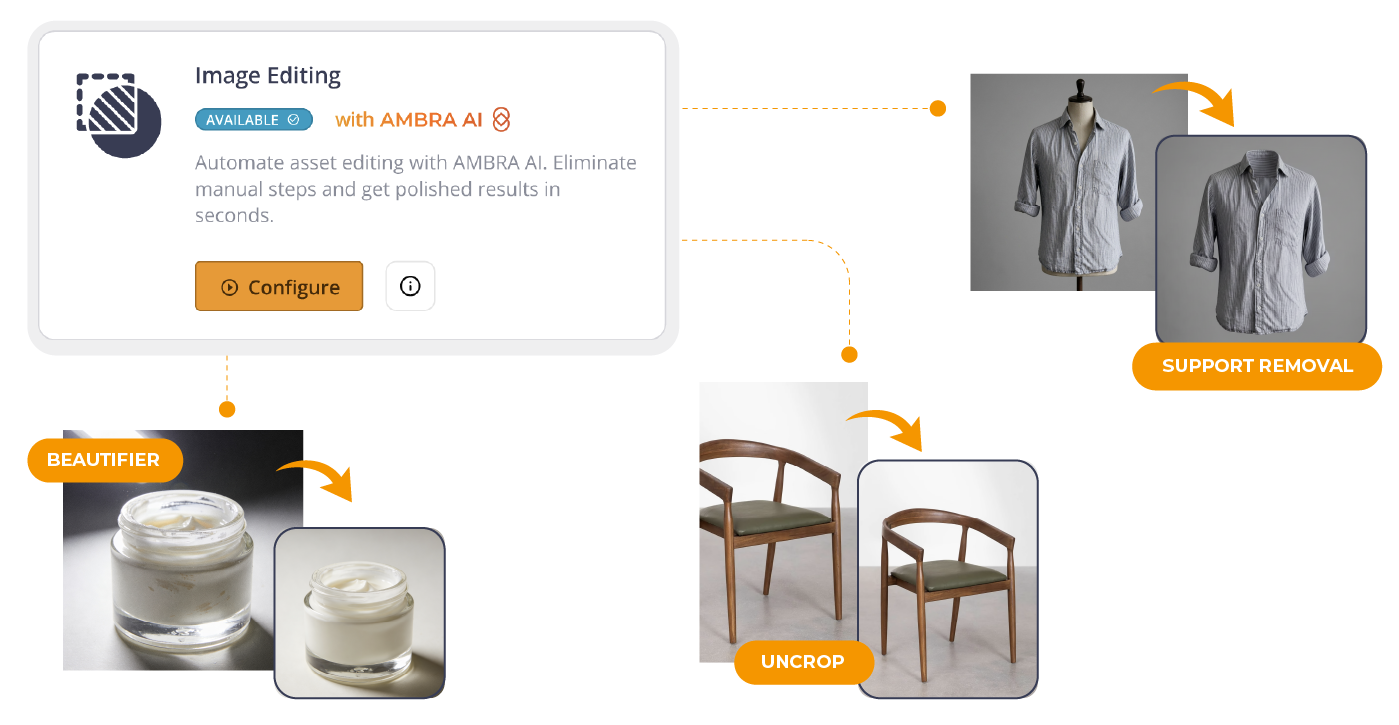
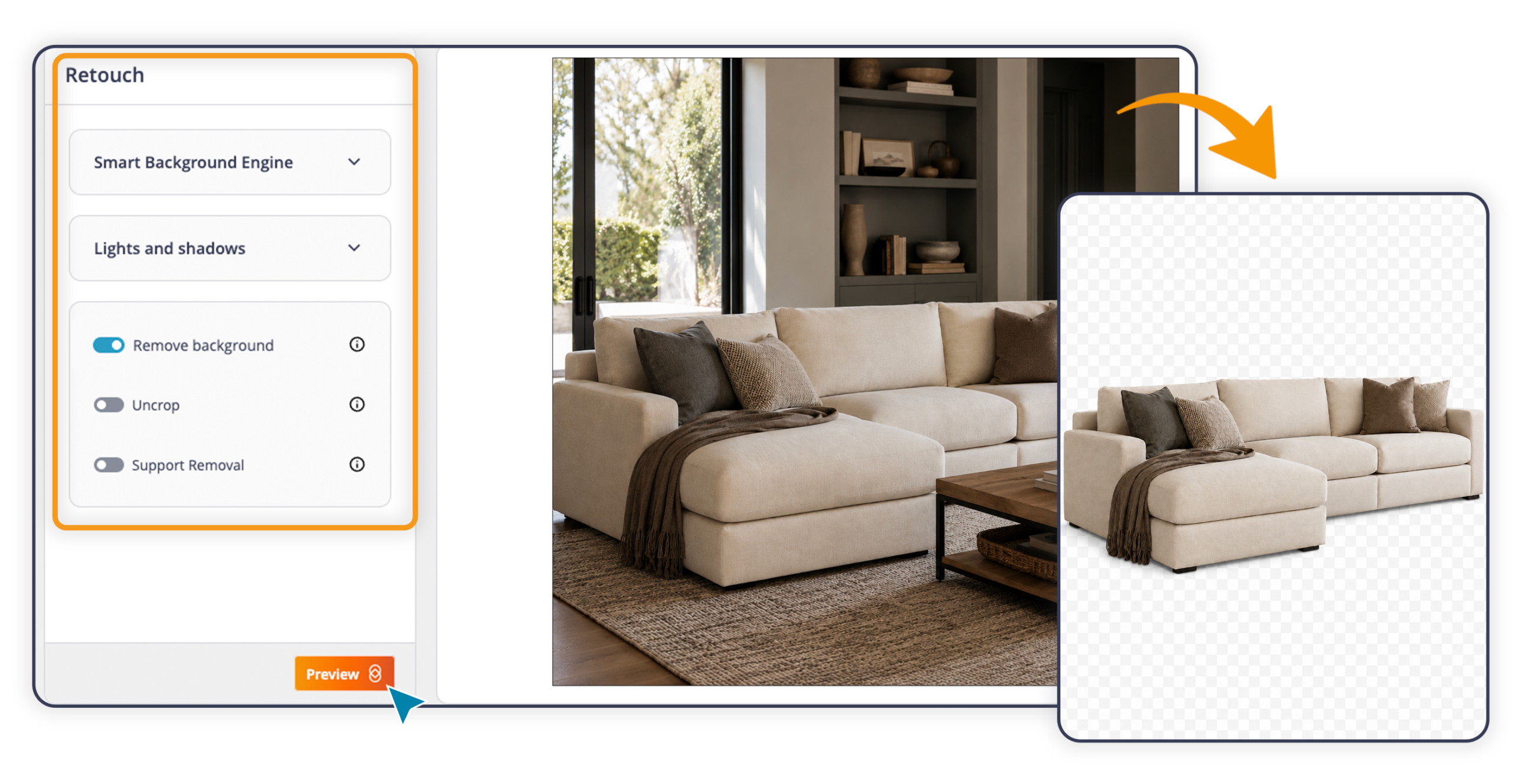
Image Editing automation already made it possible to apply visual transformations to entire folders without manual intervention: background removal, shadow, padding, centering, and margin.
With this update, the catalog of available transformations expands with three new Retouch features from AMBRA AI Transform:
Support Removal: removes hangers, mannequins, and other scene props
Uncrop: regenerates missing portions of a photographed product
Beautifier: automatically enhances the appearance of the subject
The configuration logic stays the same: choose the source folder, select the transformations to apply in combination, and set the frequency. The automation runs without any further input, ensuring visual consistency at scale.
You can also choose whether each transformation generates a new version of the original asset (so already-published channels update automatically without having to redefine references and integrations) or a separate new content item, keeping the original completely intact.
Before running the automation across the entire folder, you can test the transformations on a sample image and save the configuration only once the result is exactly what you were looking for.
AI Editing on THRON Platform is expanding. With AMBRA AI Transform, you choose the type of operation from seven structured modes, each built around a real-world use case. Optimized templates guide the workflow with no prompt engineering skills required. It’s also accessible directly from the asset list by clicking the three-dot menu and selecting Transform image.
Five AI-powered post-production tools, all brought together in a single workspace.
Smart Background: background removal or replacement, plus extension beyond the borders
Visual Composition: adjustment of lighting, shadows, and product placement
Product Beautifier: automatic enhancement of the product’s appearance
Support Removal: removal of mannequins, hangers, and props
Uncrop AI: regeneration of missing parts of the main product in the photo
 Human Touch
Adds a human presence to still life shots. Choose the model’s characteristics (gender, ethnicity, pose), decide whether to include a setting or keep a neutral background, and define the shooting angle. The AI generates the scene: a garment being worn, a cream held in hand, a tool in use. Particularly useful for fashion, beauty, grocery, manufacturing, and sporting goods.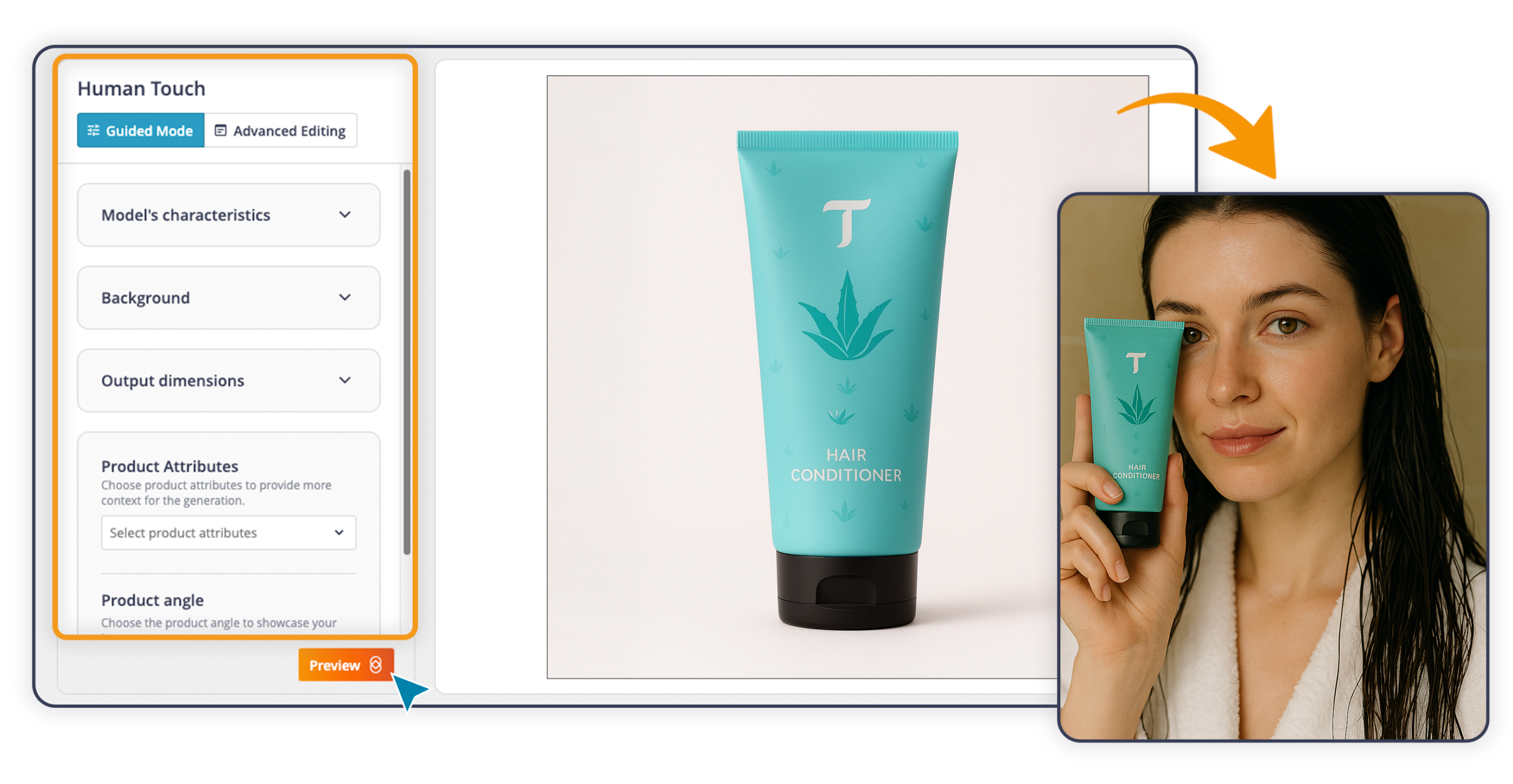
Place your product in an environment, indoors or outdoors. Define the type of setting and the framing characteristics, and the AI will position the product in the chosen context with full visual consistency. A sofa in a living room, a car in a showroom, an appliance in a kitchen.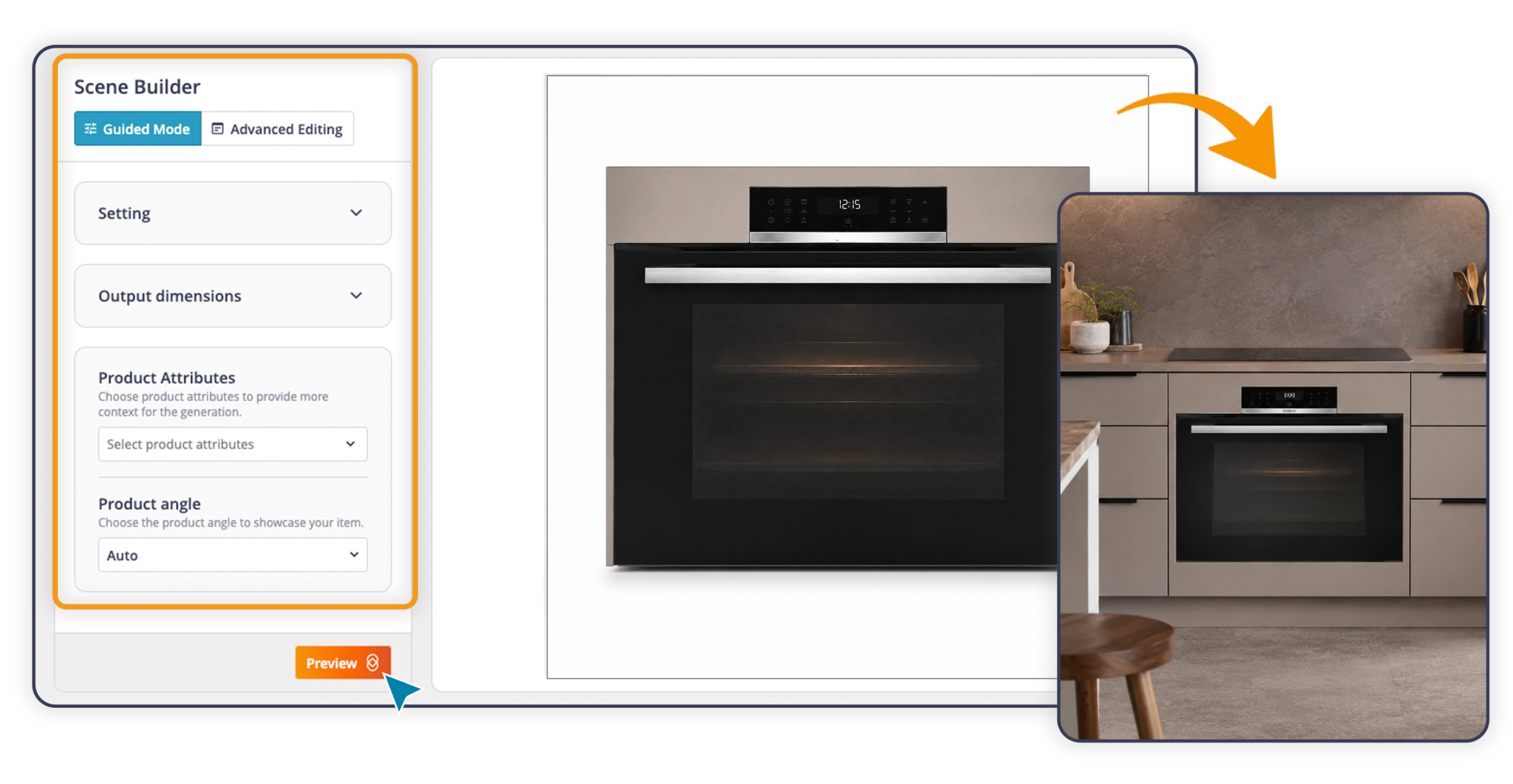
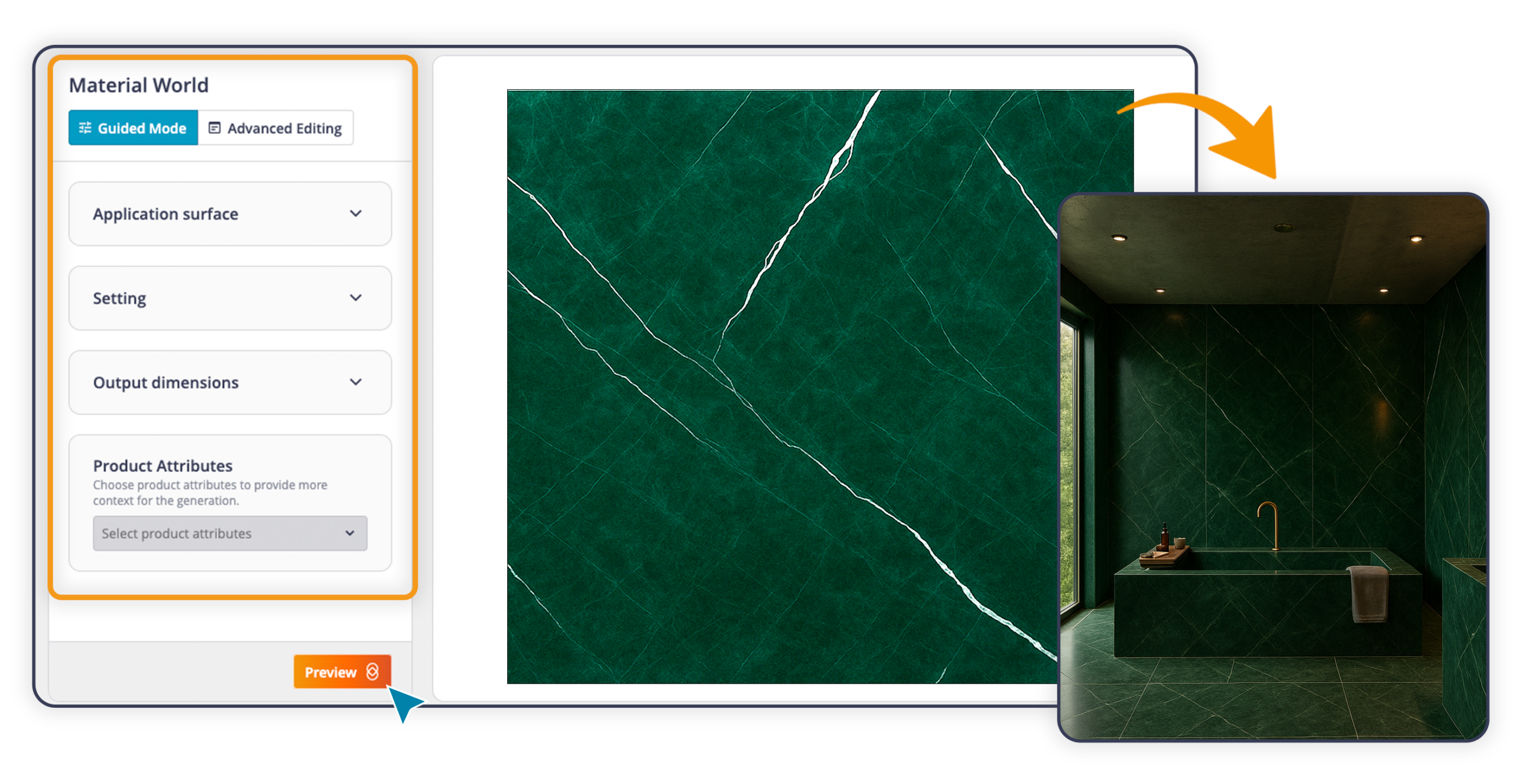
Starting from an image of a porcelain stoneware floor, a marble cladding, or a wood panel, the AI reads the visual characteristics of the material and generates a setting that shows it already installed. A tile becomes a bathroom; a parquet floor becomes a living room.
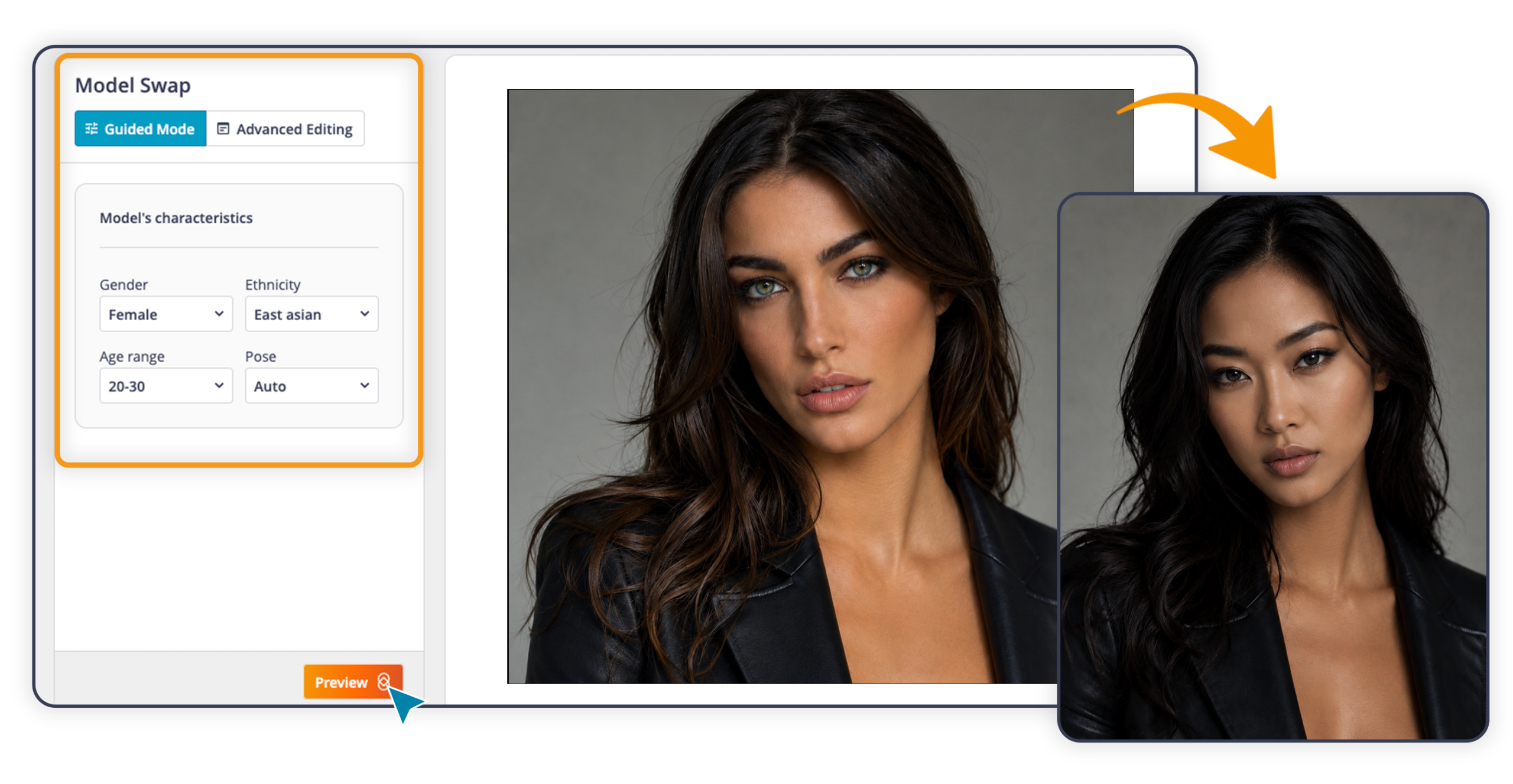
Replace the model in an existing shot while keeping the product unchanged, with the option to alter the pose as well. Useful when the usage rights for an image expire or when the same shot needs to be adapted for a different market.
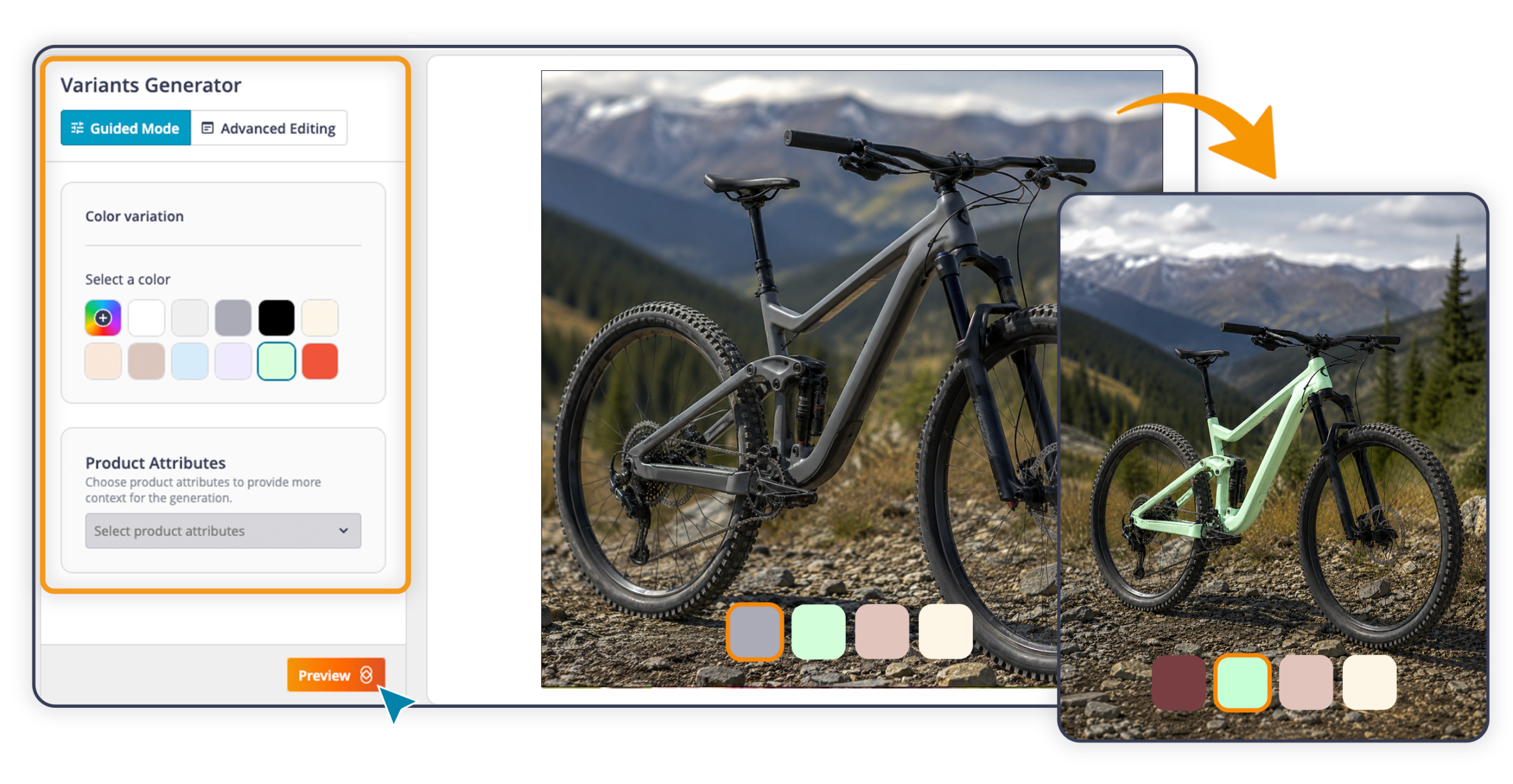
From a single shot, the entire color range. One image becomes the starting point for generating all color variants of a product, giving you a single source asset for the whole collection. You can select a preset, enter a color code (HEX), or describe it using advanced prompting.
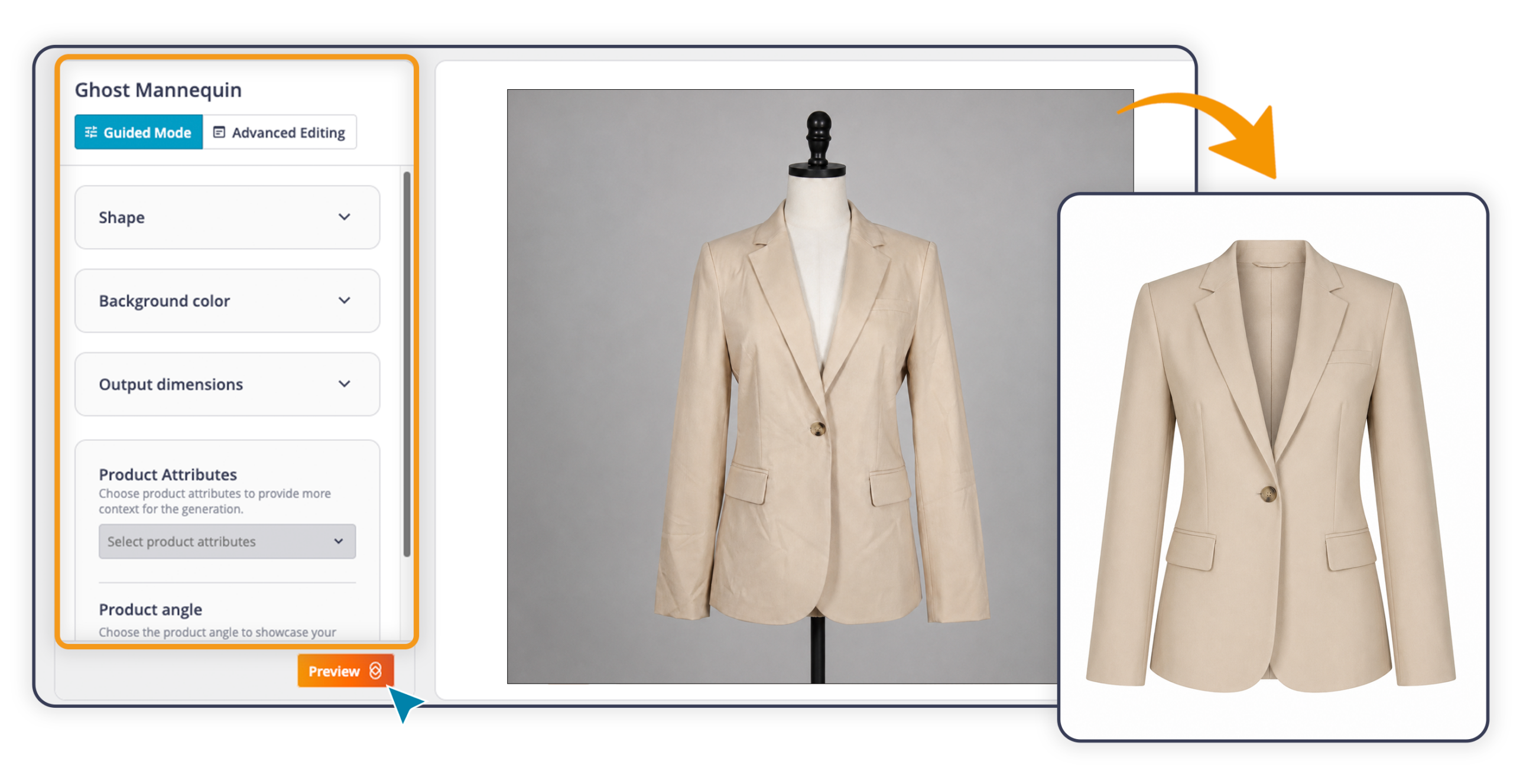
Turns a photo of a garment into a clean, professional image. Starting from the original shot, the AI corrects the lighting and removes creases and imperfections. Shape and fit are communicated clearly and professionally, in line with fashion catalog standards.
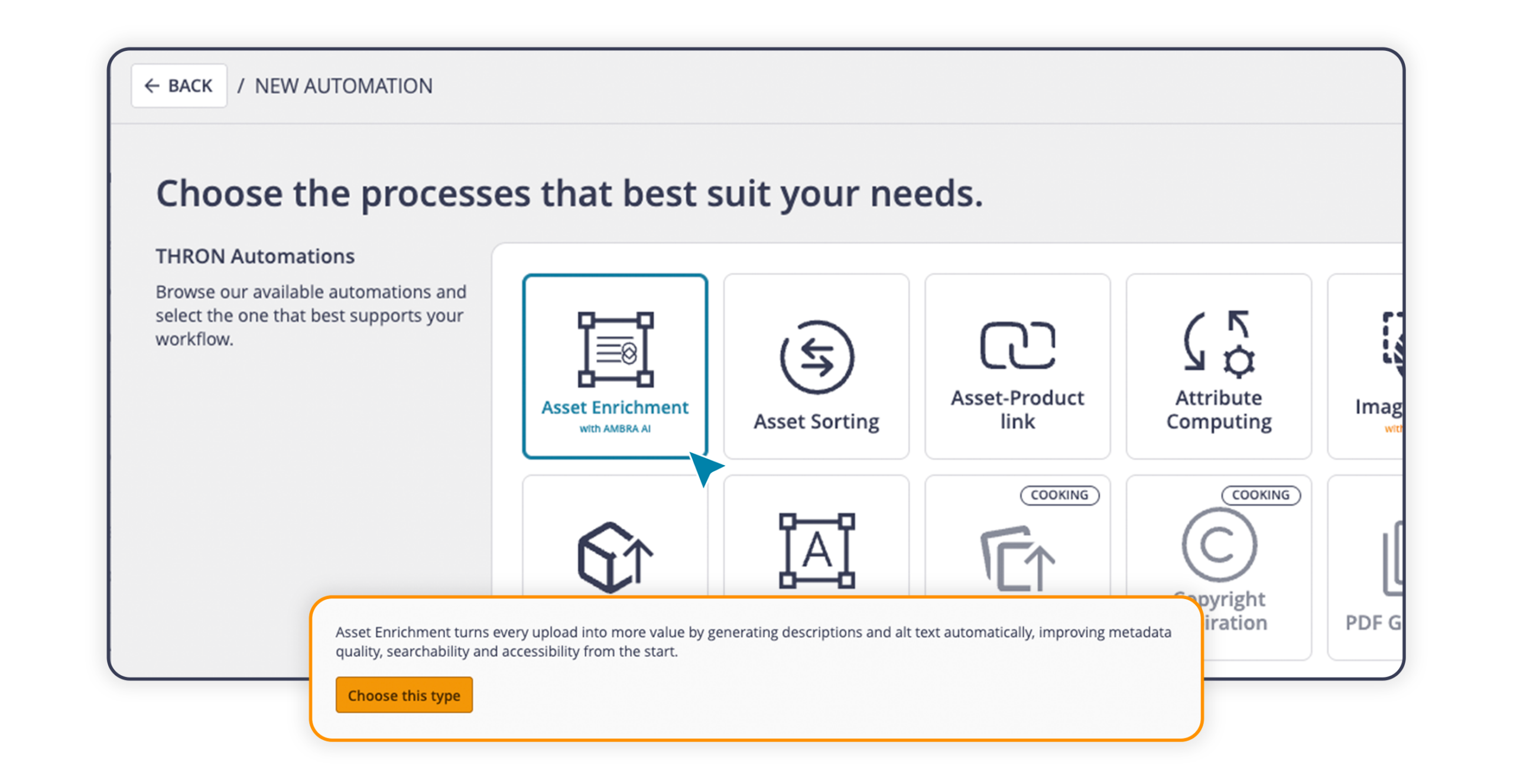
When images or documents are uploaded or updated in THRON Platform, the Asset Enrichment automation kicks in and AMBRA AI analyzes the content, automatically detecting color, type, orientation, and aspect ratio. At the same time, the AI fills in the text fields you’ve selected from your data model attributes. You can configure multiple automations, each with different inputs and purposes.
For teams managing large archives, metadata is complete from the very first moment. Consistent, structured descriptions improve asset searchability within the platform, and automatically generated alt texts support compliance with European digital accessibility regulations.
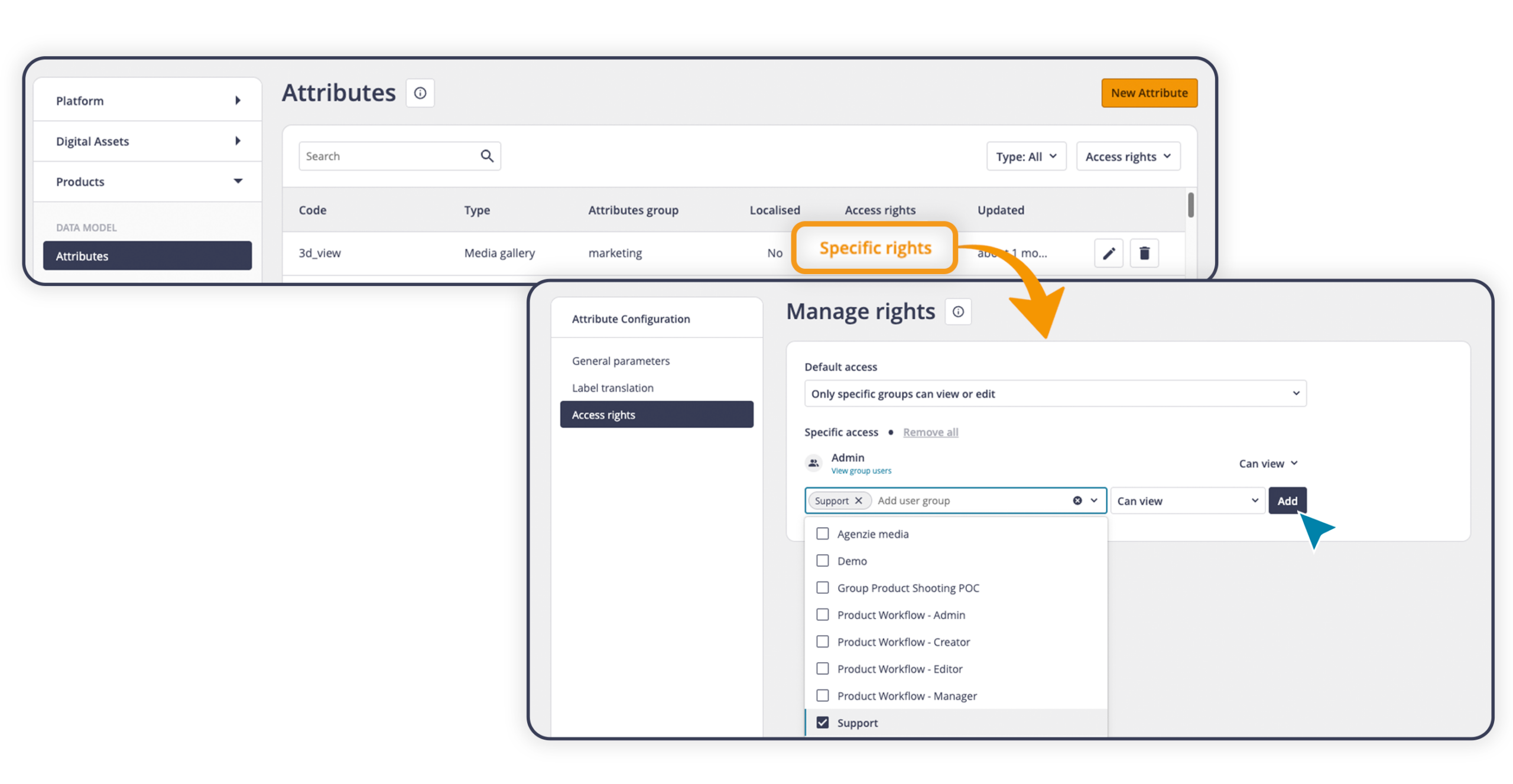
With selective attribute permissions, you can assign read or write access to each user group for every individual attribute. If no permission is assigned, the attribute won’t appear in the interface or in the export options.
Read: the attribute is visible but cannot be edited
Write: the attribute is visible and can be edited
Permissions are set on an attribute-by-attribute basis. This is because people doing a specific job often need to view information from multiple areas without necessarily being able to edit all of it. A marketing team member, for example, might read ERP data to write a product description without needing to update it.
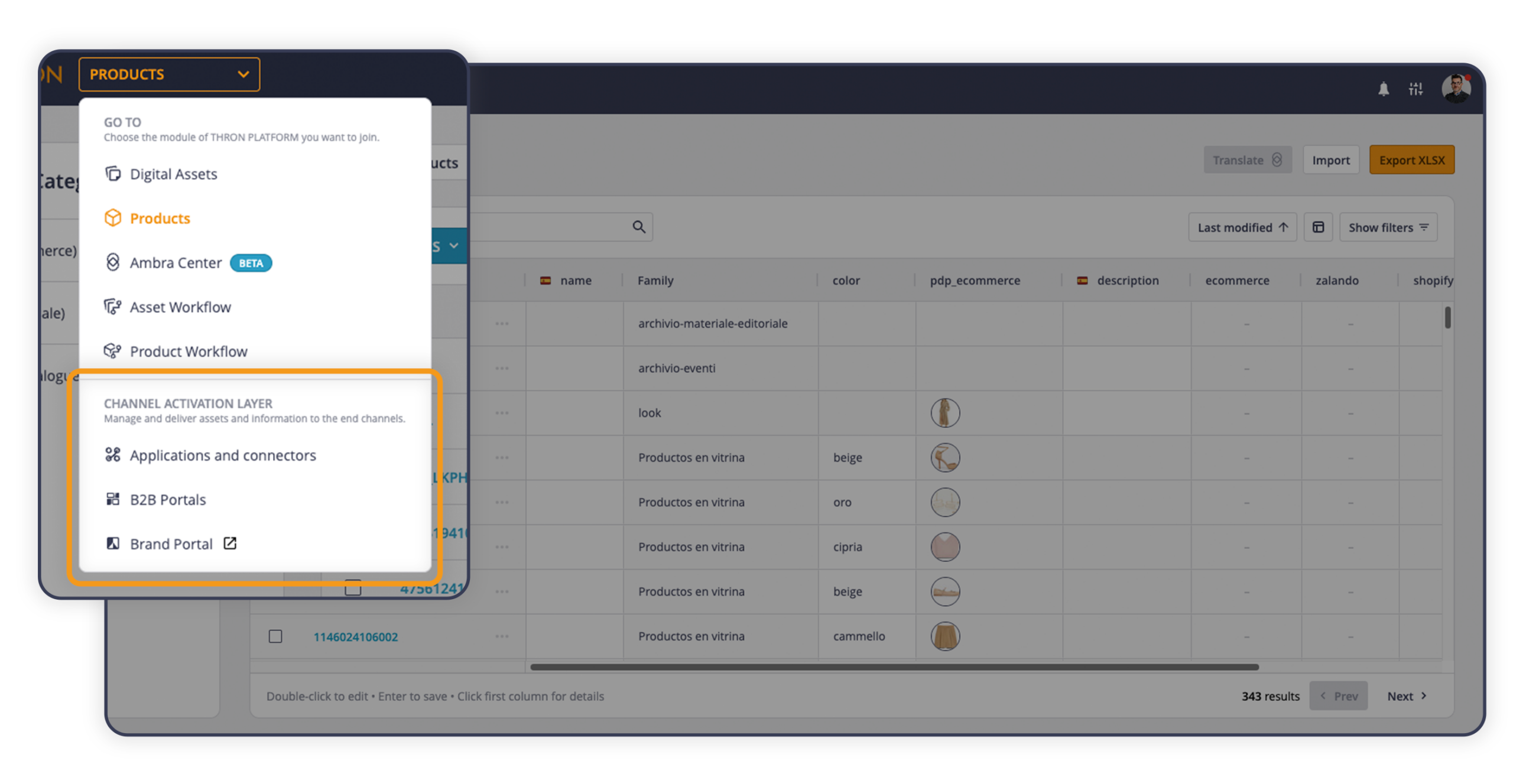
The B2B Areas, the portals that THRON provides for suppliers and resellers, are now accessible from the main menu under the new Channel Activation Layer section. If only one area is active, it opens directly with a single click; if more than one is active, a selection window lets you choose which one to open.
Also worth noting: Analytics moves to Platform Tools, alongside other platform configuration and monitoring utilities such as Users and Taxonomy. The everyday working menu becomes cleaner, with operational tools on one side and monitoring and configuration tools on the other.
In THRON Platform, there is a central repository that brings together all of the company’s products, along with all their information. From this release onwards, you can create separate catalogues for each operational context within that repository, each with its own categories. For example, the e commerce catalogue might include sections such as “New Arrivals”, “Outlet” and “2026 Catalogue”, while the catalogue for the reseller network could be organised by geographical area.
The same product can appear in multiple catalogues at the same time, because catalogues do not duplicate data. They all draw on the same central repository, organising products in different ways depending on who is viewing them and for what purpose.
Any products that have not yet been assigned remain available at all times in the “Not in Catalogue” section, which can be accessed from the left hand column alongside all the catalogues that have been created.
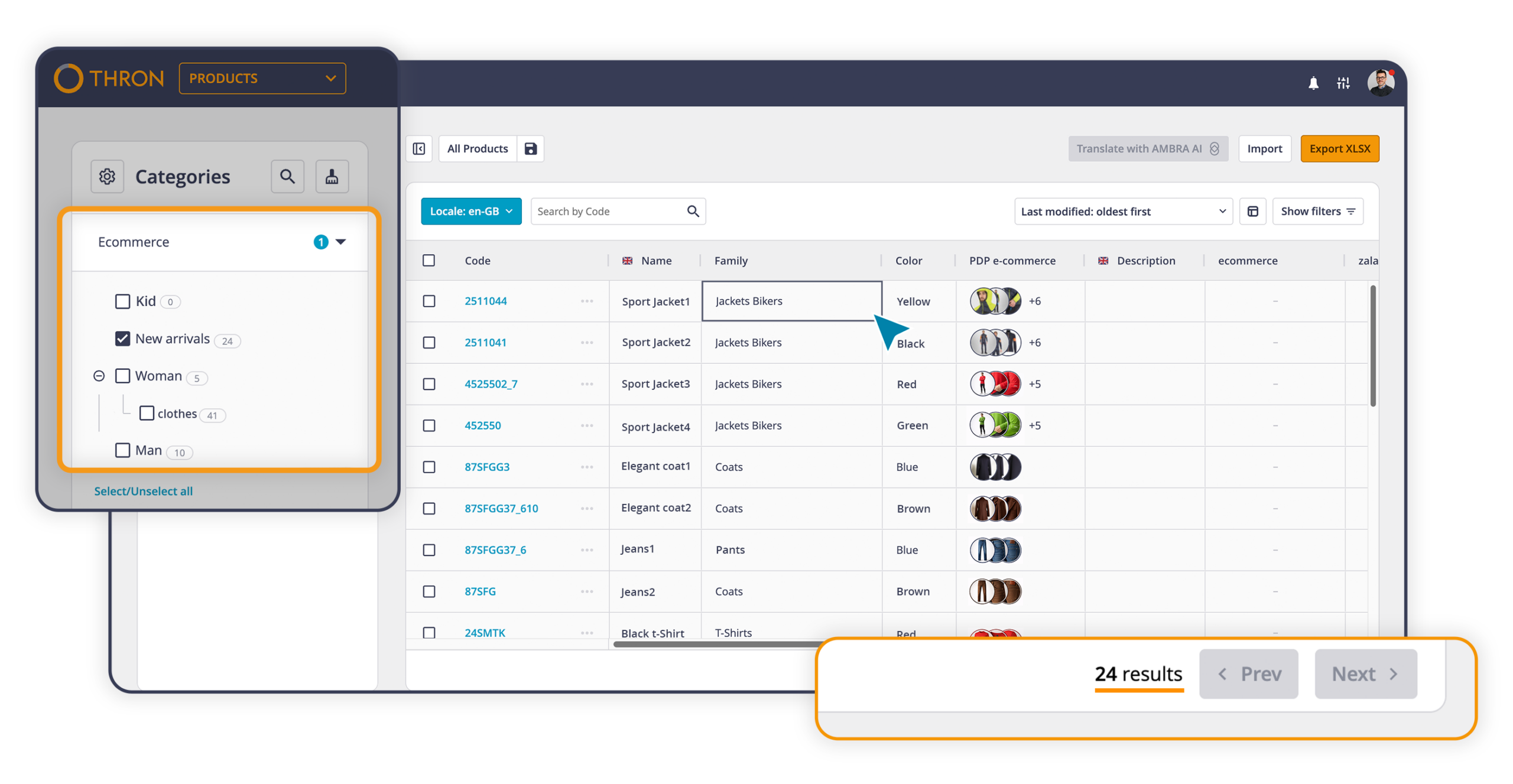
Some changes to the interface:
The catalogue configuration is available in the platform settings, immediately after Families.
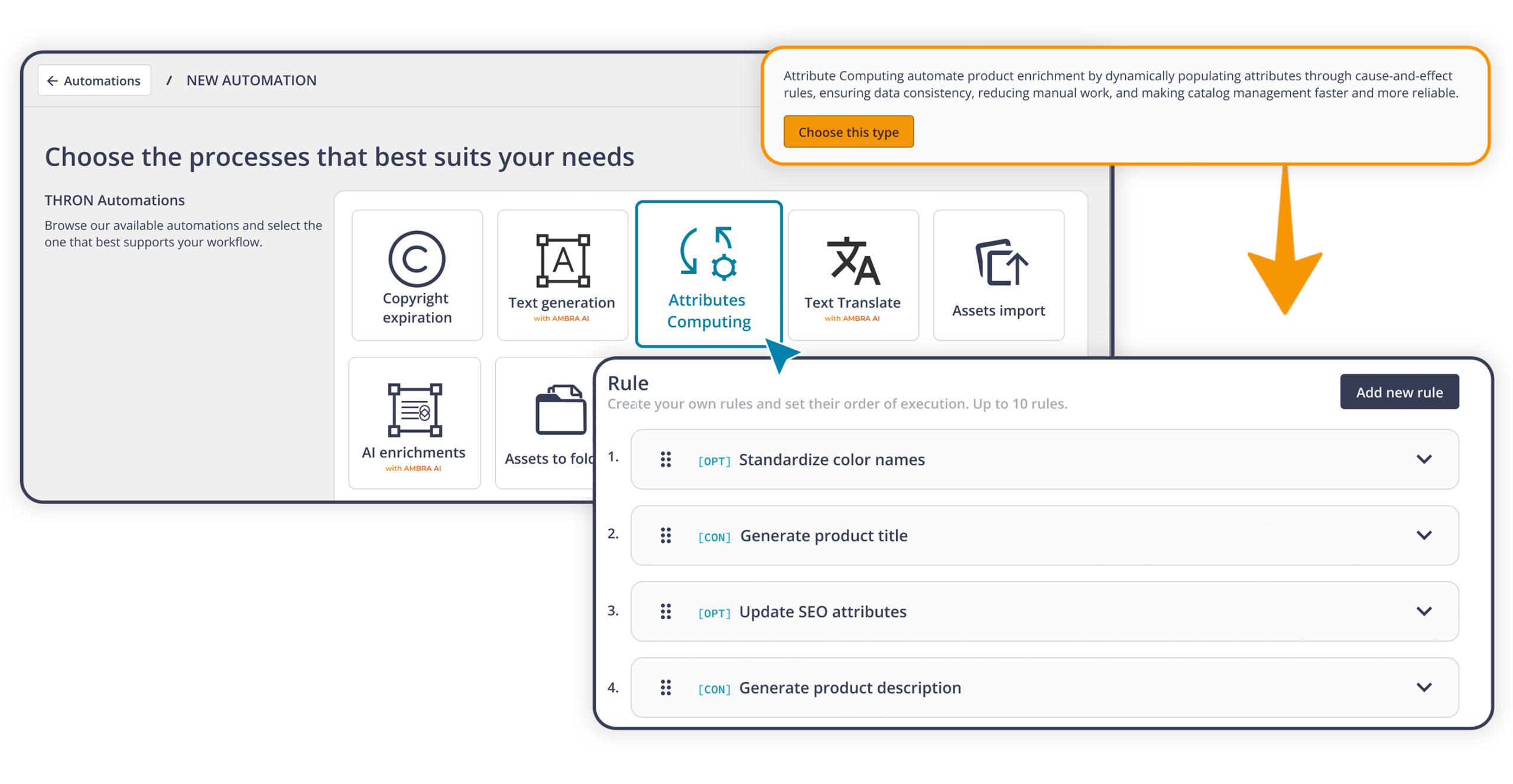
The first of the three Attributes Computing steps is now available, introducing the new Automation Studio automation designed to keep catalogue data consistent over time.
Many companies manage product information in separate business systems such as ERP software, PLM systems and MDM platforms. These systems often send technical codes that cannot be used directly in the catalogue as they are.
Conversion Rules automate this transformation process. Starting from a value already available in THRON Platform, such as a colour code like “000000” received from an external business system, they automatically convert it into the values needed for each use case. The same code can therefore become “Nero” for the Italian catalogue, “Black” for the English one, and also update the colour filter for e commerce, all in a single step.
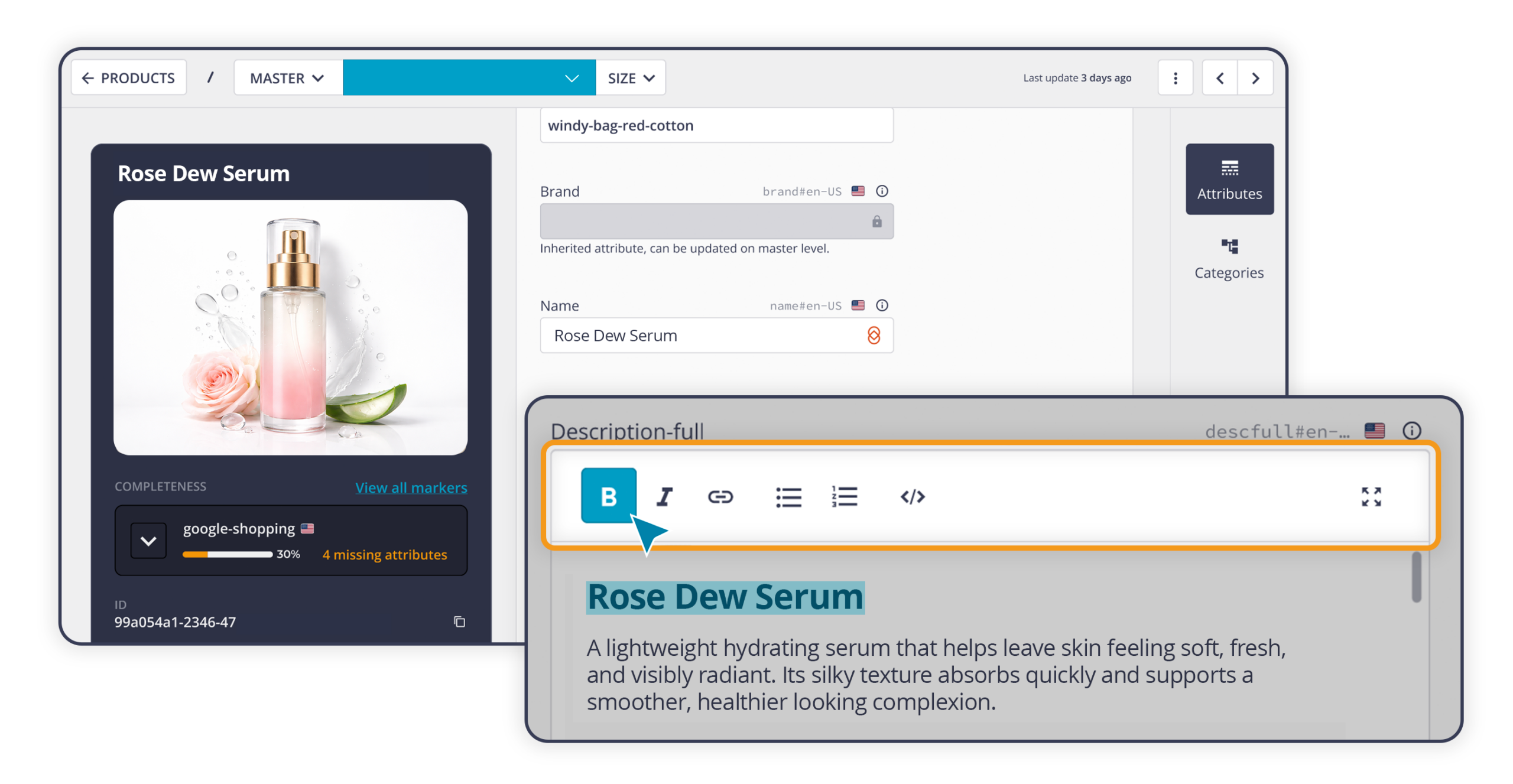
In product pages, some information benefits greatly from formatting: a bold heading, a bulleted list in the body text, a table with technical specifications, or a link to a more detailed page. Until now, adding this kind of content in THRON Platform required HTML to be written manually, which was both technical and prone to errors.
Long text fields can now be configured as visual editors: you write, select the text, apply bold, italics, bullet points, links or tables, and immediately see how the content will look once published. This is particularly useful, for example, for presenting sizes, measurements or comparative specifications in a clear format without having to rely on anyone else. The editor is available in a simplified version on the product page, and in an advanced version by expanding the field.
Anyone who previously used paglets to display data in tabular form will find this feature a more direct and fully integrated solution.
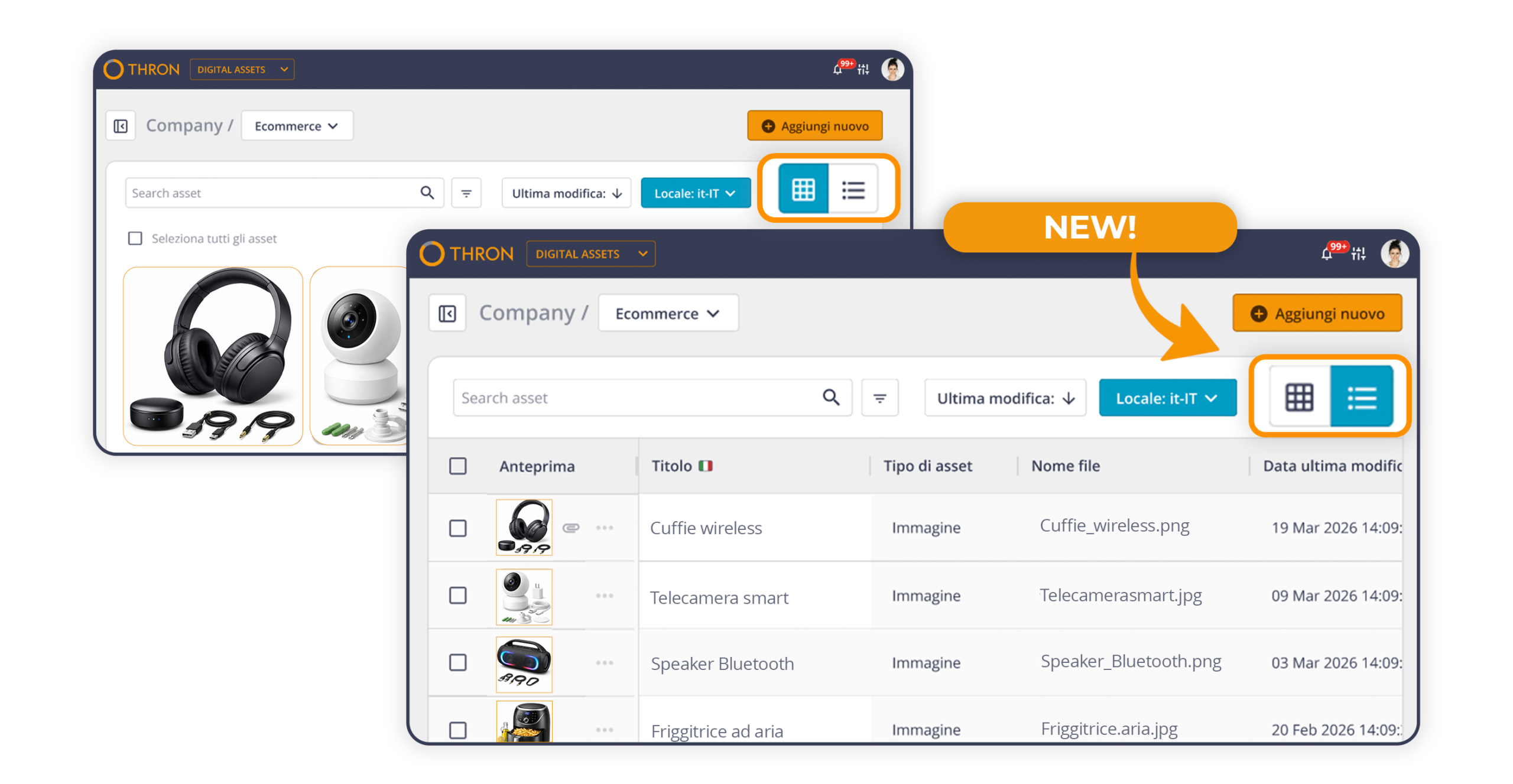
The Digital Asset Library now includes a table view, already familiar to anyone working with the Product Sheet Library, alongside the existing grid view.
Each user can choose which columns to display from attributes such as title, description and author, as well as system information such as modification date, file type and extension. You can select up to ten columns, and the configuration is saved even when switching browser or device.
Anyone with editing permissions can make changes directly in the cells: double click to open the field, edit it, then confirm by pressing Enter or clicking elsewhere. No need to open the detail page, and no interruption to the workflow.
The table view and grid view always stay in sync, so selections, filters and edits carry over seamlessly.
The THRON connector for Drupal, the open source content management system used to build websites and web portals, has been updated with a new interface and three operational improvements:
The result is a smoother media management experience, where searching, selecting and uploading all happen within the same area.
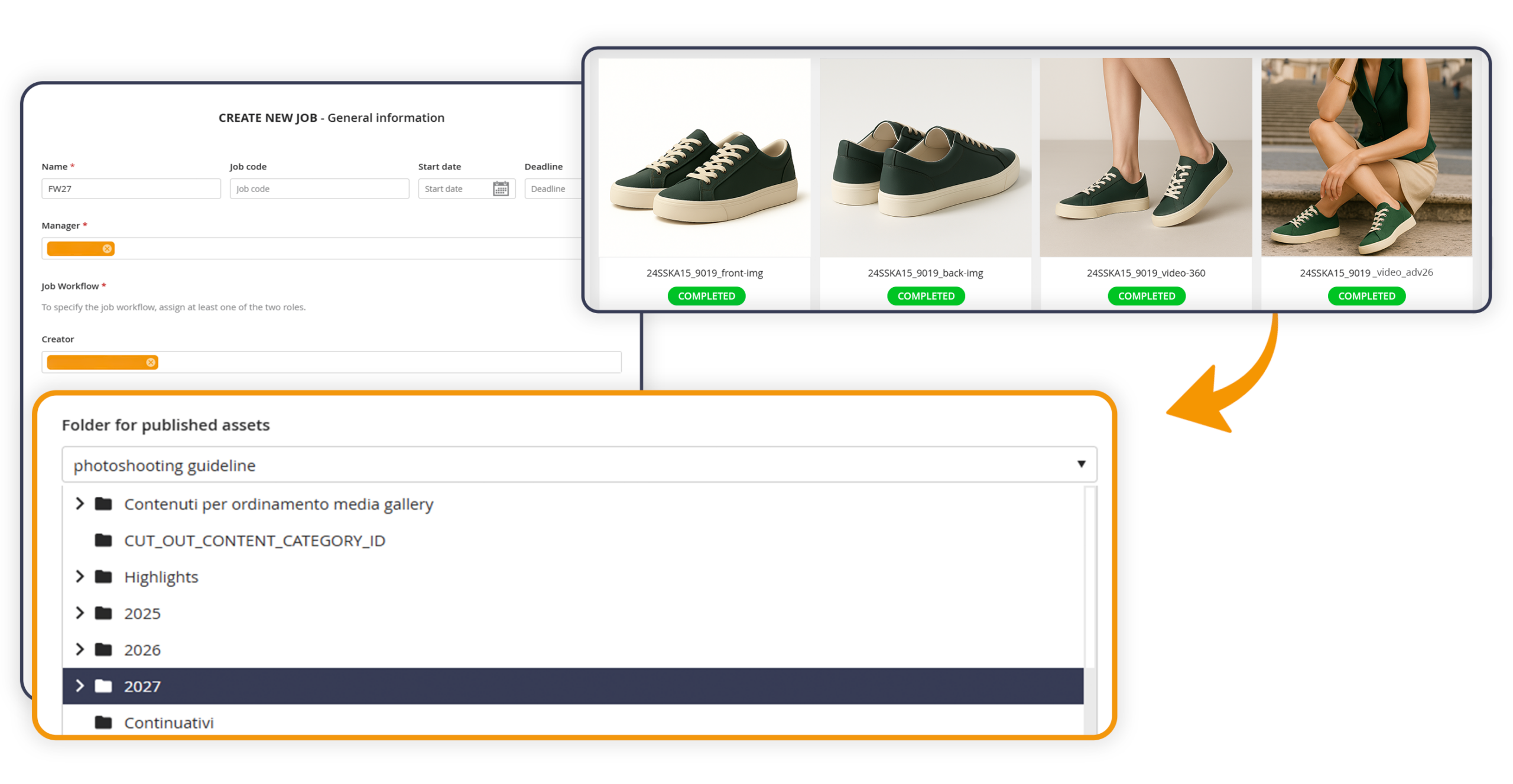
Product Workflow is the tool used to coordinate content production jobs, such as photo shoots, bringing together everyone involved in planning, shooting and approval.
When creating a job, it is now possible to specify a destination folder for approved shots. At the end of the approval process, each asset is automatically copied into a subfolder with the same name as the job, within the selected folder. A copy still remains in the original “Published” folder, so no existing reference is disrupted. The destination folder can be chosen from those you have access to and where you have permission to add content.
This is optional, so anyone who does not configure it can continue working as before.
THRON Drive is a new feature that allows you to access THRON Platform assets directly from Mac Finder and from major creative and productivity software. The integration is made possible by CI HUB, an in-app connectivity platform for digital assets.
THRON folders become navigable in the file system, with the same structure, the same filters and the same search logic as the platform. You can open a file, edit it with software and save directly, without having to re-upload or change tools: the new version is updated in THRON automatically, respecting the defined permissions.
Thanks to CI HUB, the following application connectors are available for all operating systems:
Adobe Creative Cloud (InDesign, Photoshop, Illustrator, Premiere and others)
Canva, Figma, Sketch, Adobe Express
Microsoft 365 (Word, Excel, PowerPoint, Outlook), SharePoint
Google Workspace
WordPress, Salesforce
No training is required: it’s like working locally, but you’re inside THRON.
On our blog you can learn more about how THRON Drive accelerates the work of marketing teams and how it simplifies sales and wholesale operations.
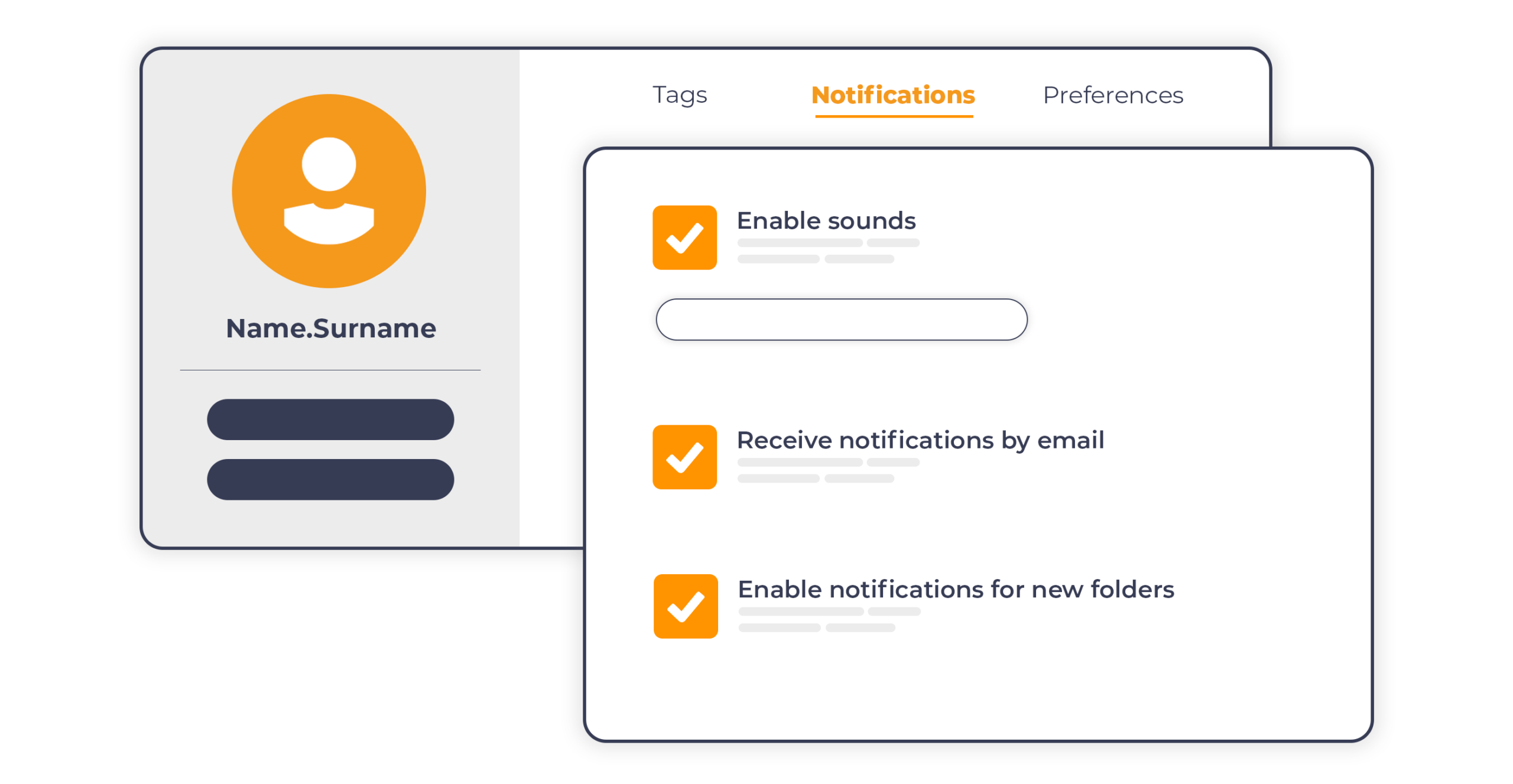
Product Workflow introduces an email notification system that automatically updates every participant on relevant project events in which they are involved.
When a new project is created, those with an assigned role receive a summary with name, dates, people involved, guidelines and number of tasks. From that moment, notifications are collected and sent in a single email every ten minutes in case of actual updates, avoiding information overload even for those participating in multiple projects simultaneously.
Each notification reaches the relevant role based on the project status:
Creator: receives notification when the project is created, when new products are added, when their content is rejected and when a shot is approved and moves to the editing phase.
Editor: is notified when a shot is approved and assigned for editing, and when their revision is rejected.
Manager: is notified when a shot is ready for approval and when a revision arrives for evaluation.
All participants: receive notification upon project completion.
The result is smoother collaboration between internal teams and external agencies, with less need to access the platform to check work status.
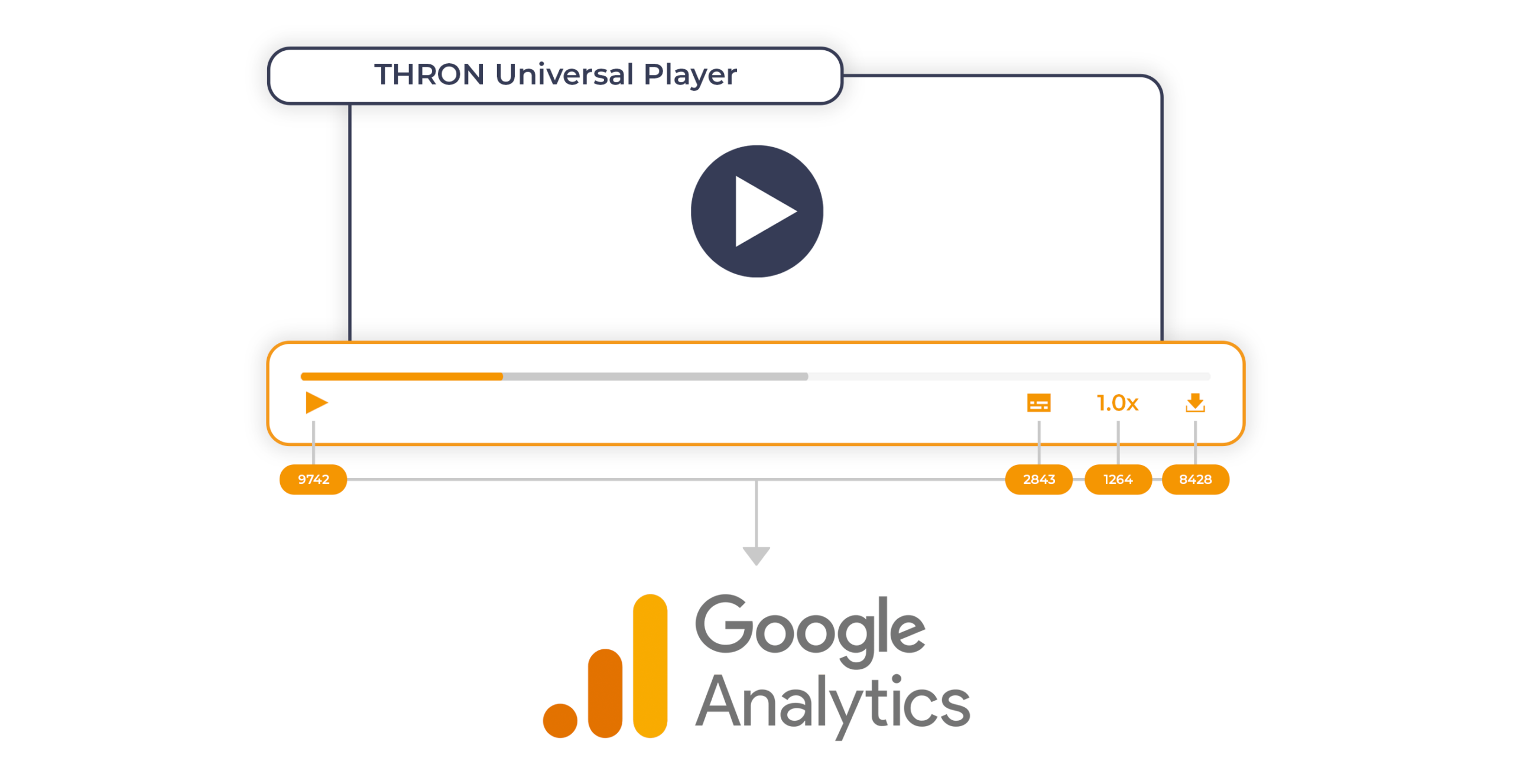
The THRON Universal Player becomes a native event emitter for Google Analytics 4.
In practical terms, an event emitter is a component that detects user interactions with content and automatically sends them to an external analytics system. With this release, THRON’s Universal Player autonomously manages the transmission of events to GA4, covering every user interaction with the content:
when they start, pause or finish playback
when they download a file
when they change quality, speed or volume
when they enable or disable subtitles
when they switch to full screen mode
when they zoom, resize or rotate content
when they navigate between contents of a gallery
No custom development is required anymore: it is sufficient for GA4 to already be configured on the page hosting the Player for all events to be transmitted automatically.
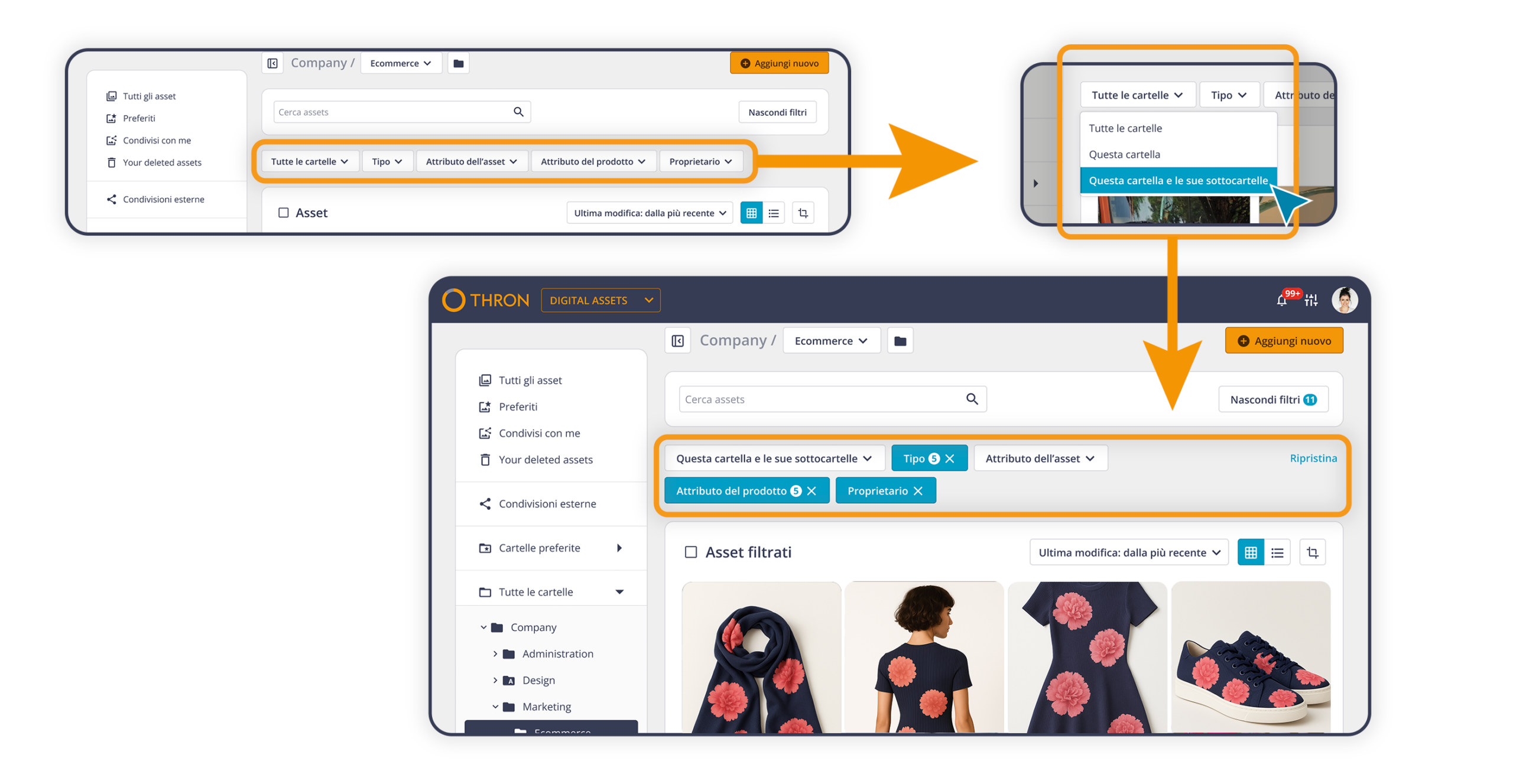
The Digital Asset Library filtering system has been revised to make the most frequent operations even faster and more direct. The available options are now immediately accessible, without intermediate steps, and easier to discover.
In detail:
active filters can be modified directly, without having to remove and reset them from scratch
each filter can be reset independently
the filter panel can be hidden or shown according to needs
it is possible to create new custom extensions on the fly, to meet specific needs without prior configurations
A more fluid navigation, designed for those who work on the Library every day and know exactly what they’re looking for.
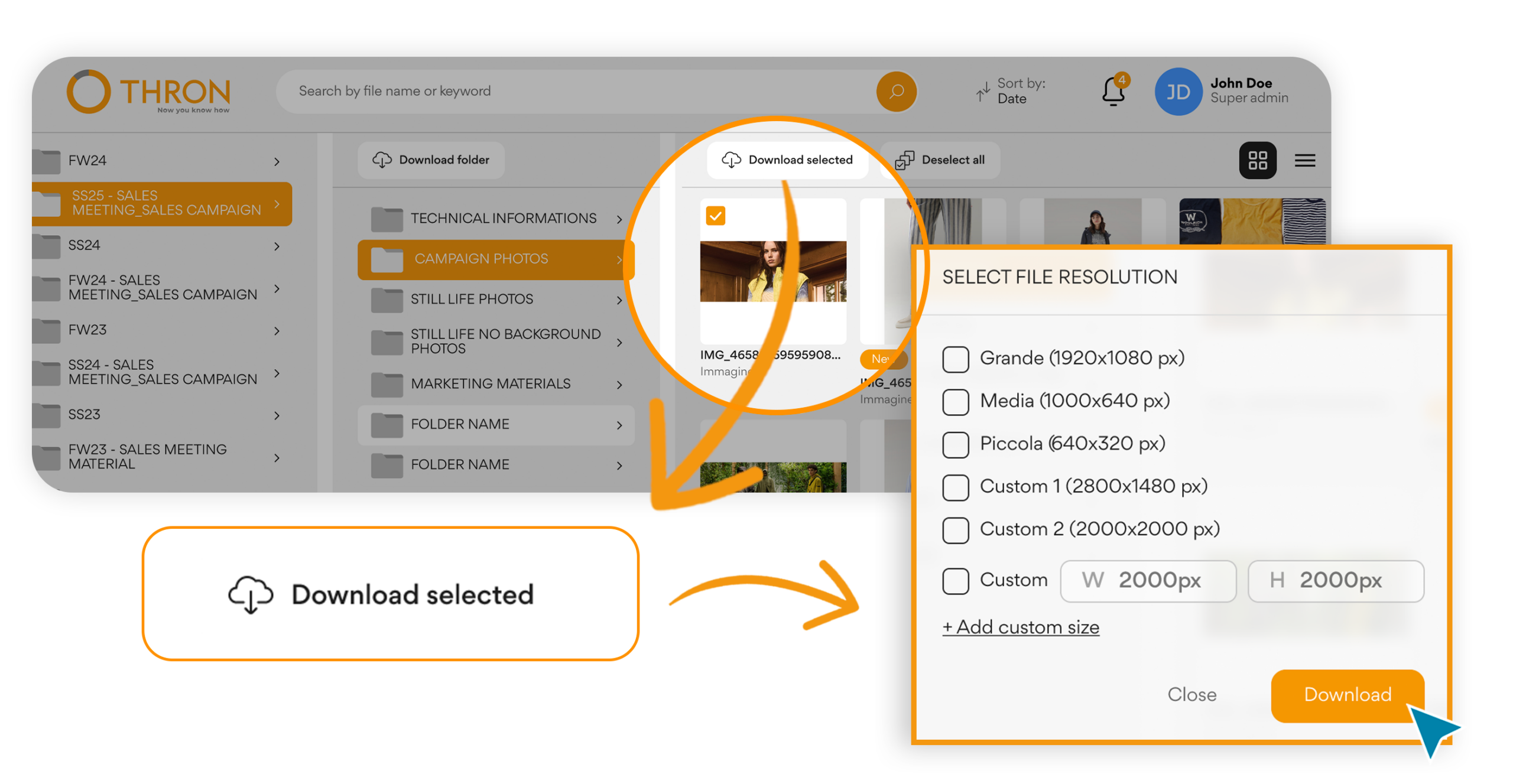
Those who access the B2B area can now download each asset in the resolution most suitable for their use.
The materials uploaded to the platform, often in high resolution to ensure maximum quality across every channel, now also become available in lightweight formats optimized for web and eCommerce.
Based on the permissions of their group, those who download can access the original or limit themselves to derived versions: they select the desired format and proceed, without intermediate steps. The same logic already present in the Digital Asset Library is thus replicated in the B2B portal, ensuring a consistently coherent user experience.
The result:
More autonomous partners in choosing materials
Governed distribution through group permissions
The B2B portal becomes more open to the outside, but always under full control.
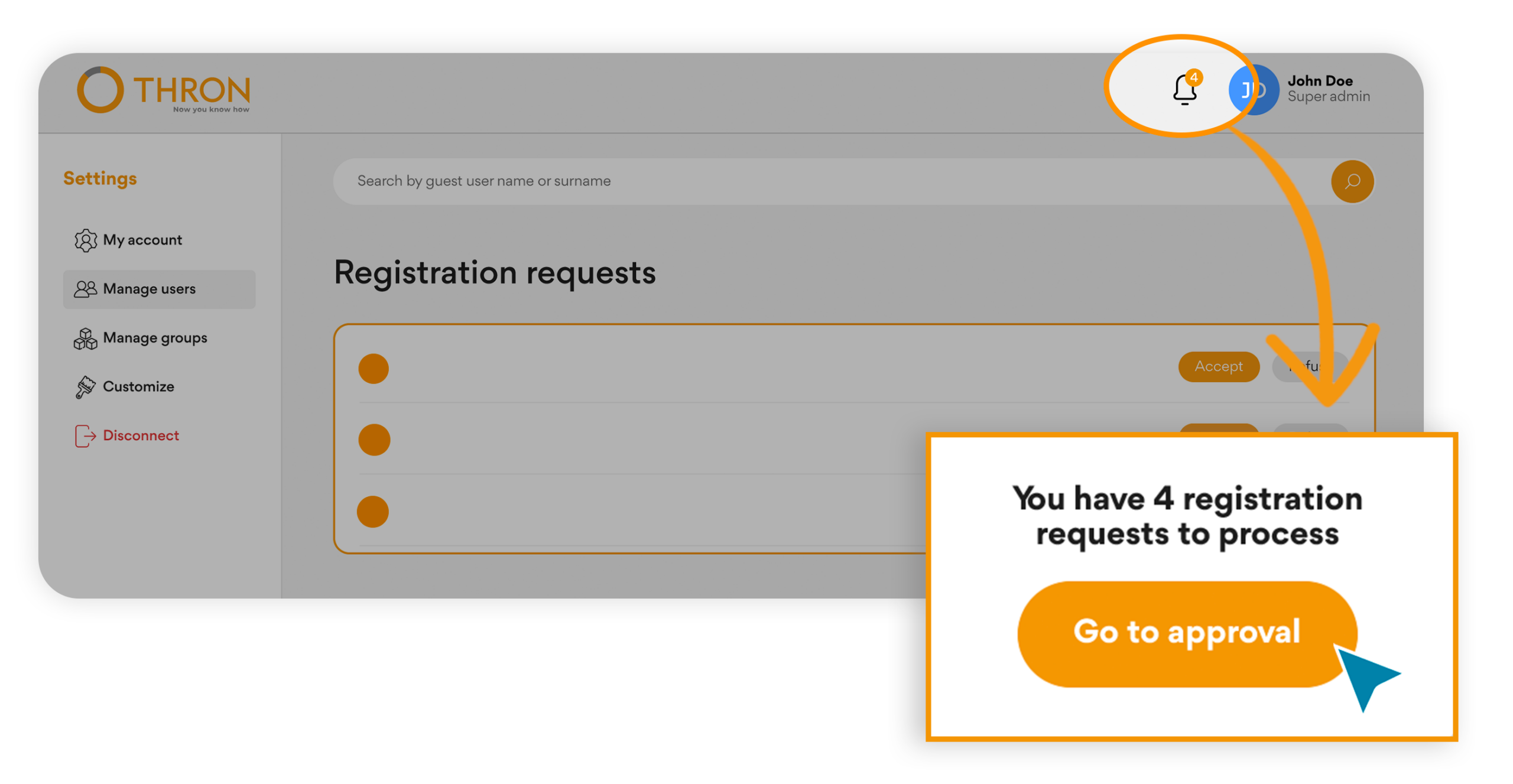
New partners or new operational figures can request access directly from the portal, without email exchanges or manual steps.
Admins and Super Admins receive all requests in a dedicated section, with email notifications and visible alerts on every page. From here they can approve or reject with one click, and those who submitted the request automatically receive notification of the outcome.
An evolution that brings:
An orderly and transparent flow for those entering and those managing
Reduced activation times thanks to automated communications
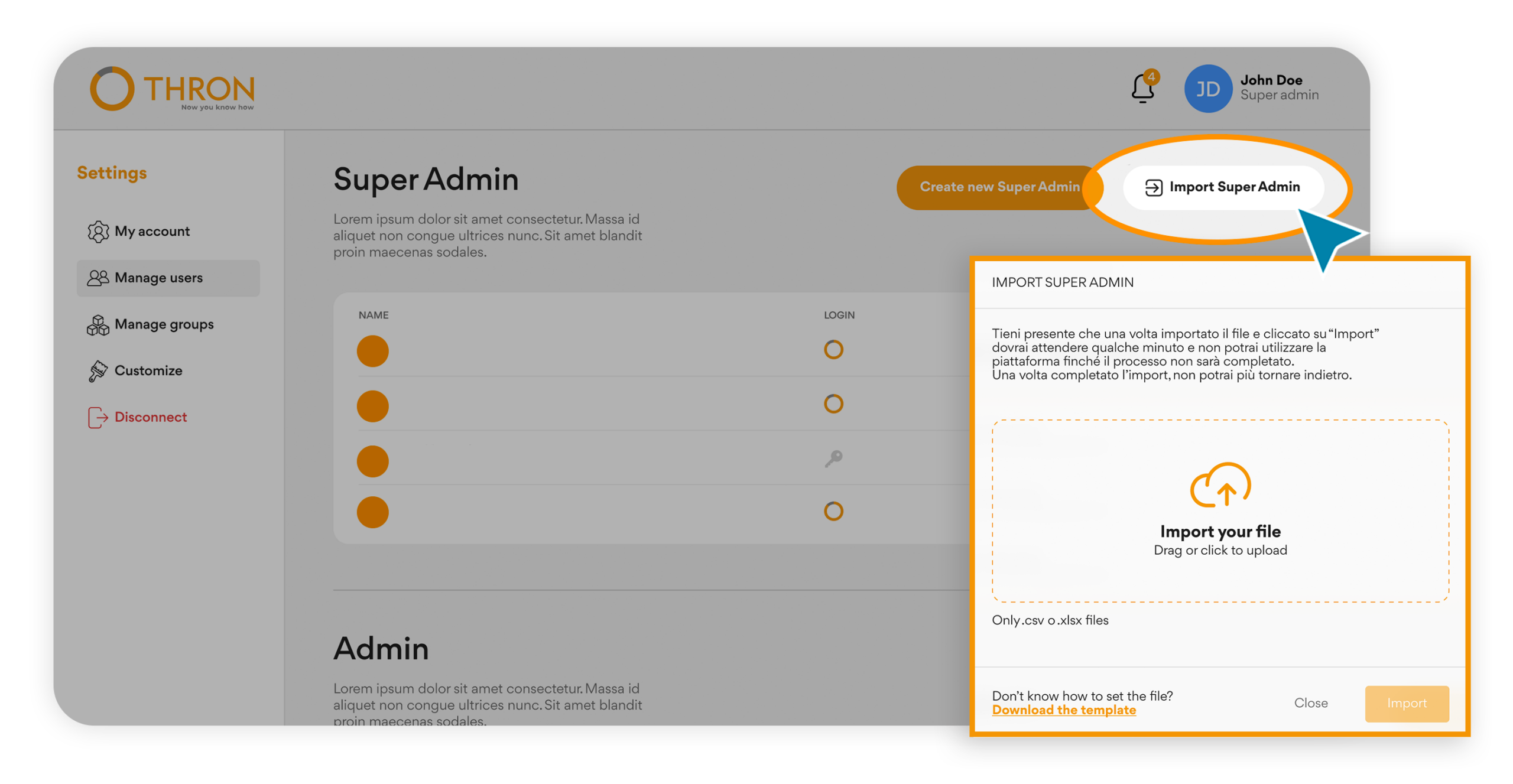
From the management section, you can download a template, fill it in with the necessary information, and upload it to automatically generate all accounts, even of different types.
Super Admins and Admins can now quickly enable entire partner networks in a single operation, facilitating commercial expansion.
The advantages for those coordinating commercial activities:
Scalability without additional effort: the network grows, the operational structure stays the same
No slowdown during commercial expansion periods
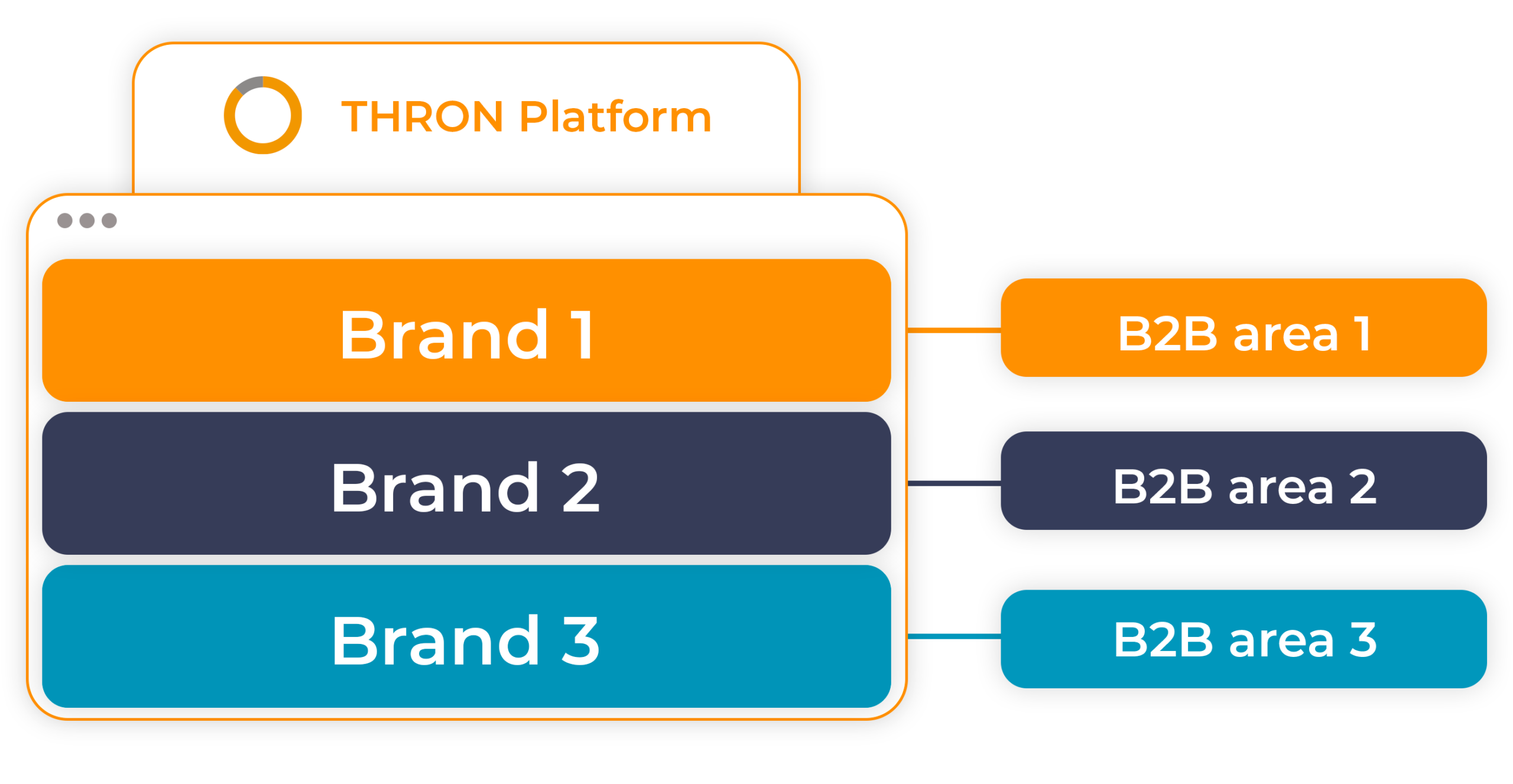
For organizations managing multiple brands within the same THRON environment, this evolution introduces the ability to create dedicated B2B portals for each brand.
Each portal displays exclusively the products of its reference brand, customizable with colors and logo for an experience consistent with the brand.
The mechanism is simple: an attribute valued at the product level determines in which portal it will be visible, and within each portal, administrators decide which catalogs to make accessible to different groups.
Products continue to reside all in the same environment, without duplicates: it’s the attribute configuration that governs what appears in each portal.
This architecture offers:
Simplified governance: each brand manager operates within their own perimeter, without interference
A single data source: products reside in the same THRON environment, visibility is governed by the membership attribute
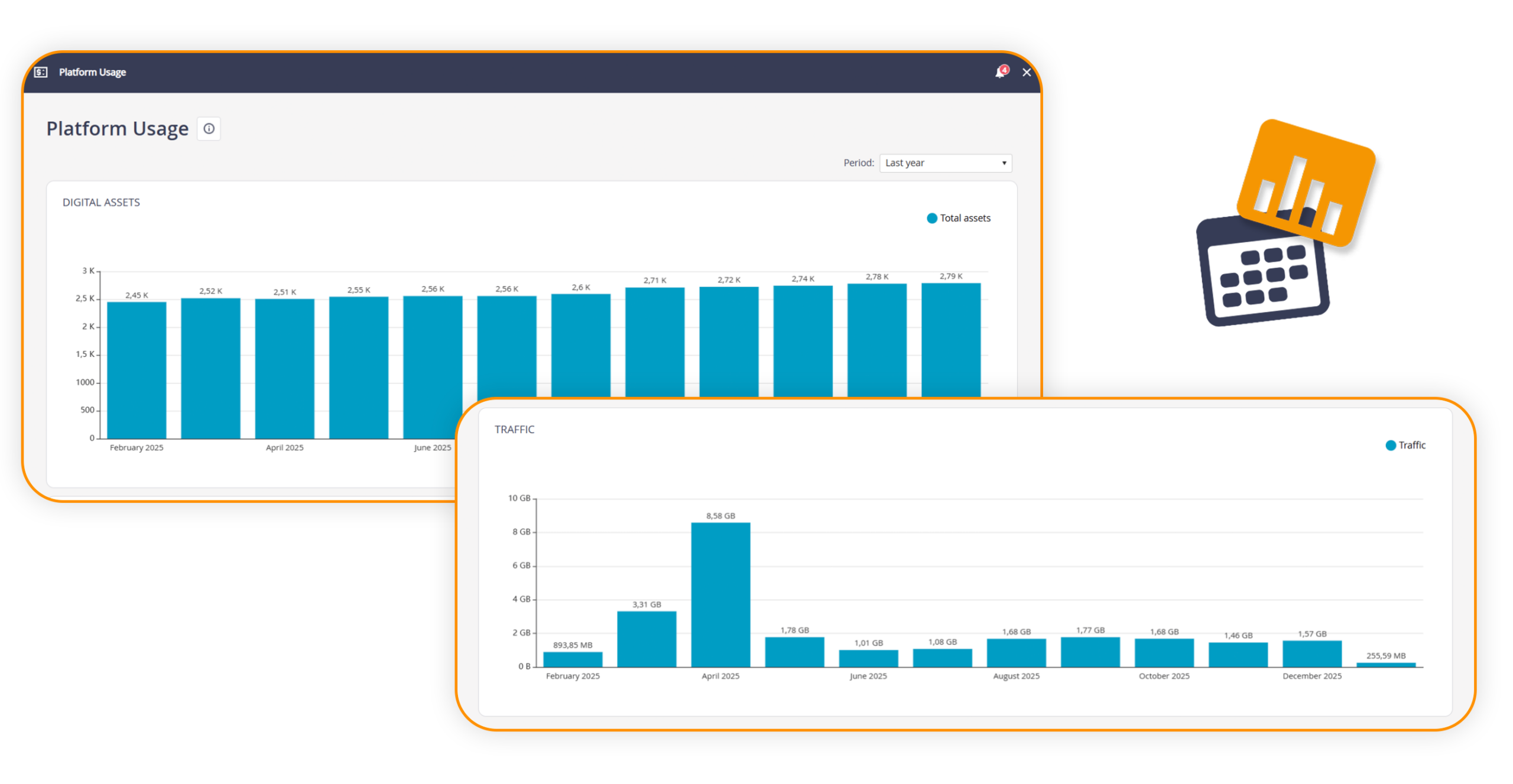
The section previously called Account & Billing has been renewed and becomes Platform & Usage.
The interface has been updated to offer a clear and immediate view of the main consumption parameters related to Fair Usage Policies, eliminating information that is no longer relevant. The section now shows exclusively the graphs related to the number of assets and traffic, making the monitoring of usage metrics simpler and more focused.
This evolution represents a further step forward towards an increasingly transparent platform management oriented to what really matters.
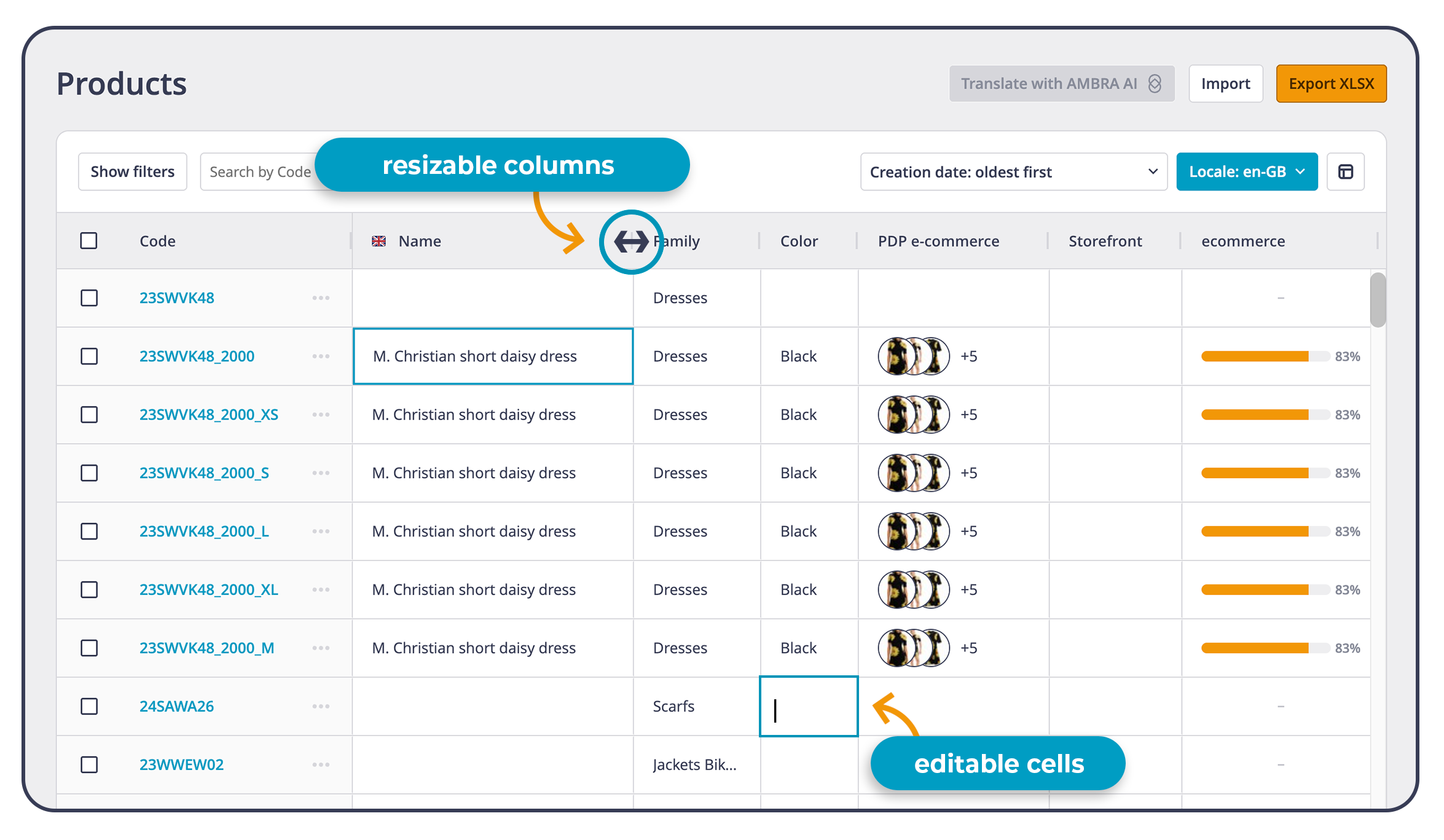
Managing a large catalog means working daily on a lot of information, often with the logic of Excel: rows, columns, filters, quick edits, continuous checks. From today, this way of working finds space where it produces the most value: in THRON Platform.
SpeedSheet is here: the new product list view in THRON, designed for those who manage a lot of catalog information and want to operate as in a spreadsheet.
For those who still work a lot in Excel, it means entering a complete catalog management without changing habits, gaining speed, control and data reliability across all connected channels.
What SpeedSheet enables in daily work:
A working view in Excel style: organizable and configurable columns to get a table that reflects the way you actually work on the catalog.
Clearer reading even with many fields: natural scrolling, resizable columns and a more stable structure to always keep all information clear.
Direct editing in cell, as in a spreadsheet: enter the field of interest with a double click, edit, confirm and continue even via keyboard.
Mass updates up to twice as fast: fewer repetitive steps, more operational continuity even when the catalog grows.
Reliable data at the center of the supply chain: changes live at the heart of THRON Platform and promote consistency between teams, so that information and content are ready to reach eCommerce, marketplaces and touchpoints.
During the daily update of availability, variants, short descriptions or detailed information, SpeedSheet allows you to intervene in sequence on multiple products, maintaining a continuous and focused workflow.
This evolution brings the product list experience closer to the logic of spreadsheets, reducing manual work and making the interface more fluid and guided, so as to accelerate time to market and free up time along catalog management processes.
Product Workflow introduces the ability to expand an already started job, adding new typologies and new operational spaces to be associated with products already in progress.
From now on you can:
Expand during the work: add new typologies during processing with related slots for resources, so that the same container remains valid even when additional requests emerge or corrections are needed.
Have a single job as an operational reference, even when integrations or corrections are needed, with consistent rules and assignments.
Consult more linear traceability: activities, history, progress and responsibilities remain readable along the entire path, with fewer fragmentations.
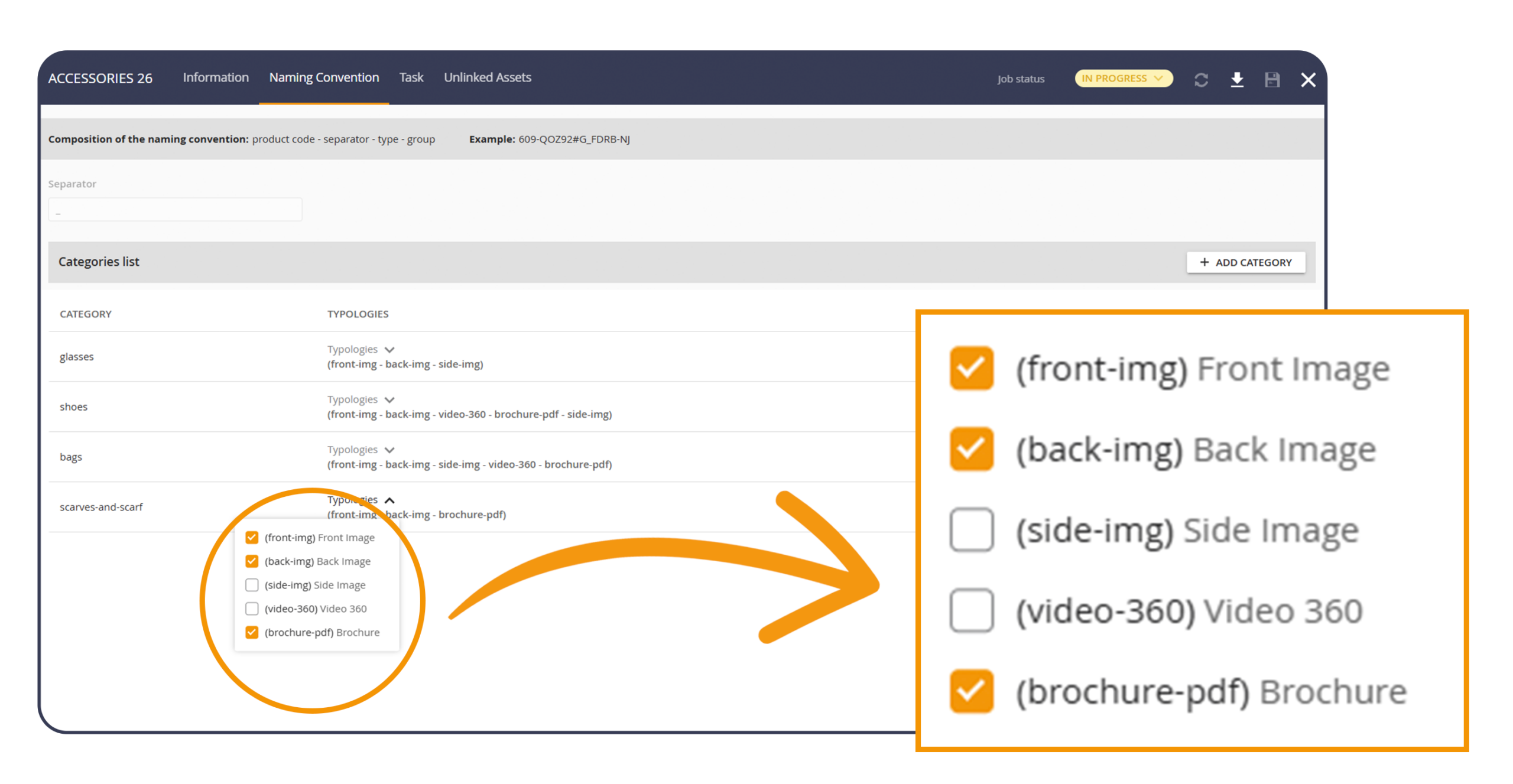
To add new typologies to an ongoing job, simply open the Naming convention section and use the dedicated dropdown for typologies to select those to include. Saving immediately updates the job, making the new typologies operational while respecting already set rules and assignments, so that the flow remains unique and consistent.
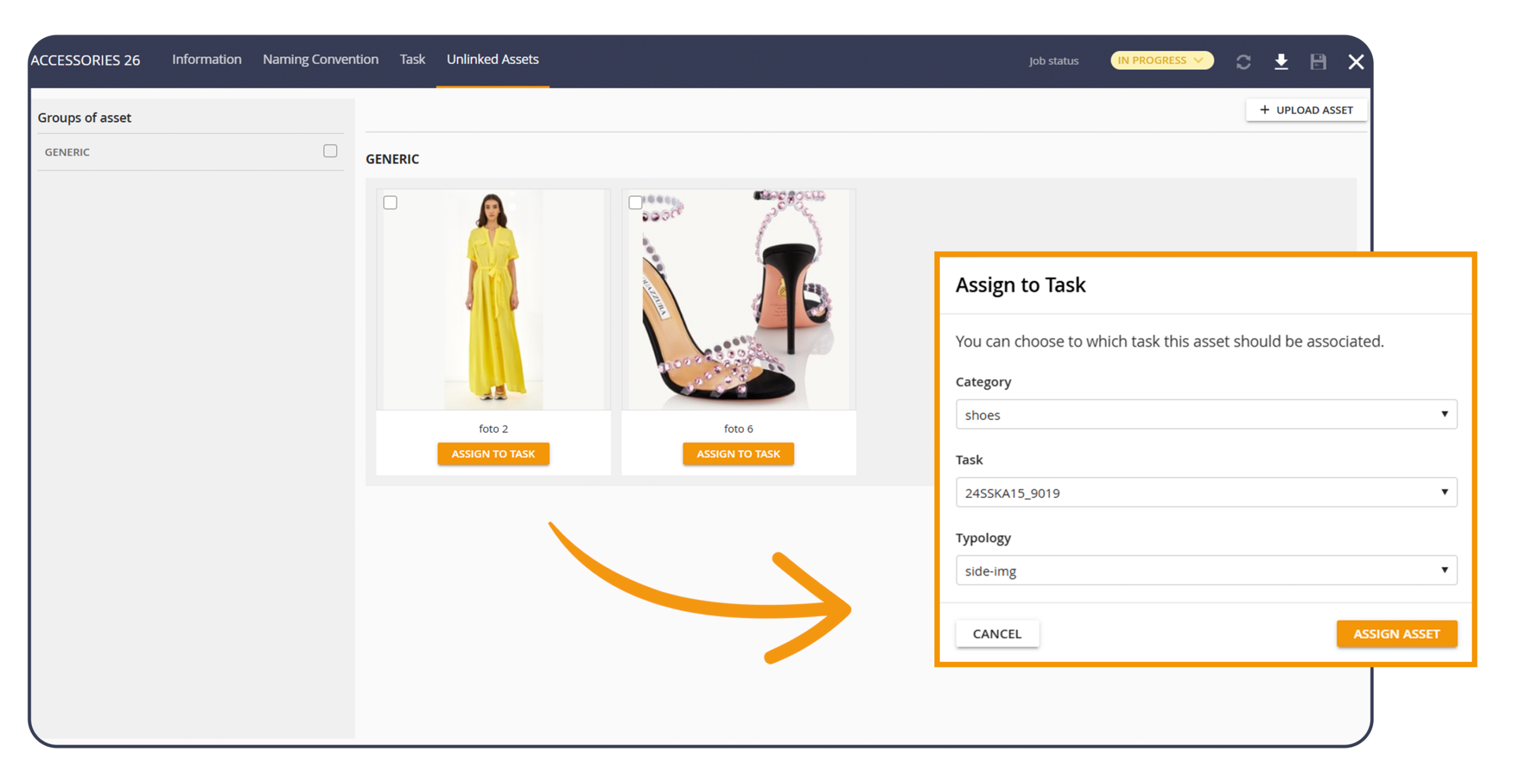
In content production, shots often arrive in advance of the definition of the final product code. Product Workflow introduces dedicated management for content still waiting to be linked to a product, so that uploading can happen immediately and association can be completed when information and codes are ready.
Benefits of the new update:
Early content upload: resources enter the job even when the final reference product code still needs to be finalized.
A dedicated section to govern what is pending: content awaiting association remains visible, filterable and manageable with clarity in the “Unlinked content” section.
Precise association: when the final product code is available, each pending content is linked to the correct product, one by one, without having to repeat the upload.
Consistent history along the lifecycle: progress and annotations follow the transition from “pending” content to linked content, supporting control and collaboration between teams.
Both Product Workflow evolutions reduce operational friction typical of production flows, keep activities focused on a single, readable path and support a faster time to market, because data and content remain governed in THRON Platform with continuity and consistency.
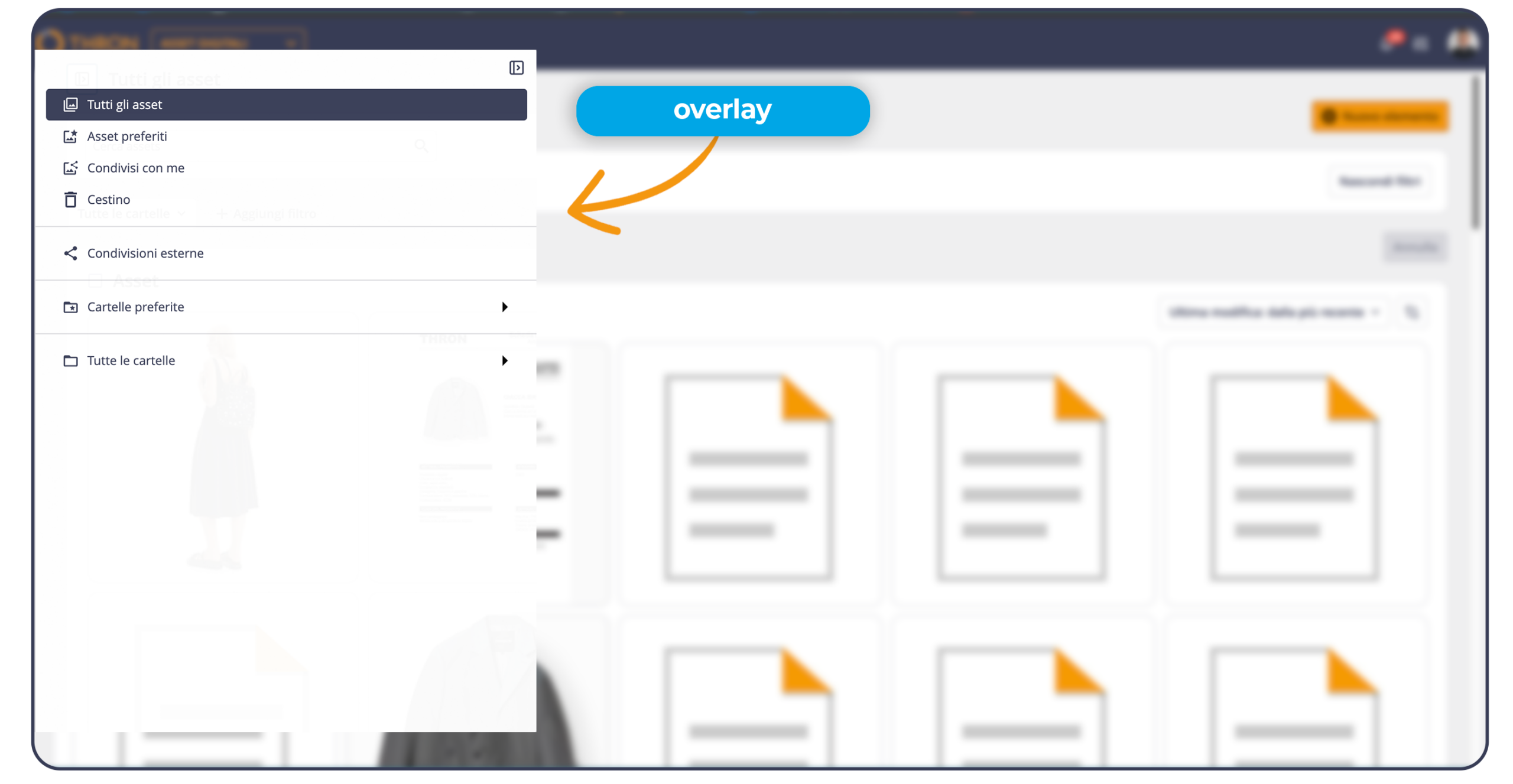
In the Digital Assets area, the folder column is now more flexible and adaptable to the working context. It is now possible to expand it up to one third of the screen, so as to read and manage complex structures more comfortably, or compress it to give priority to asset display.
When the column is compressed, simply hovering the cursor over the left edge makes it appear in overlay maintaining the same width previously set, so that navigation between folders does not interrupt the workflow. The same applies to drag and drop, ensuring immediate and continuous movements into folders.
The chosen size is also maintained between sessions, so that browsing is always consistent with your preferences during the session.
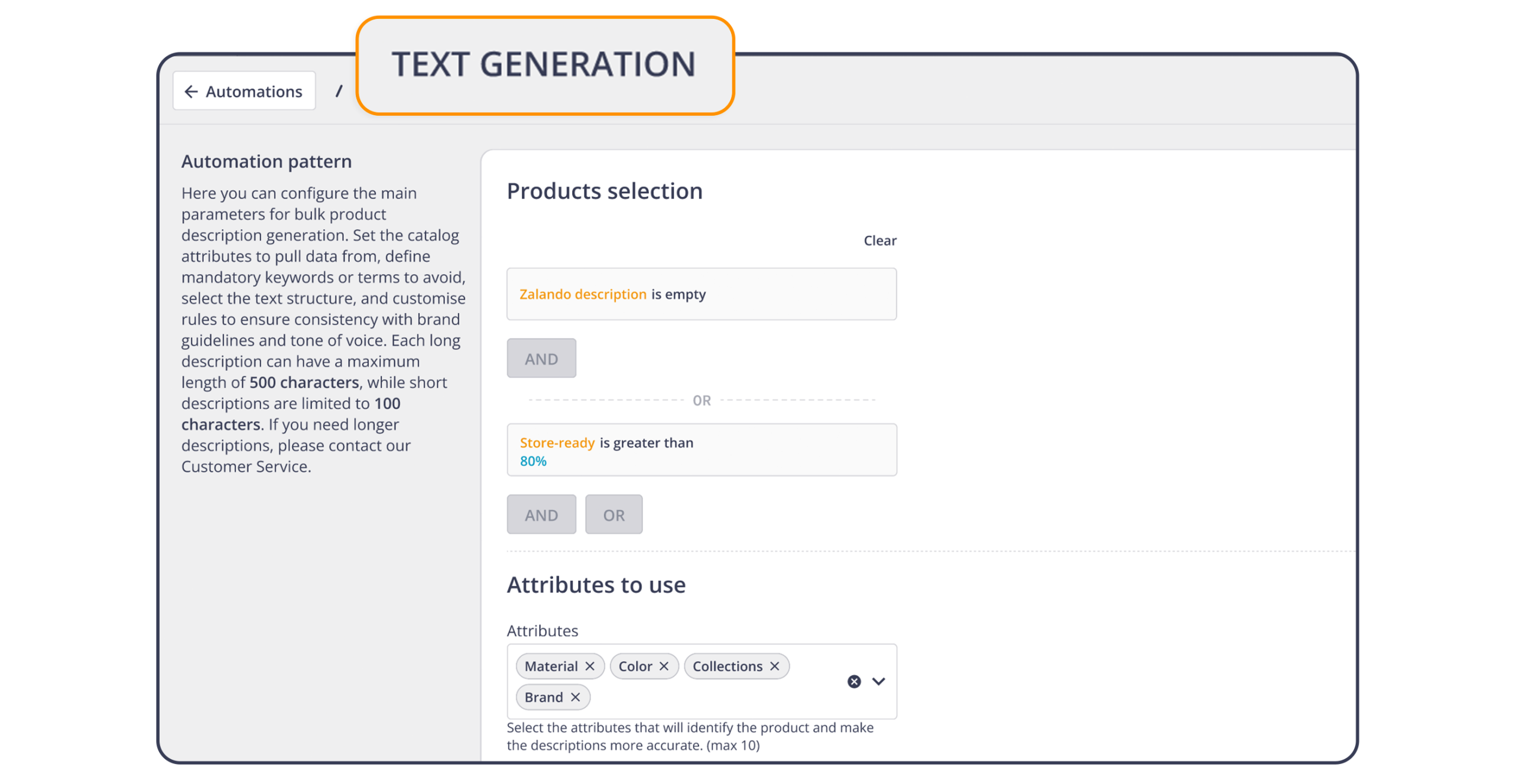
The new Automation Studio automation brings large scale generation of product descriptions, applying it in a single controlled flow to batches of items and entire sections of the catalog.
The data already available in the product pages becomes the foundation to create short and long descriptions at scale. Only a few selection criteria and some instructions on tone and style are enough to obtain texts aligned with the brand voice and ready for all channels.
Those configuring the flow can:
specify up to ten product fields to use as a basis for generation
define the language to work in
add simple instructions on tone, structure and key points in the prompt
launch generation on tens or thousands of items and review the result before applying it.
The new automation, available in dependency with AMBRA AI, significantly reduces the time devoted to manual writing of descriptions, increases communication consistency across the entire catalog even as volumes grow and helps maintain quality and adherence to brand guidelines thanks to the instructions entered in the prompt.
In this way marketing and eCommerce teams publish and update product pages faster, maintain consistency across lines, categories and languages and devote more energy to strategic activities such as campaigns, creativity and new launches.
For example, whoever manages the e commerce can create a dedicated marker and ask the automation to act only on products that for that marker have a completeness greater than or equal to 80%, that is, with name, colour, size, materials and gender already filled in and the description field still empty. The result is descriptions that are always ready, consistent with the company style and generated through a fast, controlled and sustainable process for the teams involved.
When marketing, content and external agencies work together, the same product enters many different projects, from digital channels to sales materials. With the new evolution of Product Workflow, the product can be included in several active jobs at the same time, so shootings and productions for different channels can move forward in parallel.
The product remains a single record in the platform, while the connected flows progress in a coordinated way.
Within Product Workflow, multi job management makes it possible to:
use the same product in several jobs at the same time, so teams can work in parallel on the same items
immediately see, through an informational message in the interface, whether that product is already involved in other jobs
keep statuses, progress and notes separate for each job, so that each flow follows its own stages and priorities
preserve a single source of truth for the product, with history and responsibilities always easy to read.
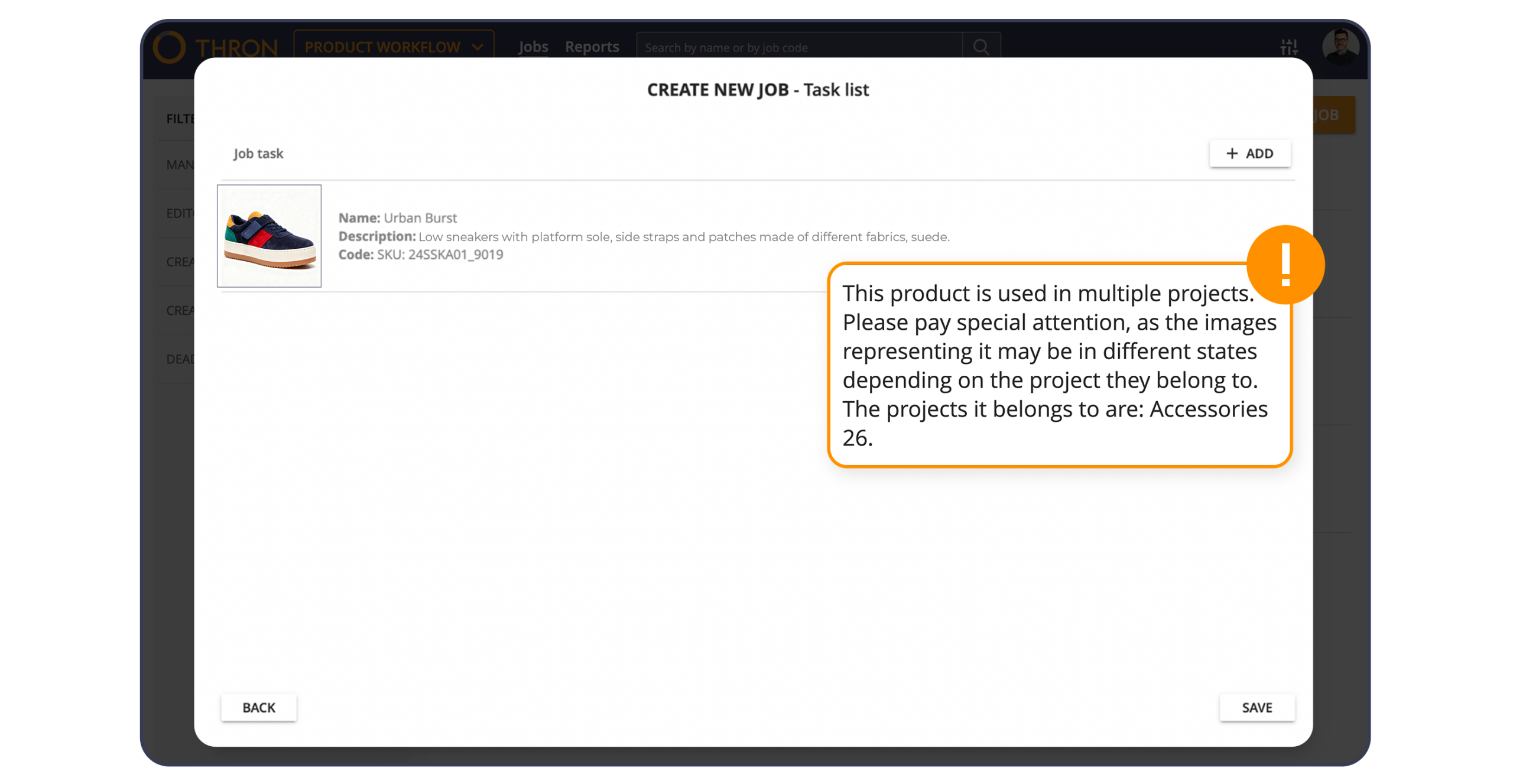
This evolution expands the scope of use of Product Workflow, especially in large catalogs and in seasons with many initiatives running in parallel. The transition from planning to publication is shortened thanks to better synchronization between those who plan, produce content and approve, while independent statuses and notes for each job keep the responsibility for each step always clear.

Distributing your products to marketplaces and e-retailers becomes even easier: with the new Lengow connector, you can maintain THRON as your single source of truth and activate strategic channels by choosing the families, attributes, and languages to share. Lengow reads data from THRON at scheduled intervals and adapts it to the requirements of each channel, reducing setup time and the risk of misalignment.
Ideal when:
You want to publish to new marketplaces or e-retailers.
You need to run seasonal promotions with coordinated updates.
There’s a need for consistency across channels with different requirements.
Decide what to display, when to update and how to present the catalog, without complex reconfigurations. The result is faster time to market, broader channel coverage, and scalability that doesn’t require extra manual effort.

For those working with Storyblok, media management becomes more streamlined: search and select THRON assets without leaving the CMS, filtering by type, folders, title/description, and a range of configurable attributes.
Insertion is done via the THRON Universal Player, with a choice of fixed embed or responsive and the option to use the accessible template. The aspect ratio is preserved, while metadata (e.g. title, description, key attributes) feeds the Alt title and Alt text fields, which are still editable in Storyblok for SEO or editorial refinements. For images, you have quick tools to crop, adjust brightness, contrast, and other settings to optimize rendering in site components.
The benefit is twofold: you no longer have to change screens, and you publish with the certainty that your media is always up-to-date and tracked in THRON.
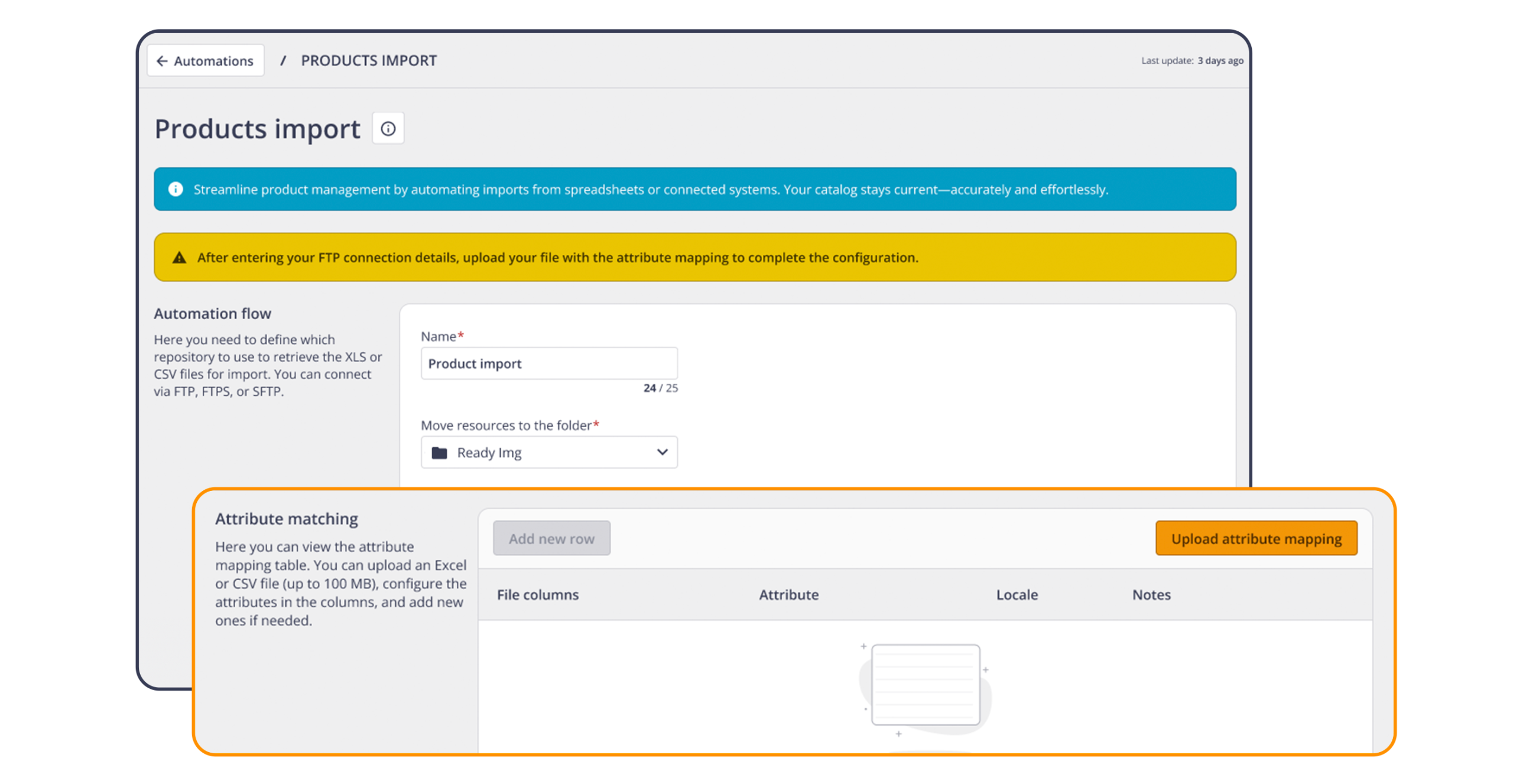
Often, your product data originates in other business software (management software, production systems) and then needs to be transferred to THRON. Now you can completely automate this step.
With the new automation “Products Import” of the Automation Studio, the THRON area designed to create and orchestrate automatic flows, the product data arrives in THRON in a recurring and orderly way: you indicate a secure online folder managed by IT (FTP, SFTP and FTPS), insert the Excel/CSV file and the automation matches the file columns to the product fields in THRON. If an attribute is missing, you can create a new one using the wizard.
The real power is the flow management: you can plan the starting order by establishing priorities and dependencies between multiple imports, thus avoiding collisions and maintaining the correct source for each data item. This way, records in THRON are completed in a cascade, in the correct order, and those working on content and channels find everything ready without delays.
The result is a shorter time to market and fewer manual interventions along the supply chain, with traceability of sources and clear governance of who updates what and when.
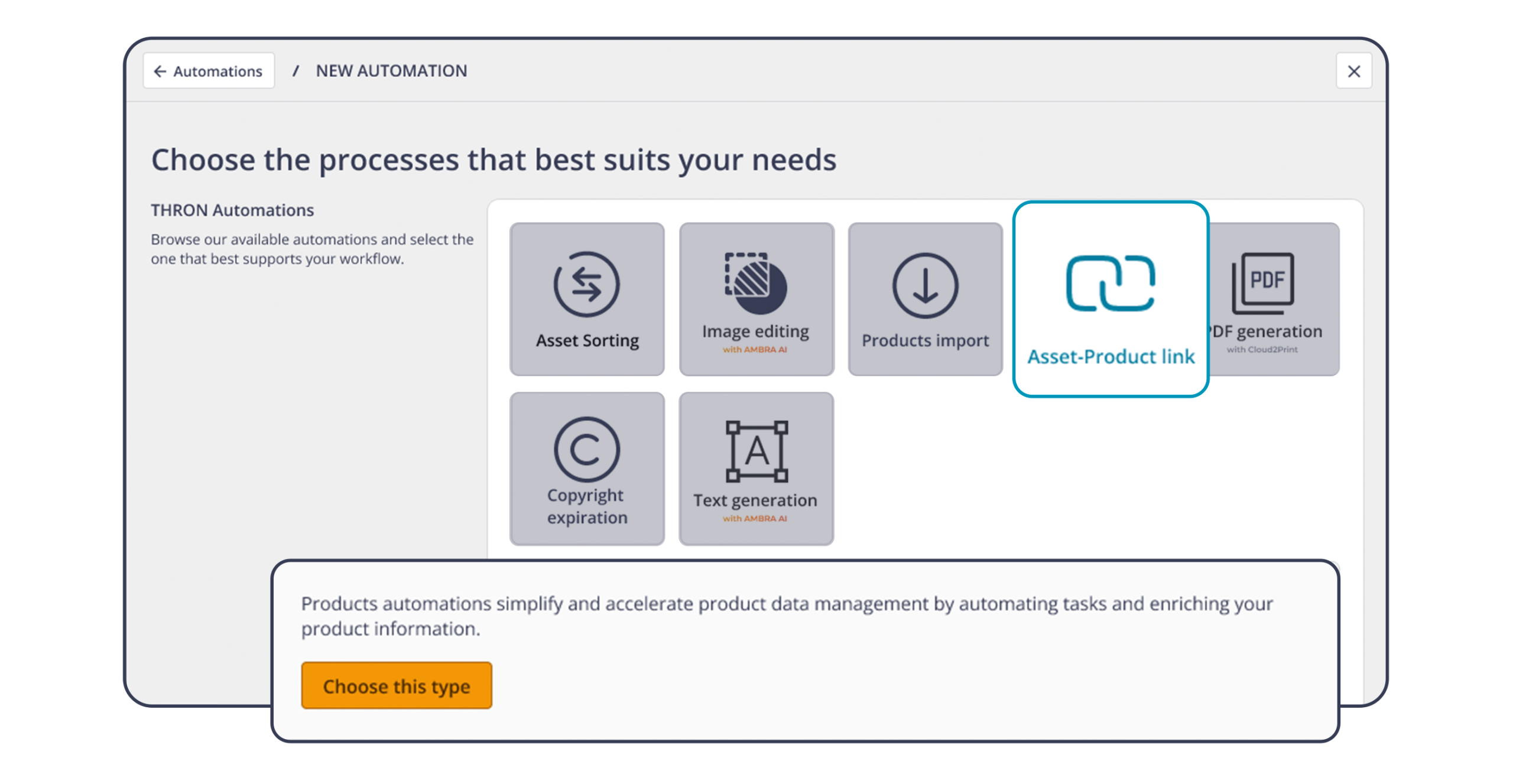
The “Asset-Product link” automation in Automation Studio, which connects assets and products, becomes more flexible by perfectly following your business logic: in addition to the identifier, you can now use other product attributes to establish the link. THRON automatically recognizes the value from the file name and compares it with the chosen attribute.
This unlocks real-world use cases:
Cross-cutting content: a technology sheet or a stamp/certification links in one step to all the products that have that characteristic.
In Practical, fewer replications and more consistency: link once and coverage extends to all products that share the same attribute.
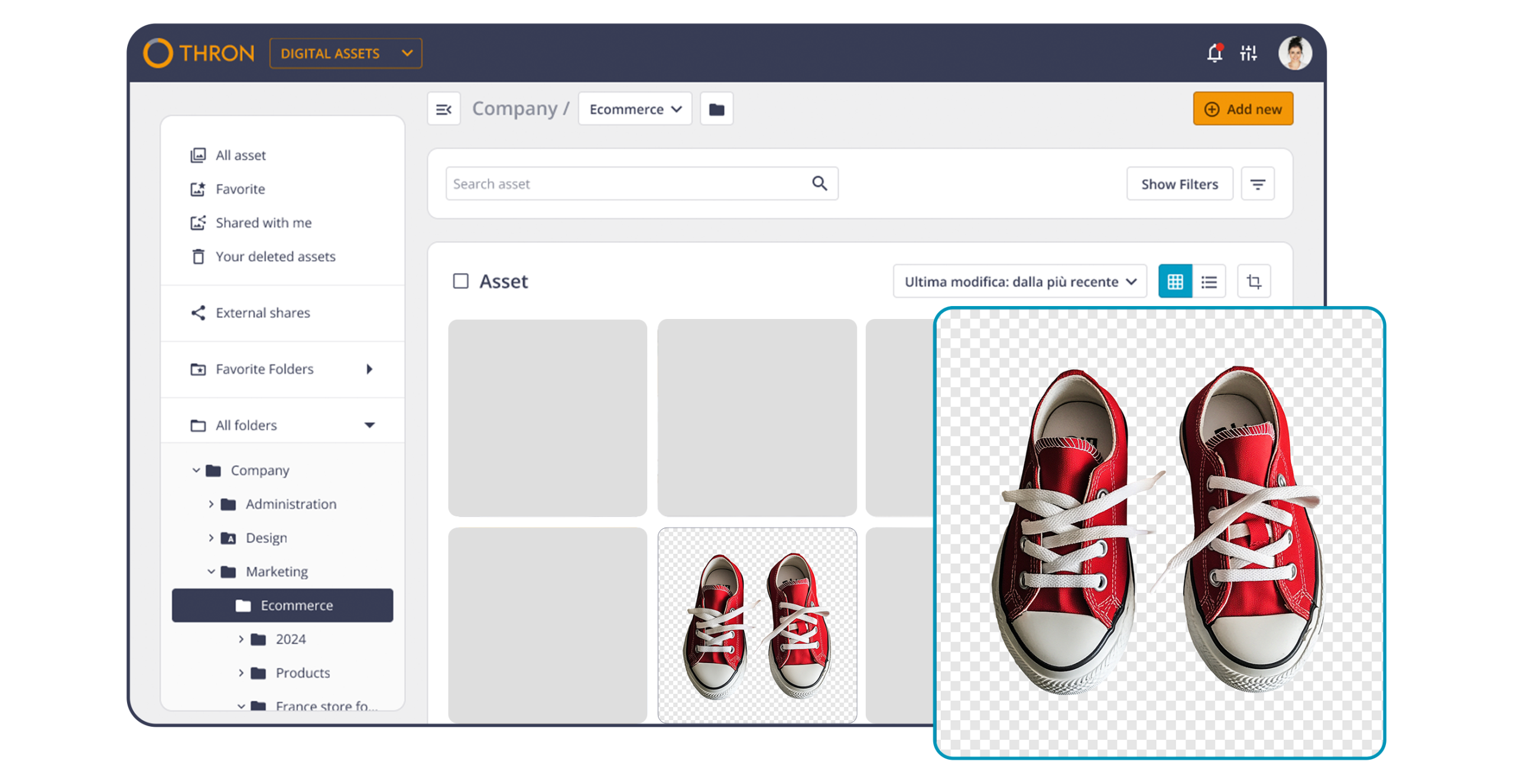
Images with a transparent background are now enhanced with a white/gray checkered background, visible both in thumbnails and when opened. This makes it clear, even for light or white content, where the subject ends and the transparency begins.
This allows for more precise reading of dimensions and aspect ratios, more reliable previews, and faster decisions.
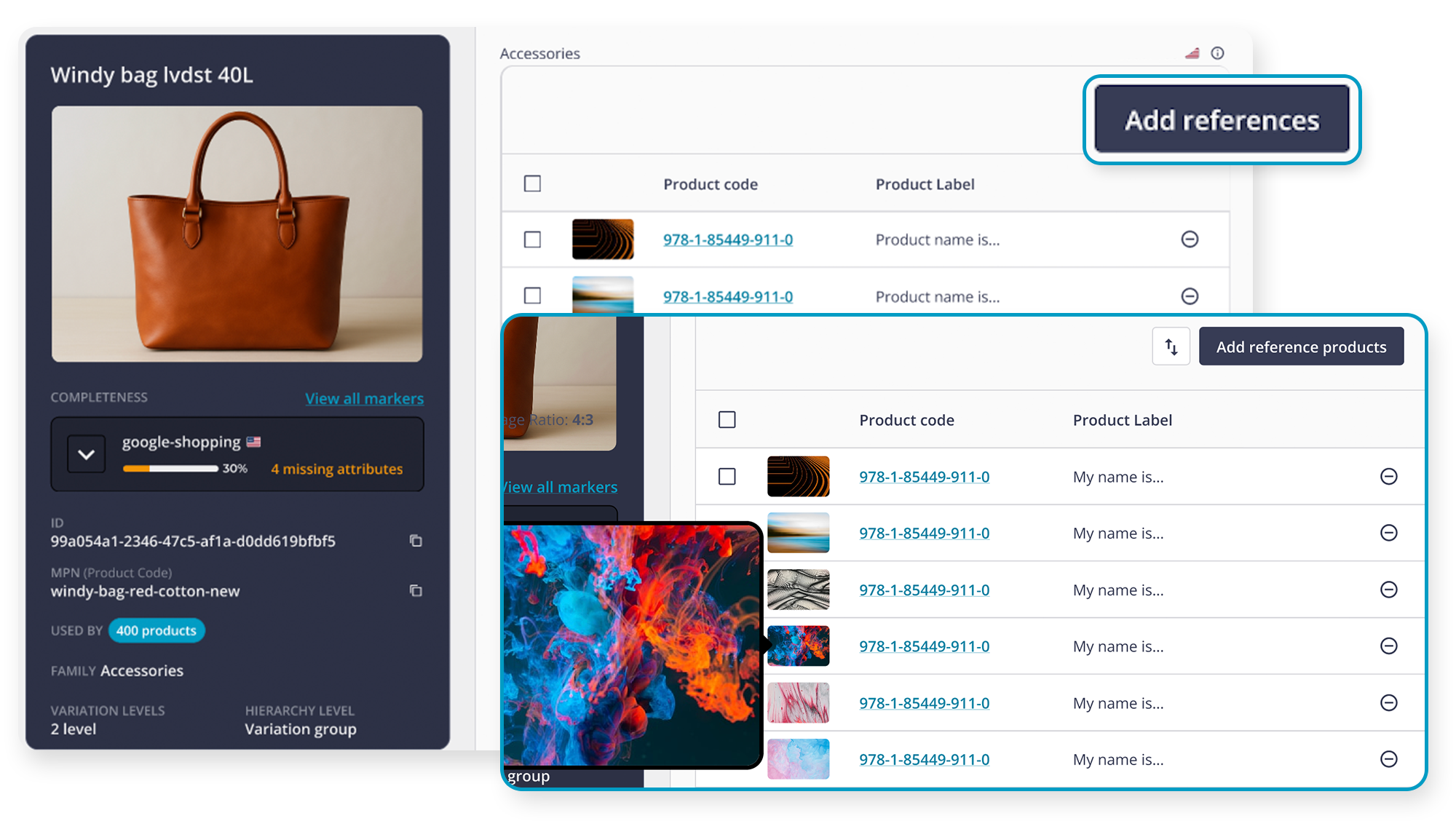
Reference is the new attribute type that allows you to connect products together consistently with Families, Model/Variant, and the entire THRON X data model. There’s no need to learn a different paradigm: add, remove, and manage links with the same logic you work with every day, but with an added level of convenience.
Links really become Clickable: From the product sheet, you can open related products by clicking on the code, moving between items with maximum speed. The guided interface highlights the most important information, just like in reference images, so you can work with maximum precision even between visually similar products.
You have maximum control over editing: you can add references as you do with assets, remove them en masse with a single click, and decide the priority order of the links. Changes take effect only when you save.
In each tab, you’ll also find the “USED BY … PRODUCTS” section: see at a glance how many other products that item is used in, open the list, refine it with filters (including completeness), and quickly move between tabs.
There’s also a very specific design choice: links are not bilateral by default. You link one product to another when you need to and, only if you want the reciprocal link, you activate it explicitly. This allows you to create seasonal looks and displays, put together gift sets and define product compatibility without generating unnecessary references in each product sheet. The result: less noise, more control. And when you need to check or go back, search and filters take you right where you want.
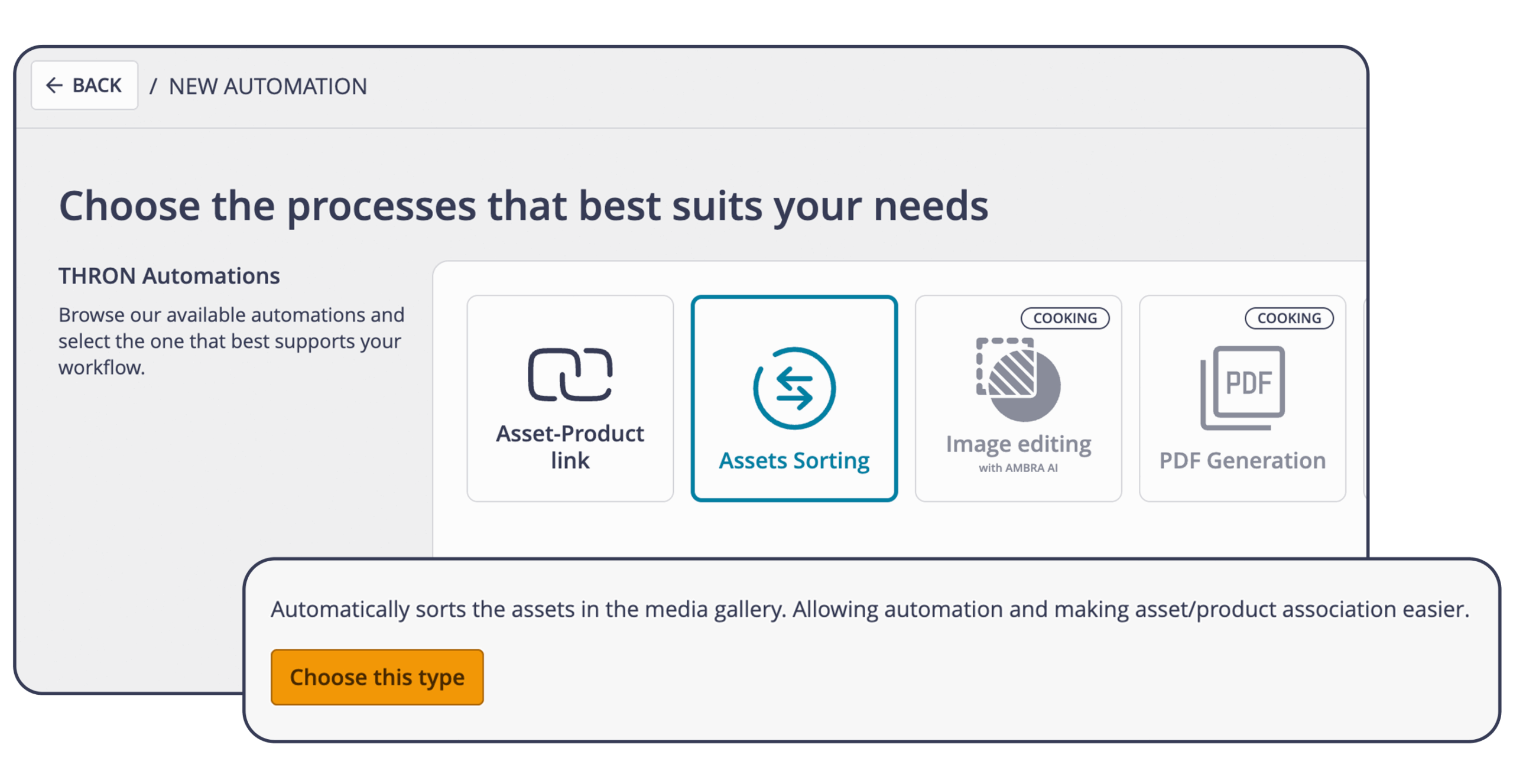
Photoshooting evolves and becomes Product Workflow: from today, you can plan and manage jobs starting directly from the new THRON Platform data model, bringing attributes, markers, and the same power into your workflow. filtering you use in the Product Sheet Library.
In practice, you select products with precision, include or exclude variants based on attributes, and compile a consistent task list aligned with merchandising and eCommerce, reducing manual steps and ambiguities between teams.
The interface has been updated to the THRON X style, and the ordering and association logic remains unchanged: operational familiarity, more precise results. Select products from Products X, filter them finely (categories, variants, markers), confirm the list, and proceed with the product-image association.
And if your company still uses THRON 7, there’s no friction: compatibility is guaranteed to seamlessly and progressively support the transition to the THRON X data model.
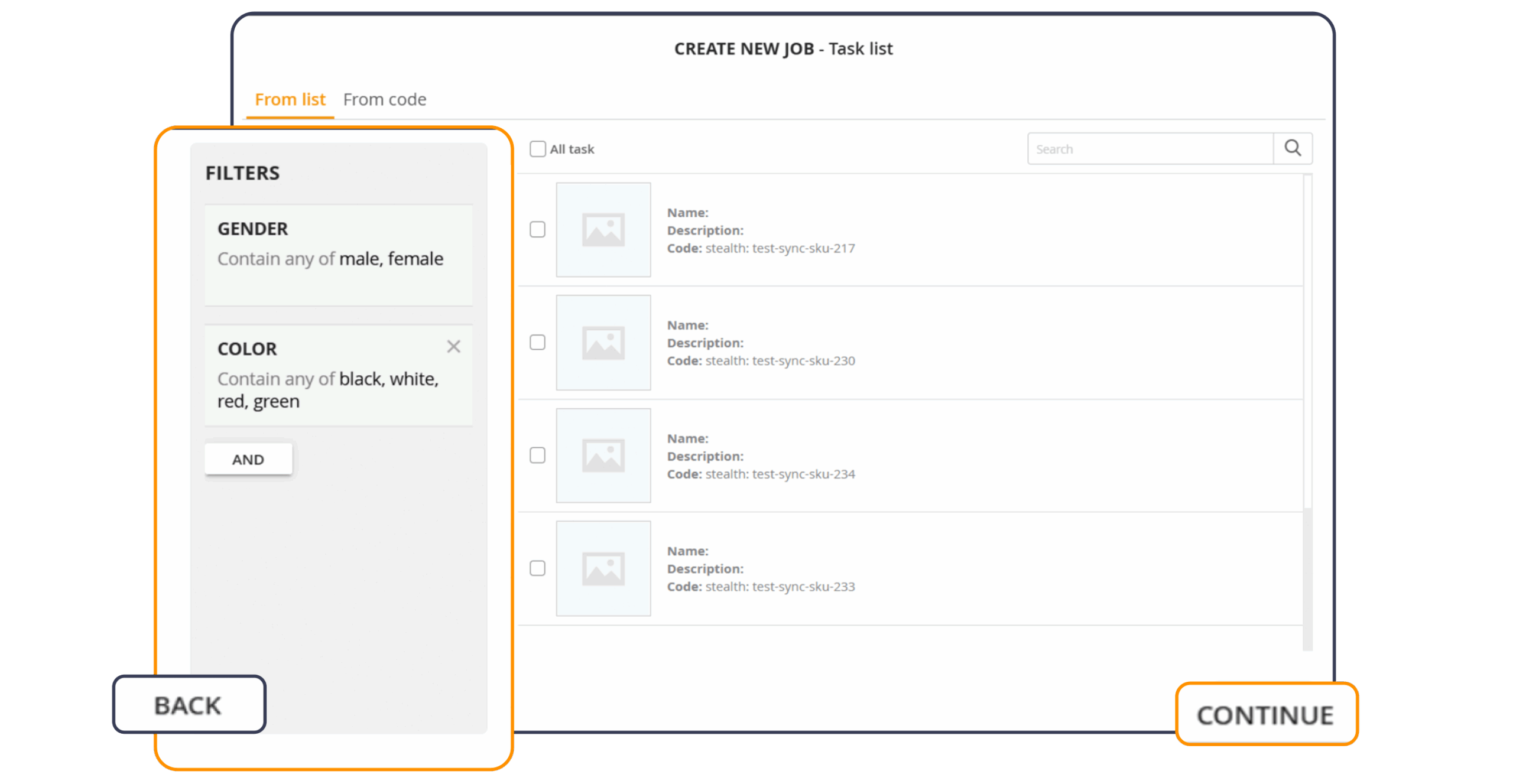
After editing an image with AMBRA AI, such as removing the background or changing the lighting, you can now choose to save the new version, automatically overwriting the original asset on all touchpoints (website, e-commerce, app, catalogues) while keeping links and pages intact. With the classic “Save as new” option, you create a separate variant ready for different markets, seasons or campaigns. And if you want to go back, versioning keeps track of every step and allows you to restore the previous version in one click, without impacting your channels.
Thanks to this update:
Immediate propagation to already published channels
Clearer asset lifecycle governance
In one click, you can update the original asset while maintaining ID, filename, link, and embed unchanged: channels align automatically, without having to manually adjust integrations or references.
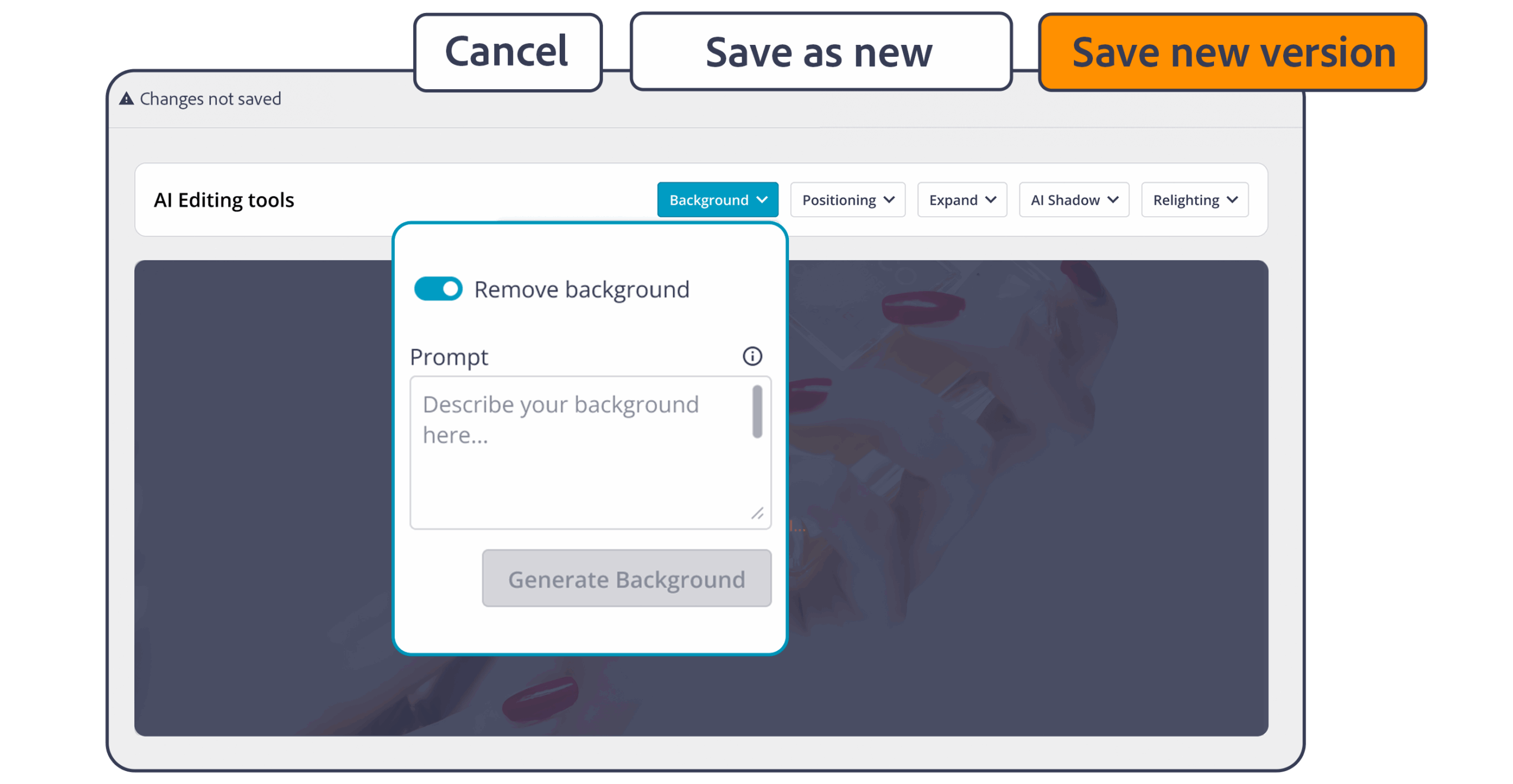
Announced last month as “in the works,” the Asset Sorting feature is now enabled. Sort assets in the Media Gallery attributes based on the views indicated in the file name and product characteristics.
No more dragging and dropping tab by tab: the rules work for you and respect the differences between categories and lines. The result is a consistent gallery for each product, ready for e-commerce and catalogs, zero time to market.
How to prepare the job:
Media Attribute on which to apply the reordering. If the attribute is localized, the job works in all languages.
Order rules, i.e., the sequence of views for each combination of product attributes such as macro-category, category, subcategory, and genre.
This is the future of THRON: fewer steps, more results. Reference makes product relationships clear and navigable, Product Workflow generates orders directly from data, AMBRA AI updates without generating duplicates, and Asset Sorting brings order where previously there was manual labor.
From governance to time-to-market, every step flows and multiplies the return of your ecosystem between products and content.
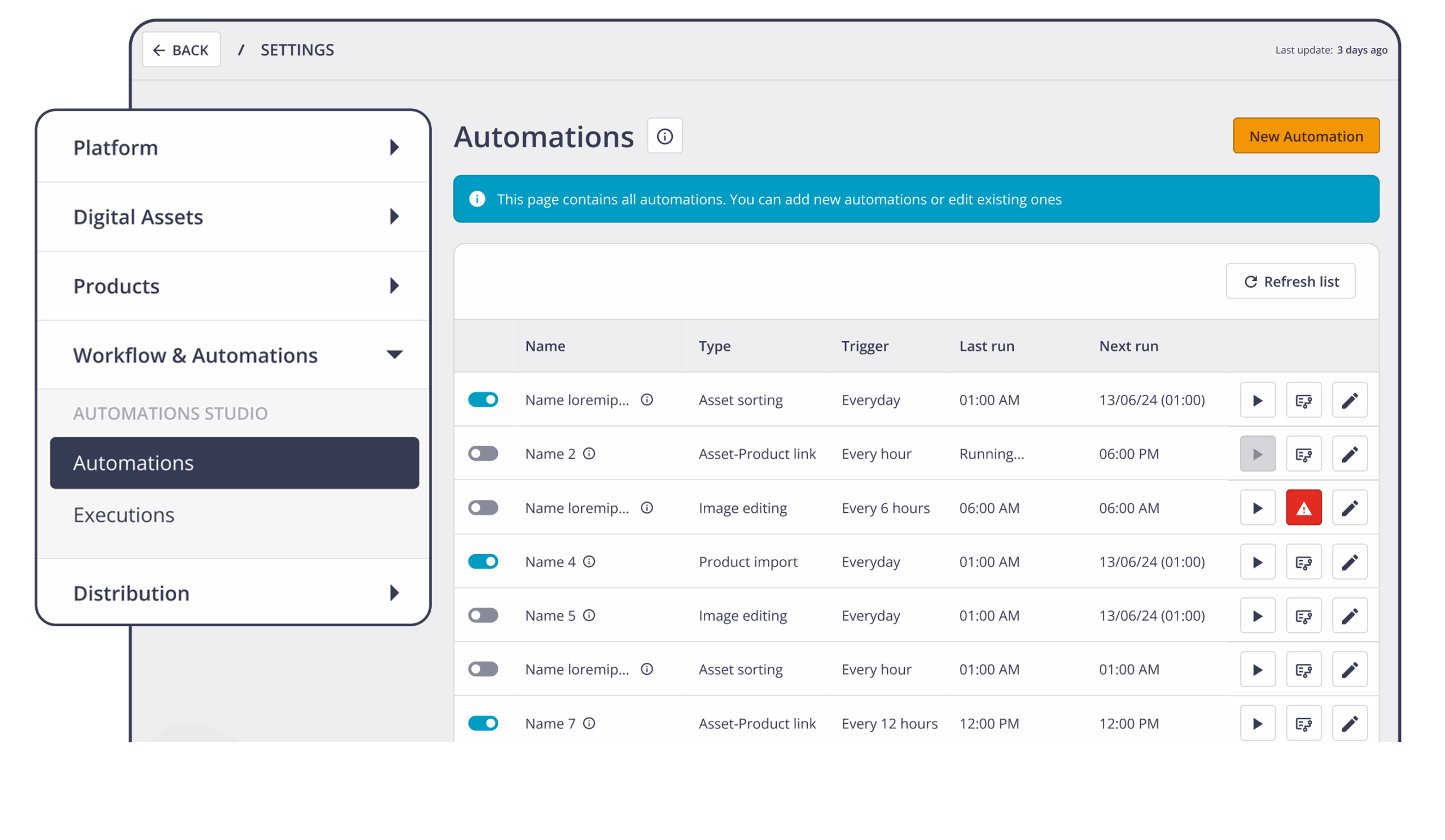
Automation Studio is the new area of the THRON Platform, accessible from Settings in the Automations section. It brings together the creation, activation and monitoring of automatic flows in one place, with a clear view of all available automations with status, description and actions just a click away.
It allows you to do:
Guided configuration, no coding required: define conditions, rules and actions with ease, and Studio generates and orchestrates flows with maximum transparency.
Governance and control: you can consult the execution history and logs, so operational continuity remains under control, and permissions comply with the roles defined in the platform to allow teams and partners to always work securely.
Monitoring: notifications and alerts are available in the event of execution errors, allowing you to intervene quickly and keep workflows operational and reliable.
It allows for mass image editing using Artificial Intelligence. In a single operation, you can perform multiple editing actions on images: from cropping to resizing, from replacing or regenerating the background with AI to modifying colour tones and shadows, without repetitive manual steps. This ensures visual consistency between content from different sources, reduces the margin of error and speeds up publication on e-commerce sites, catalogues and other channels. Rules can be saved and reused to maintain consistent standards over time.
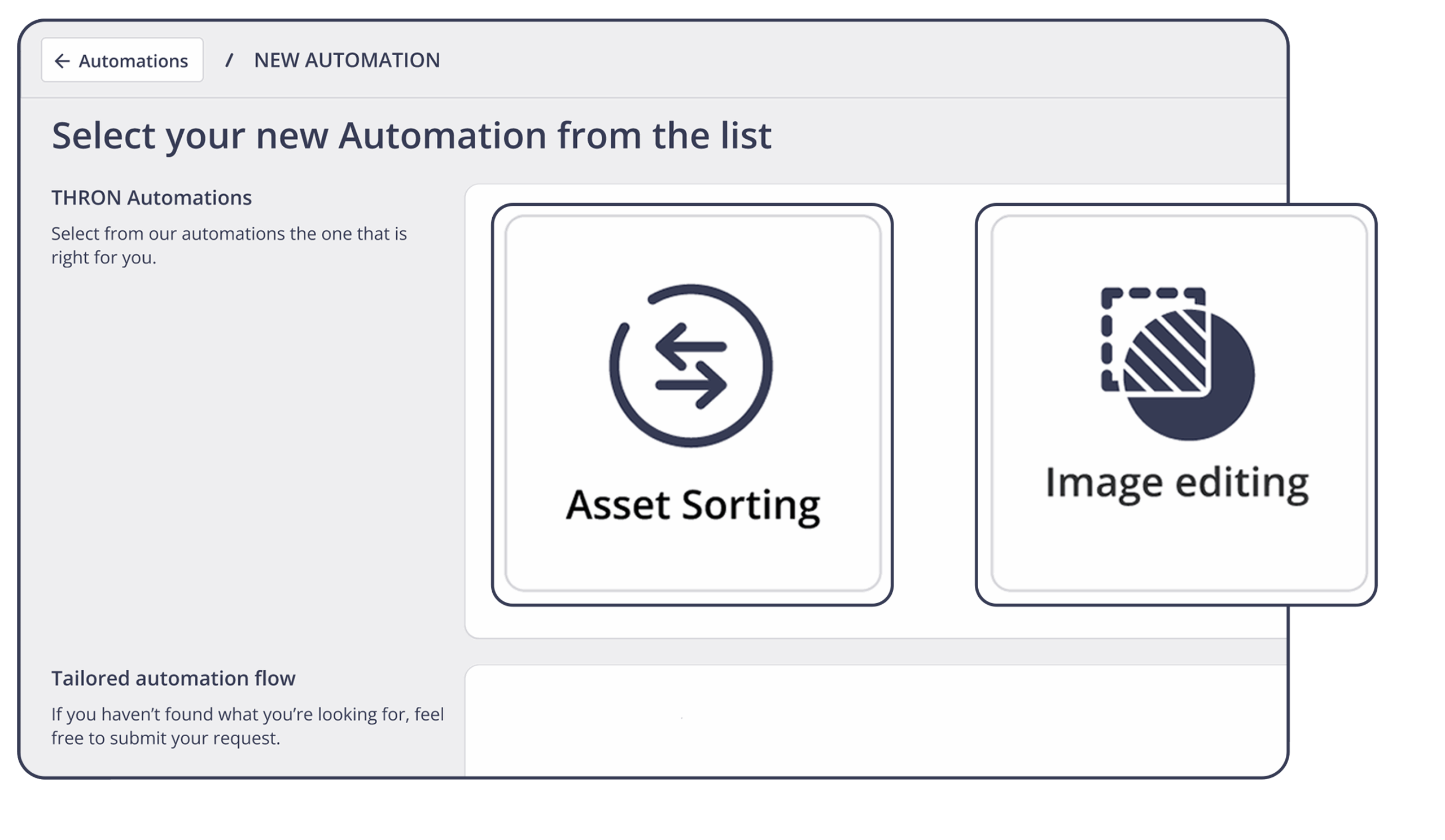
It automatically sorts images within a Media Gallery attribute (a field that collects multiple images related to an item, such as a product sheet). You can define priority filter — such as image type or orientation — to presented the cover and subsequent images in the most appropriate order. This results in more orderly navigation and greater consistency between products, categories and markets, thereby shortening publication times.
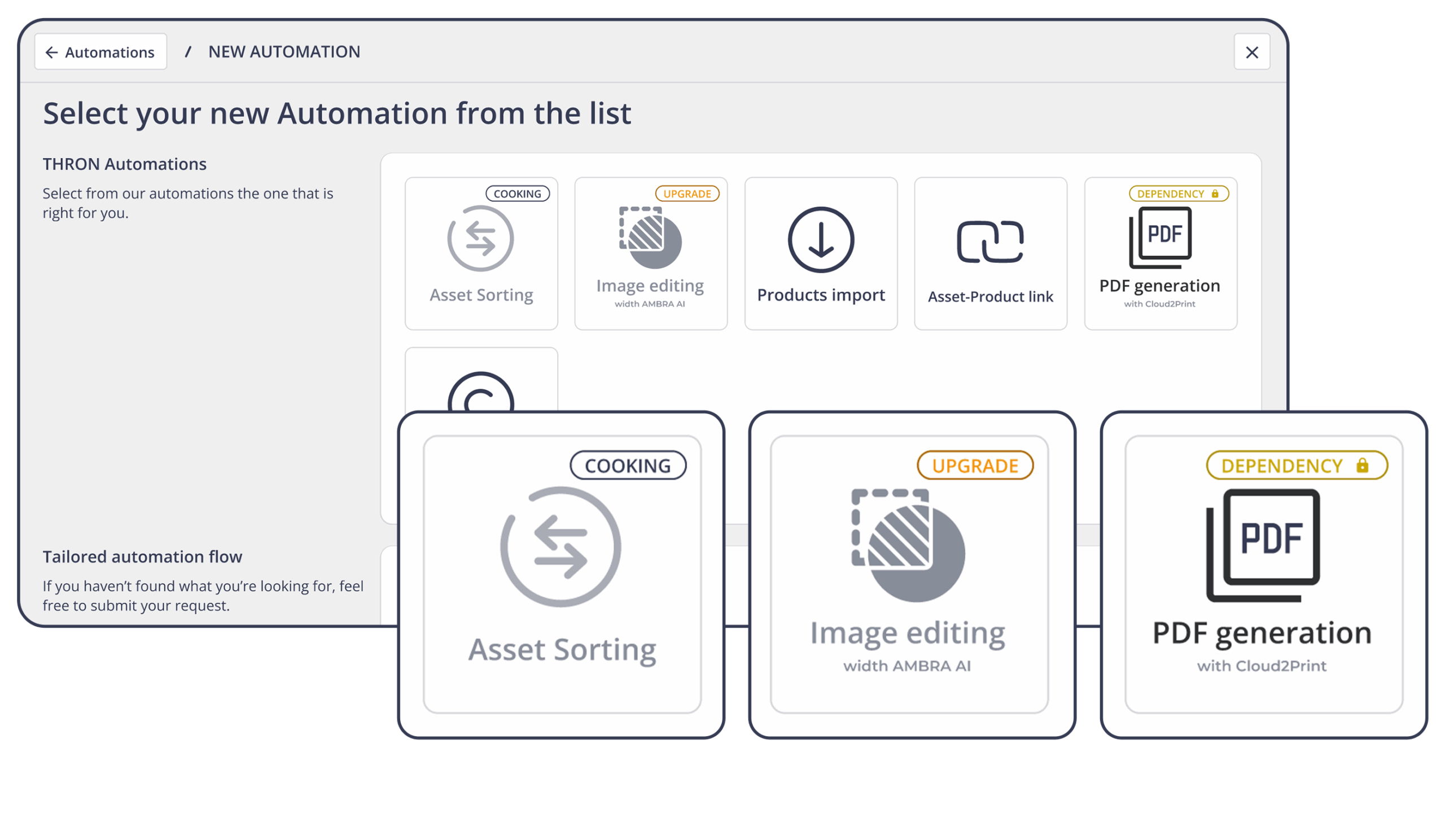
To make it easier to understand what is immediately available and what is coming soon, each automation has a clear and visible status:
Available: Automation is ready to use. You can open it, configure the rules, and activate it immediately to bring a workflow into production without delay.
Dependency: The automation is visible but requires the activation of a related platform feature. For example, PDF generation is enabled when Cloud2Print is available, just as Image Editing is linked to AMBRA AI.
Cooking (coming soon): The automation is already listed because it is currently being released, allowing you to document yourself in advance and assess the impact on your flows.
We have introduced a new product export mode designed to simplify product information consultation, minimising technical complexity and providing each team with a truly readable resource.
During export, you can now choose between two distinct options:
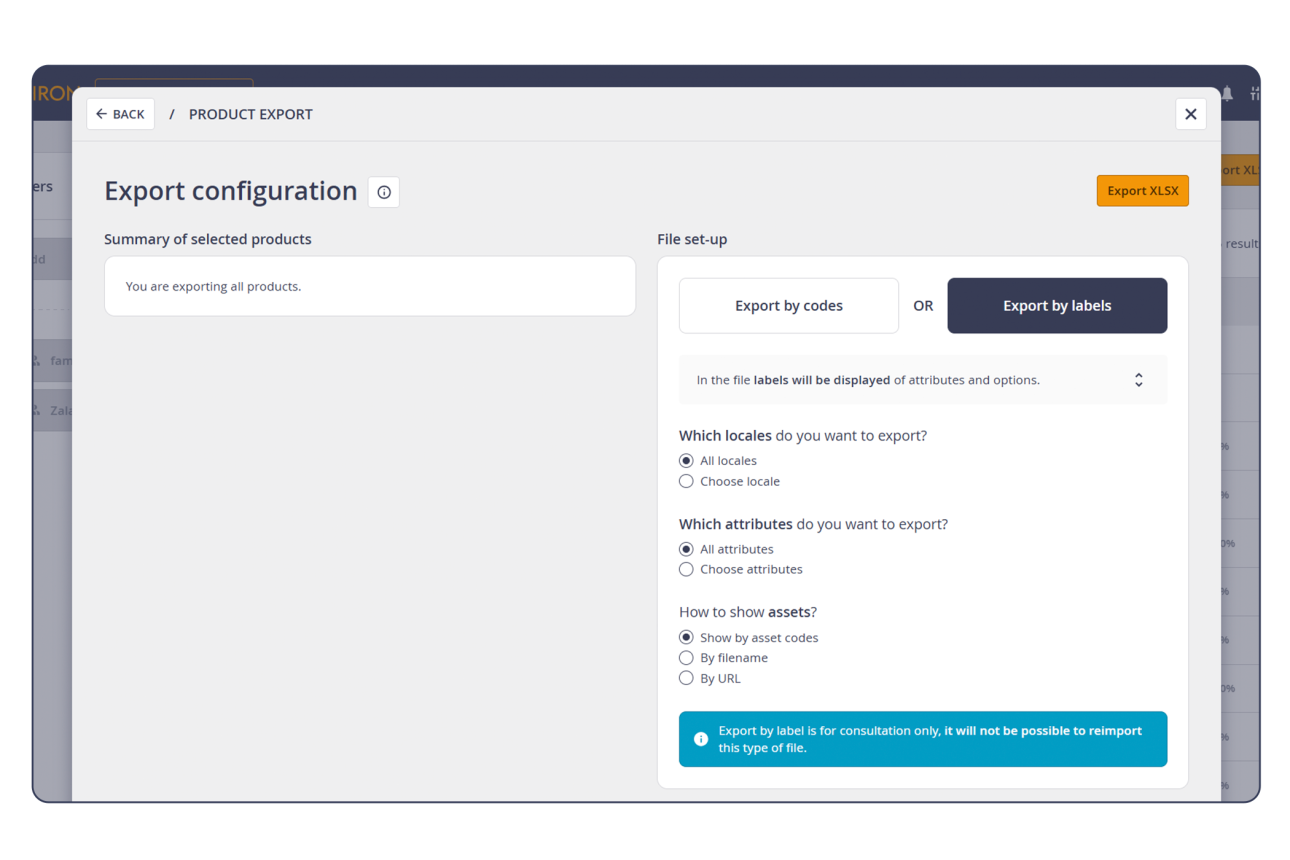
Export by Label shows you the data as you would see it on the platform, offering a clear and structured reading experience:
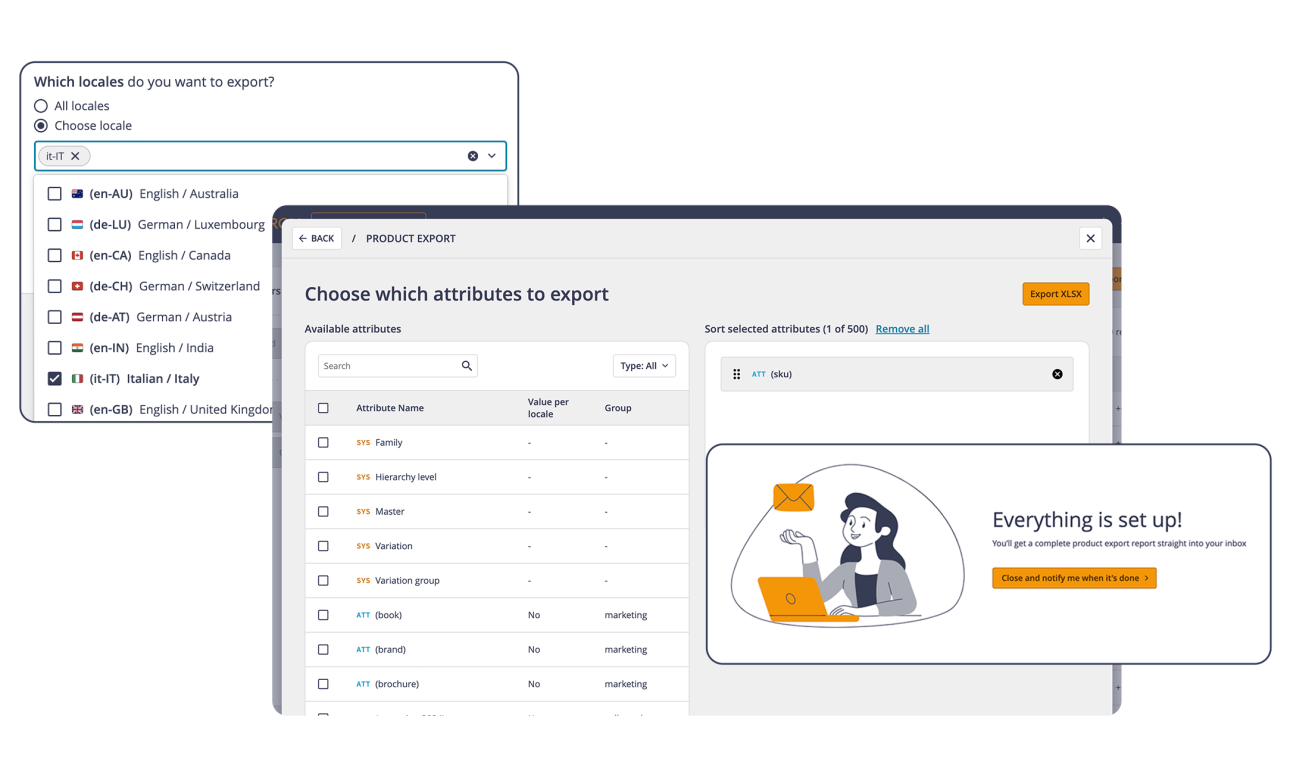
Export by label is a mode designed exclusively for consultation: precisely because it is optimised for readability, the files generated are not intended for re-importation into the platform.
The aim is to enable anyone, even those outside the technical teams, to understand and work on product data in a simple way, without wasting time on complex codes and columns.
THRON continues to guarantee up-to-date, ready-to-use integrations.
With this in mind, our connector for Drupal, one of the most widely used open source CMSs for creating websites and web portals, is now also compatible with the new version 11.
Drupal 11 introduces a series of technical updates: removal of obsolete modules, more modern libraries and a more streamlined environment for developers. For those who use Drupal together with THRON, this means continuity in the integration experience, with the certainty of operating on a more secure and up-to-date technological basis.

To perform the update, we recommend following the official guide.
Once the transition is complete, you can install the latest version of the THRON connector and continue to enhance your content in a more robust and cutting-edge environment.
With this release comes Quick Filters, a new feature of the Product Sheet Library that allows you to easily save and retrieve the filter combinations that are most useful for your daily work.
You can save custom filters in two ways:
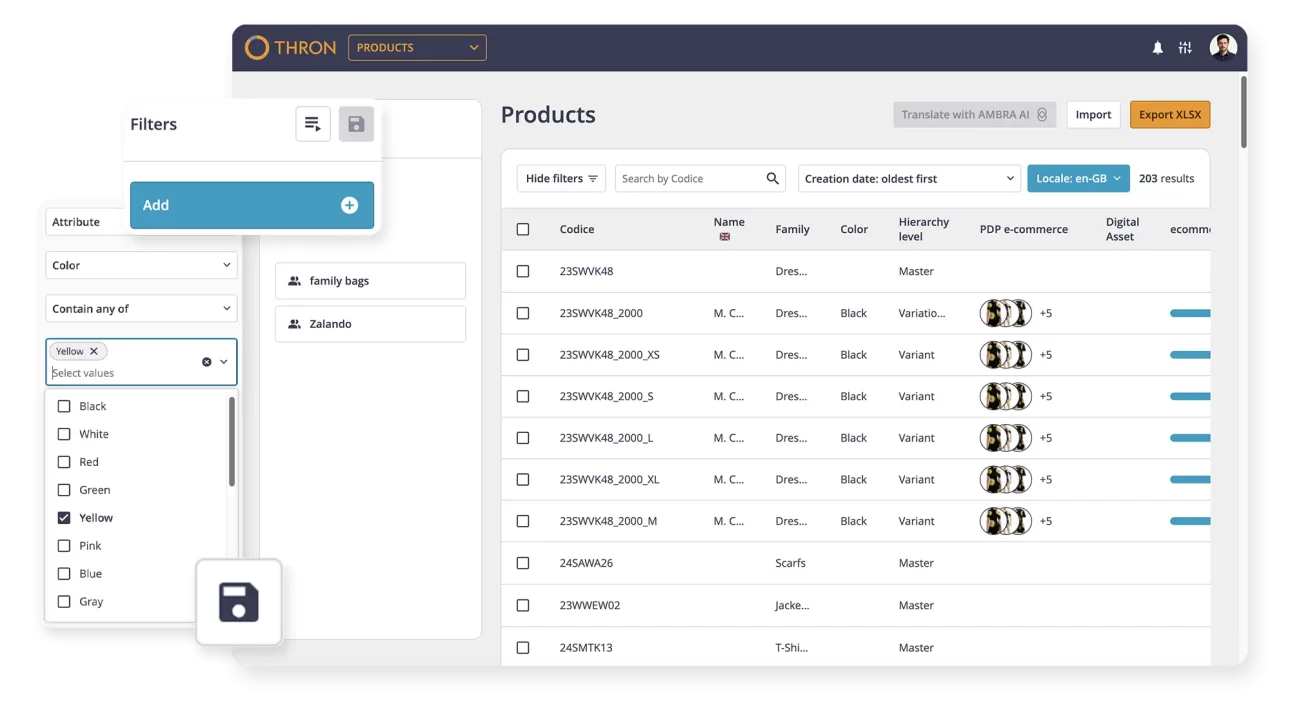
To make it even easier to access, the last three filters used (stored at the browser level), or three of those available in the library, will automatically appear in the sidebar, allowing you to easily reuse them whenever you need them. A new way to browse designed to speed up your workflows, make the platform even more intuitive and always give you maximum control.
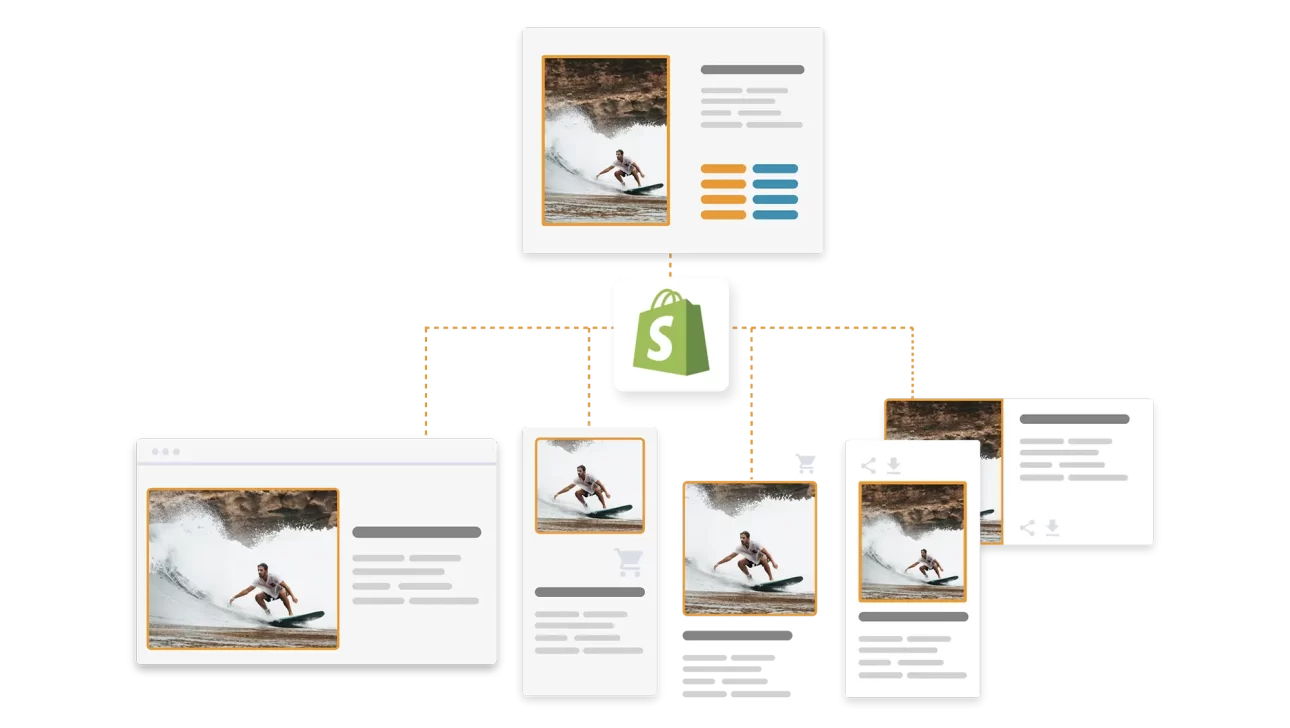
With the Shopify integration, one of the most strategic connections between content and products takes shape.
THRON allows you to orchestrate images, videos and product data from a single direction, publishing them seamlessly on your eCommerce.
A solution that simplifies content governance and accelerates online publishing, ensuring that each product is always enhanced with consistent, up-to-date, and high-quality assets.
THRON’s B2B Area is expanding: alongside digital content, the Products section officially arrives, designed to offer retailers, agents and distributors targeted and functional access to all useful information.
Easy navigation, instant download and permission management allow you to distribute up-to-date materials in an environment consistent with your brand identity, profiled for each user.
Each operation takes place within a product-oriented navigation, where those who access can filter, explore and download according to their roles and needs.
Here are some of the features already available in the new Products section:


And that’s not all: new features will soon arrive to further enrich the experience, automate management flows and offer increasingly efficient tools to enhance your products throughout the supply chain.
THRON’s new Universal Player, fully available from 21 July, is ready to redefine the experience of using multimedia content.
Designed to be faster, more accessible and consistent with the design of THRON X, the new player will be active for all new embeds, while existing content will continue to be served in the current version, subject to updating the template. In addition to delivering up to 3x more performance, the new Player has been designed to be fully accessible and compliant with the EU Accessibility Act, without requiring additional configurations.
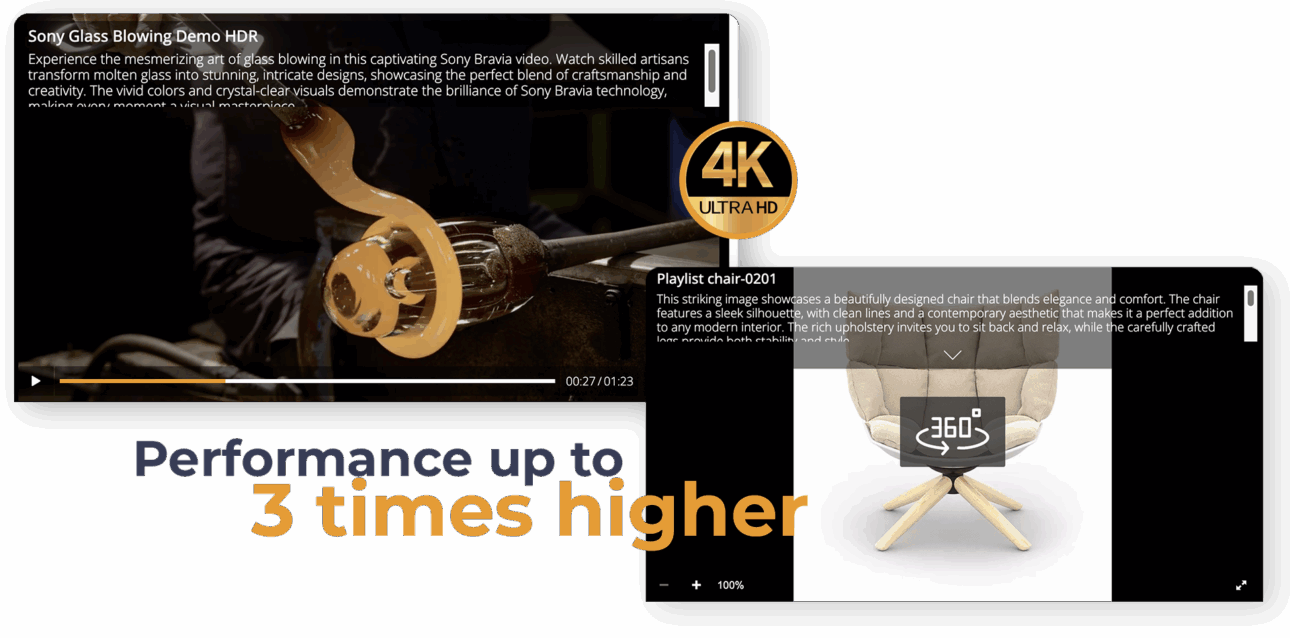
Every interaction, in fact, is designed to be fluid even with screen readers, thanks to the semantic recognition of commands, the display of alt text on images, the control of the playback speed and a keyboard navigation system with shortcuts. In addition, it automatically adapts to the language of the content, thanks to the automatic generation of subtitles that guarantees a consistent and inclusive use even in multilingual contexts.
An evolution that looks to the future, designed to offer a more fluid, inclusive and immersive interaction, on any device and in any context of use.
When you’re inside a product listing and want to manually associate content with a Media Gallery attribute, you can now do so even faster and more accurately. On the asset selection screen, there is now a search bar that allows you to filter content by title and description.
All sorting options by type, date of creation or last modification are also available, so you can find exactly what you need in just a few clicks.
The export of products becomes even more flexible. Now you can decide whether to export all attributes at once or manually choose which ones to include.
A faster, more customizable workflow, designed to reduce steps and save you time, especially when working on complex product sheets or multi-channel exports.