Language

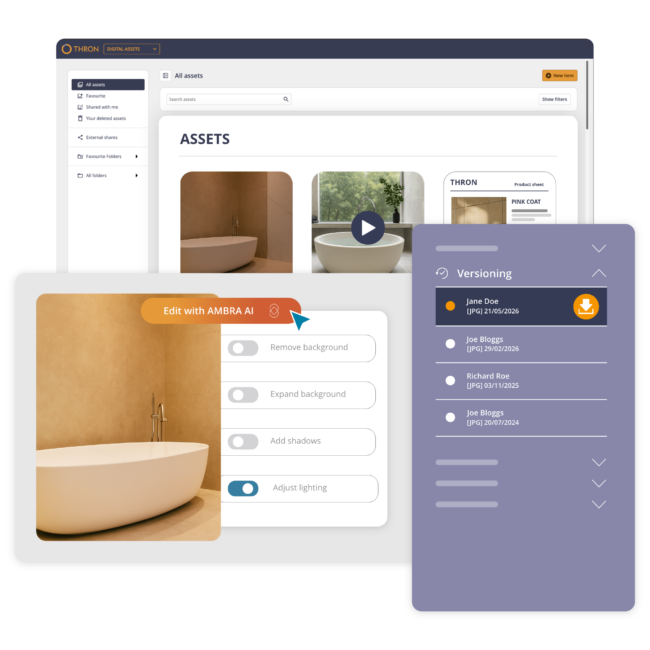
All the visual content your company has already produced: aggregated, cataloged, and searchable in seconds, for everyone.
Chosen by



















Years of content piling up across servers, cloud storage, hard drives, and siloed archiving systems.
The assets are there, but they’re not working.
From the eCommerce team to sales, everyone keeps asking marketing for materials that already exist.
The Digital Asset Library is the area of THRON Platform that solves all of this:
every file is collected, catalogued by AI, connected to product information, and automatically distributed to every channel in the right format.
Forrester Research calculated an average ROI of 208% for companies that adopt THRON.
The assets you already have, finally visible and ready to use.
No more outdated versions in circulation.
Automatic enrichment, adaptation, and distribution.
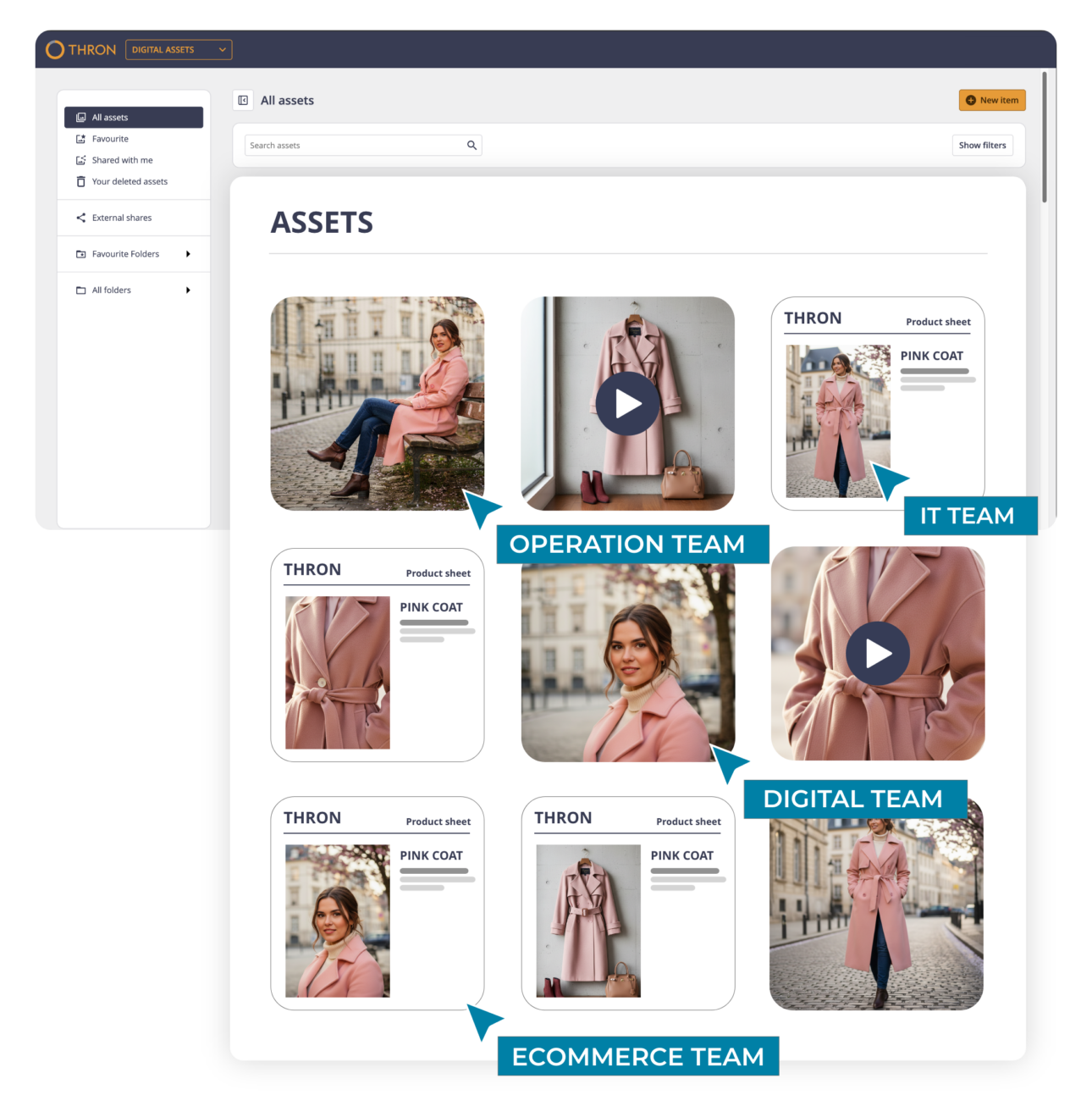
THRON pulls every file the company has ever produced from servers, cloud storage, legacy systems, and shared folders.
Every piece of content gets a single official version, tracked and accessible with role- or team-based permissions, eliminating duplicates.
With THRON Drive, the platform integrates directly with Finder and File Explorer, removing the need to switch between the platform and your everyday tools.
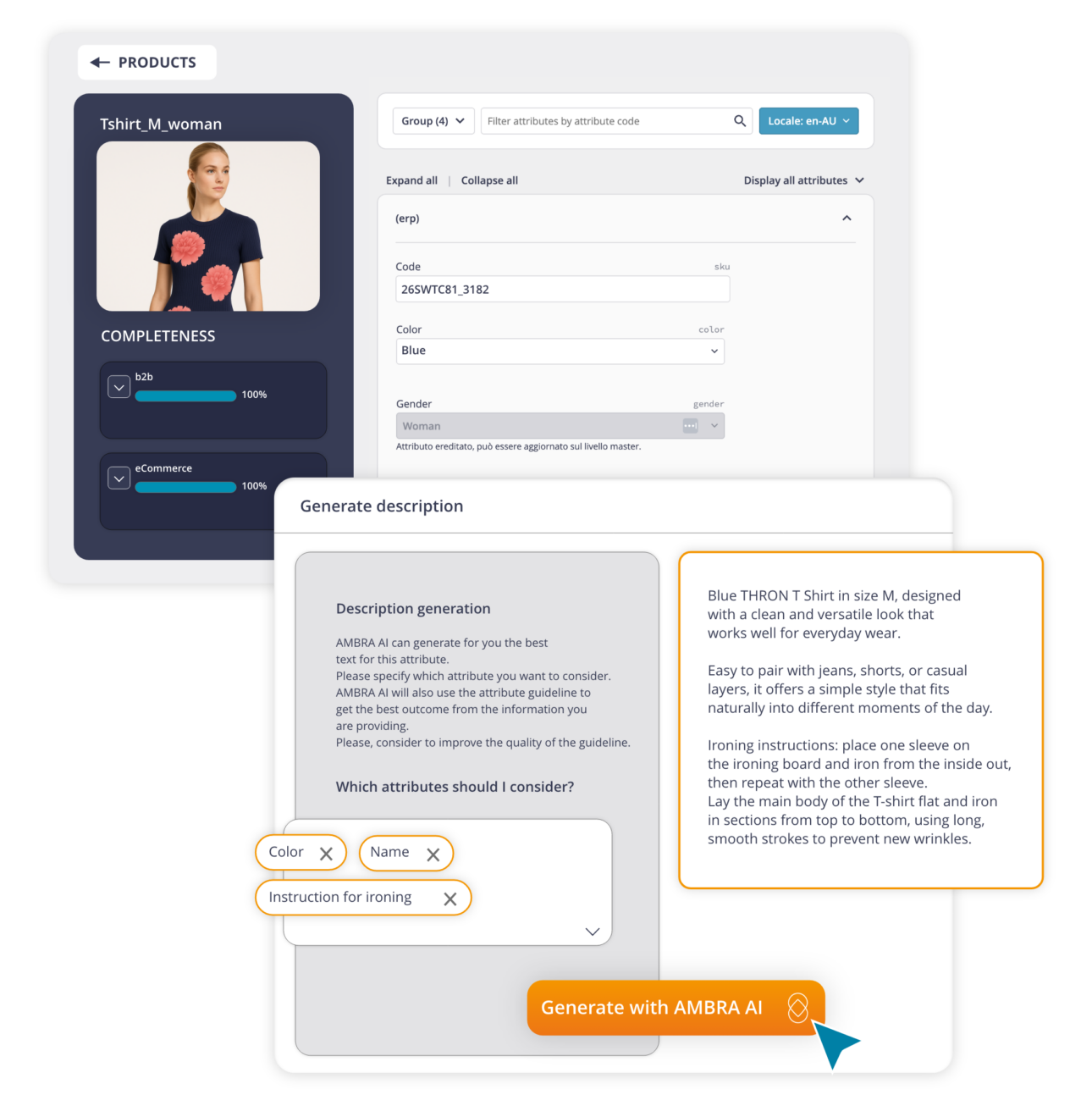
Every file that enters THRON is analysed and enriched by AI: descriptions, tags, format, dominant colour, focal point, and alternative text for accessibility.
Everything populates automatically, connected to product information, with results that can be verified and edited at any time. The AI also corrects visual imperfections, fixes backgrounds, lighting, and proportions, then produces optimised variants for every channel and resolution.
Every file is immediately ready to use, in the right format for every context.
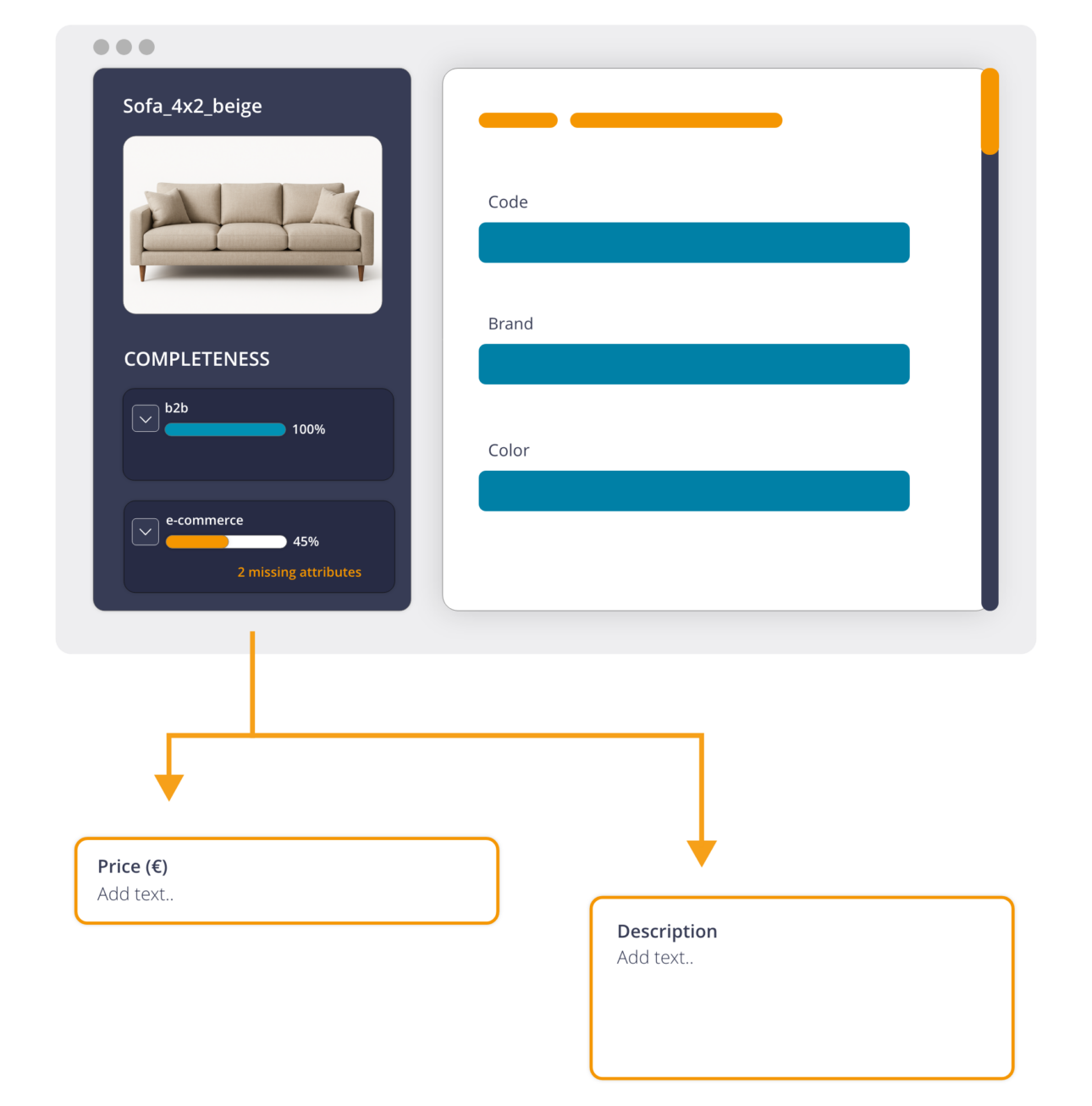
In THRON, every asset is automatically linked to its corresponding product data.
Assets and information speak the same language: when data, product records, or technical sheets change, the connected content updates accordingly. The same image used for eCommerce automatically becomes available to marketing and sales teams, without duplications and requests.
No manual associations to build, no misalignments to fix.
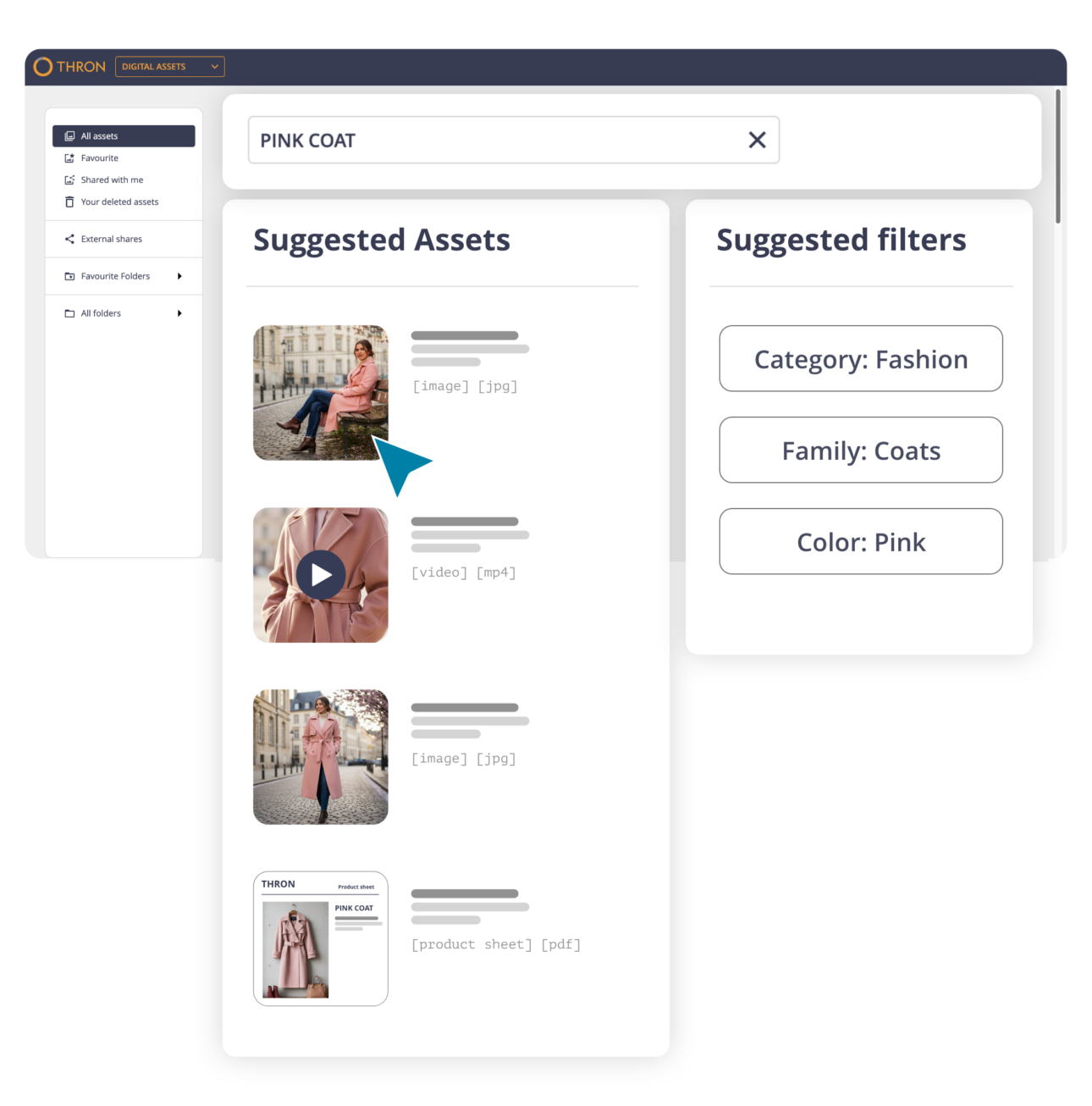
Powered by AI, THRON Platform’s search understands natural language: search by intent, by visual content, or by similarity to another file.
But you can go beyond search: define the output you want and THRON assembles the necessary materials, whether that’s a landing page or a creative asset. THRON doesn’t just return results; it helps you build.
With AI Mode, all of this happens in natural language, directly from the archive.
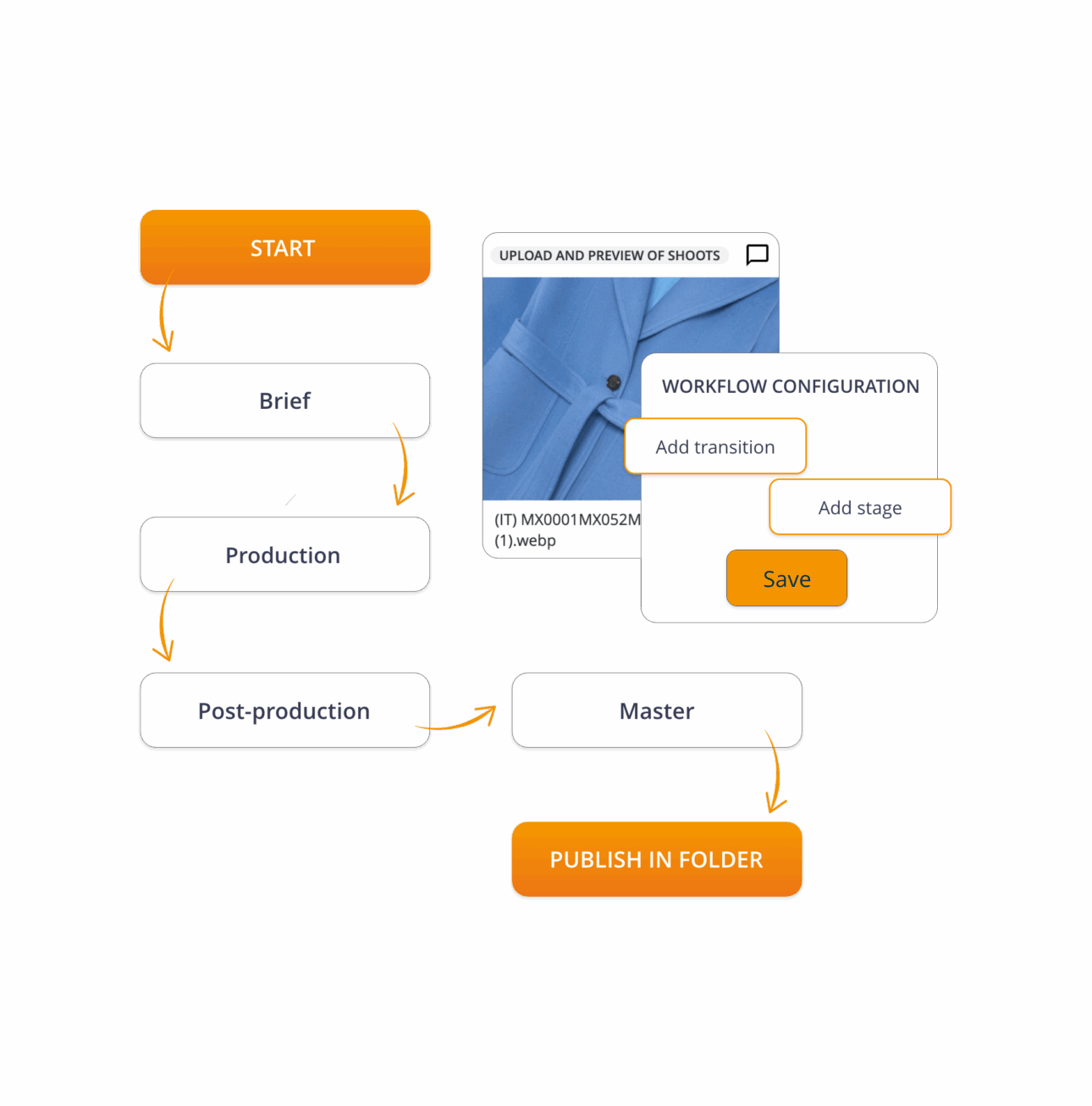
The asset workflow lives within the platform.
Briefs, comments, status updates: everything happens where the content already lives, with configurable workflows tailored to each team’s process. Every step is tracked, approved materials are automatically routed to the next stage, and publications can be scheduled in advance.
Usage rights and licences are managed in one single place, without leaving THRON.
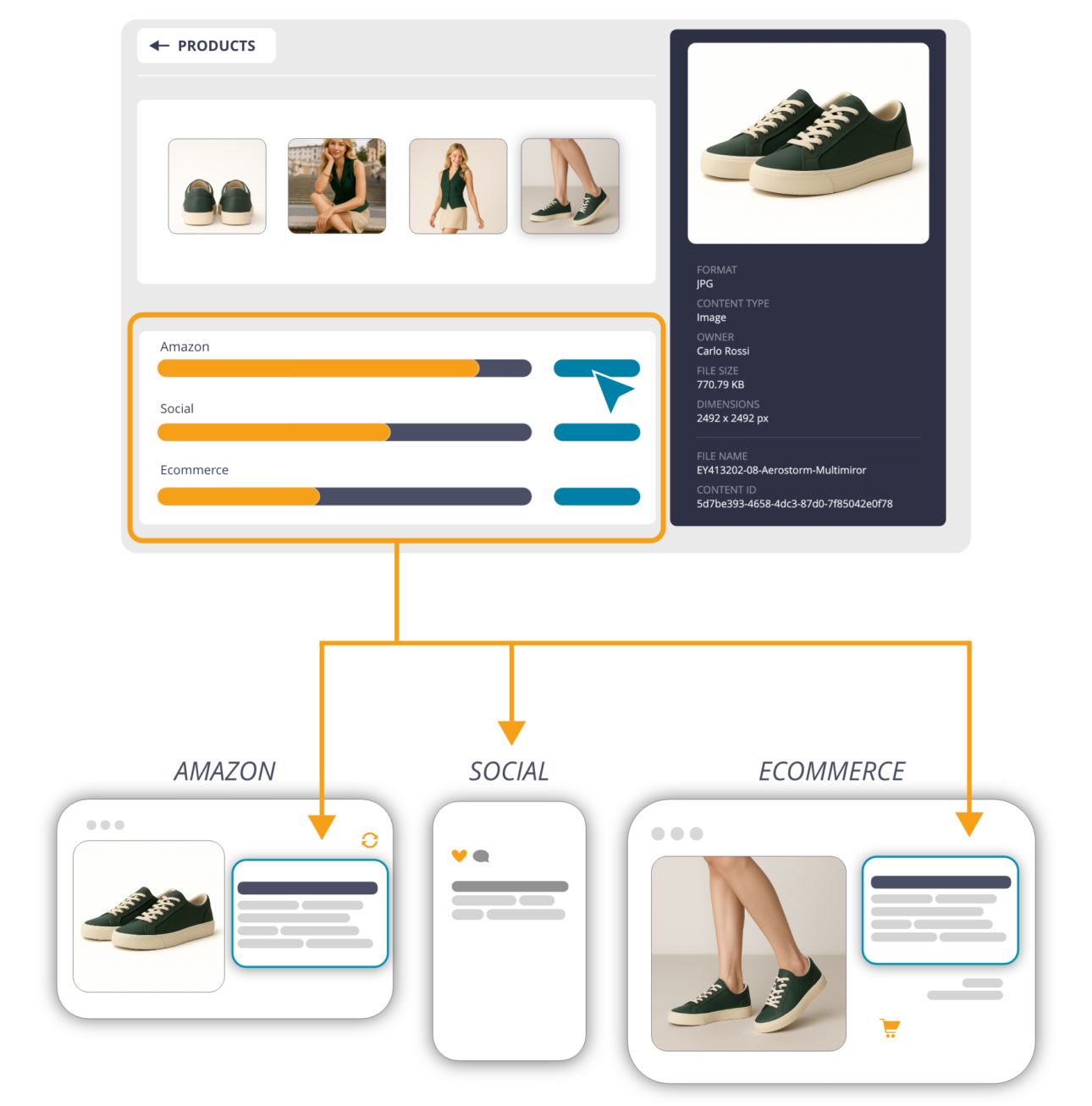
Every change made in THRON propagates automatically to every touchpoint: website, eCommerce, marketplaces, print.
In the correct format for each channel, at the optimal resolution, with no manual intervention. Through B2B portals and dedicated areas, suppliers and resellers can independently access approved materials, always in the latest validated version.
The performance of every distributed piece of content is tracked and viewable directly within the platform.

SUCCESS CASE
.
Put it to the test on your real archive in one hour. 30 days, free.
Can THRON be classified as DAM software?
Not exactly, and the difference is significant. THRON does everything digital asset management software does, but it doesn’t stop there. It connects every digital asset to its corresponding product information and automatically distributes it across every channel, with no integrations to build or maintain. And unlike traditional DAM software, it’s not a tool built exclusively for the creative team: every department, from eCommerce to sales, from customer service to retail, can independently access the company’s asset library within their own context, with the right permissions.
What are the limitations of traditional DAM software?
Traditional DAM software is built to store digital assets and make them available to the creative team. The problems arise on two fronts. The first is structural: when that archive needs to talk to a PIM, an eCommerce platform, a marketplace, or a B2B portal, every connection becomes a separate integration to build, maintain, and update. The second is organisational: anyone outside the brand team, from eCommerce to sales, from customer service to retail, either has to go through the brand team for every request or makes do with outdated copies. THRON starts from a different premise: digital assets, product data, and multichannel distribution are all native to the same platform, accessible to every department independently, with no friction between systems and no operational dependencies between teams.
Do I need to migrate existing files to switch to THRON?
Not necessarily, and not right away. Companies already using DAM software can adopt THRON without having to choose between the two: the platform integrates with existing systems, so teams can start working in THRON while the archive migration happens gradually, without any operational disruption. Files are imported and catalogued automatically by AI, with no manual data entry. If you’re coming from a DAM software solution, you don’t start from scratch: you bring the archive you’ve already built with you.
How does video distribution work with THRON?
The Universal Player plays any video format on any device, with no external players required. The same player can be embedded on any digital channel with a single line of code: layouts and skins are customisable within the platform and update everywhere automatically, with no need to touch each channel individually. AI analyses videos upon upload, generating metadata, optimised variants for each channel, and alternative text for accessibility, exactly as it does with any other digital asset.
How are usage rights and licences managed for digital assets?
Every file in the archive can have usage rights and licence expiry dates configured directly within the platform. The system monitors the status of every digital asset and flags expiry dates automatically, preventing the unintentional use of materials that are no longer authorised, with no need for anyone to keep track manually.
Can THRON integrate with Adobe Creative Suite?
Yes, and with Canva and other tools as well. Thanks to THRON Drive, anyone working in Photoshop, InDesign, Illustrator, Premiere, or After Effects can access the digital asset archive and sync files without ever leaving their usual working environment. In InDesign, linked images update automatically when a new version arrives, keeping layouts and effects intact. No interruptions to the creative flow, no risk of working on outdated versions.
Does THRON replace the PIM as well as the DAM software?
Yes. Where other solutions require a DAM software, a separate PIM, and custom integrations to make them communicate, THRON brings them together natively in a single platform. Digital assets and product data live in the same system: every asset knows which product it belongs to, which variant, which market. When a product data point changes, connected content updates everywhere automatically. Fewer vendors, fewer contracts, with a 55% reduction in IT costs.
Are digital assets accessible only to the creative team or to the whole company?
To the whole company, and that’s one of the most tangible differences compared to traditional DAM software. In THRON, every department accesses the asset library within its own context and with its own permissions: eCommerce manages variants for marketplaces, sales downloads up-to-date materials, retail receives content for digital signage. No tickets to the brand team, no parallel copies floating around. Digital asset management stops being the exclusive territory of the creative team and becomes an operational resource for the entire organisation.
Is a digital asset without product data truly usable?
Rarely, and anyone managing complex catalogues knows this well. An image that doesn’t know which product it belongs to, which variant, or which target market always requires someone to reconstruct the context manually. In THRON, that context is built in: every digital asset is linked to its corresponding product data from the moment it’s uploaded. A variant changes, the right image appears. A data point changes, it updates everywhere. No misalignments, no manual intervention.
What’s the difference between a digital asset management tool and a platform like THRON?
A tool solves a specific problem: paginating a catalogue, optimising images, managing a photo shoot. A platform governs the entire lifecycle of a company’s information assets: product data, digital assets, multichannel distribution, access for every department, usage rights, and native AI. With a tool, you add one piece to the puzzle. With THRON, you change the way your company manages its entire asset base, without multiplying vendors or integrations.
Does THRON also handle digital asset approval workflows?
Yes, natively. Unlike solutions built primarily as technical delivery infrastructure, THRON covers the entire digital asset lifecycle: upload, taxonomies, per-user and per-channel permissions, review and approval workflows, usage tracking, and rights expiry. All via the interface, with no custom development required.
How do you prevent outdated versions of assets from spreading across the organisation?
It’s one of the most common and costly problems in digital asset management: it happens when people without direct archive access make do by downloading copies, saving them locally, or sharing them via email. In THRON, every department can access the asset library independently, within their own context and with the right permissions, without having to go through another team to get materials. This eliminates the root cause of parallel copies: when access is direct and controlled, nobody needs to build their own alternative archive.