Language

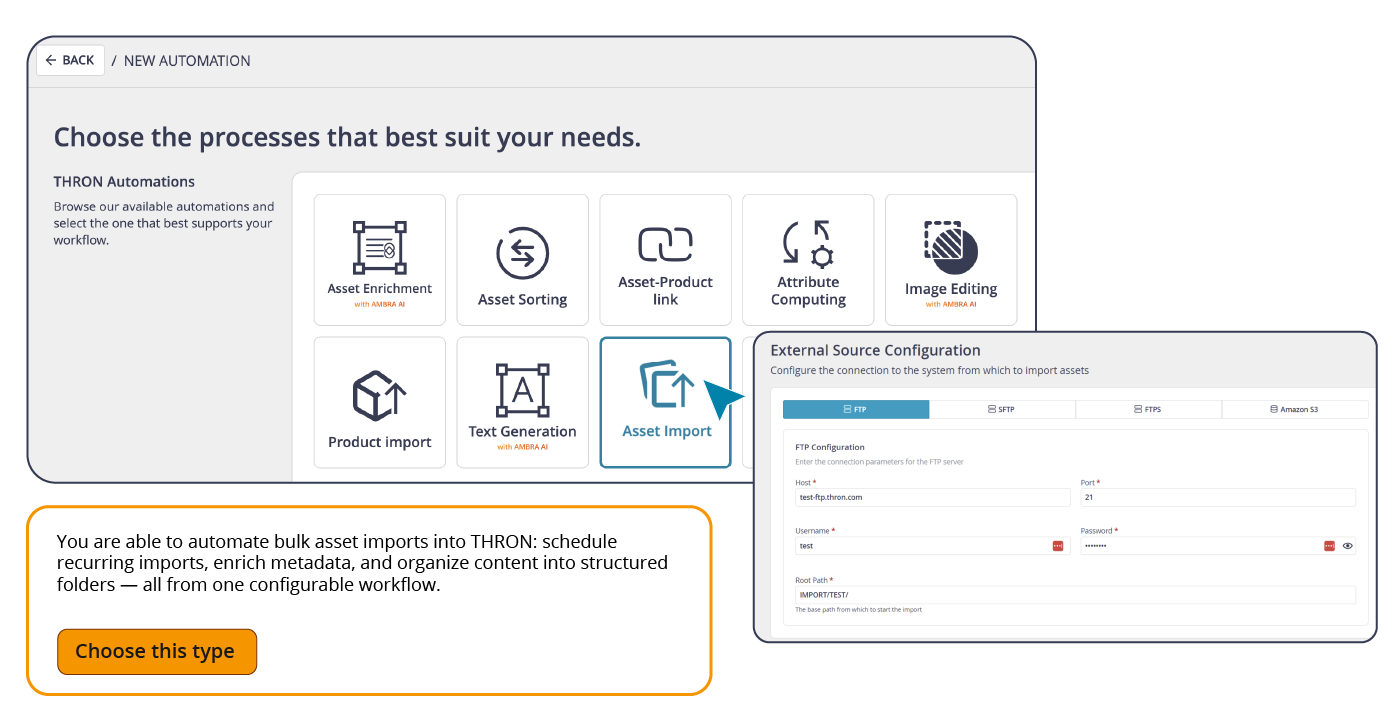
Starting with this release, files arriving from external sources enter THRON already cataloged and ready to use, with no need for anyone to import them manually or reorganize them after upload.
With the new Asset Import automation, you connect the external source, define where files should go and how they should be cataloged, and set the frequency. From that point on, THRON handles everything.
It works with the protocols already in use within your IT infrastructure (FTP, SFTP, FTPS, S3 buckets), requiring no changes to existing systems. For each imported asset, you can choose how to manage it:
Versioning: if a file with the same name already exists, the automation creates a new version of the asset while preserving the full history
New content: if the file is not present, or if you prefer to keep it separate, a new asset is created without touching the original
Attributes are mapped automatically based on the data in the configuration file, so every asset enters with the information your data model requires, already in place.
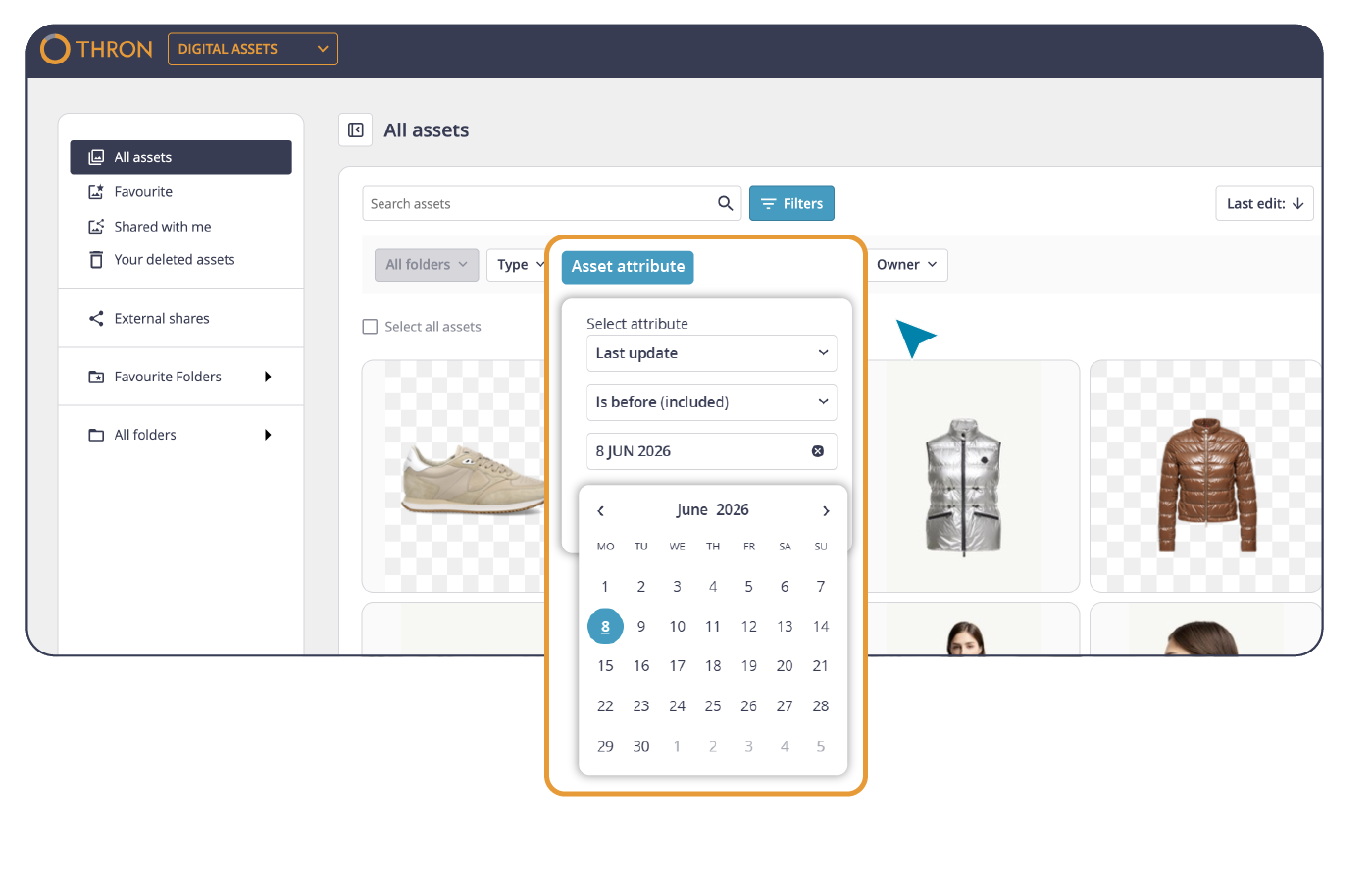
Some content has a direct relationship with time: images whose copyright expires within 30 days, assets uploaded during the last campaign, everything that was modified the week before a launch. Finding them, until now, meant scrolling, combining filters, and running manual checks.
Starting with this release, the Digital Asset Library lets you filter by date range on any date-type attribute. The filter offers three selection modes:
Specific date: to find assets tied to a particular day
Knowing which assets have copyright expiring soon, what has just arrived, and what has been updated becomes part of your daily workflow, letting you retrieve assets tied to campaigns, events, or seasonal needs with precision and in the shortest time possible.
When you already know the name of the file you’re looking for, browsing the entire Library is not the fastest route.
Starting with this release, the filename is available as a system attribute in the attributes section of the Digital Asset Library: filterable, visible, and non-editable.
Anyone working with defined naming conventions, files delivered by agencies, assets organized according to company standards, or content identified by name in external systems now has a direct link between the name they already know and the asset in the Library.
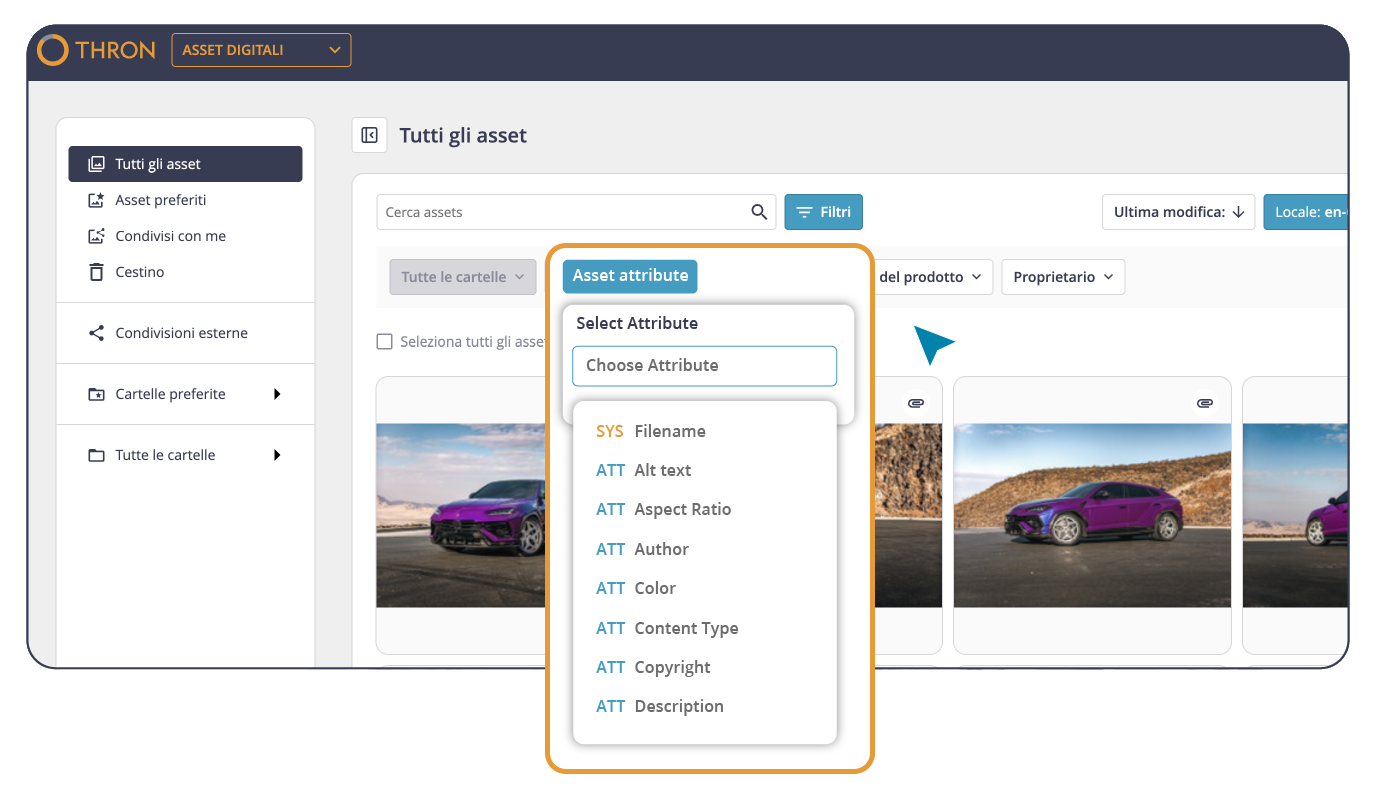
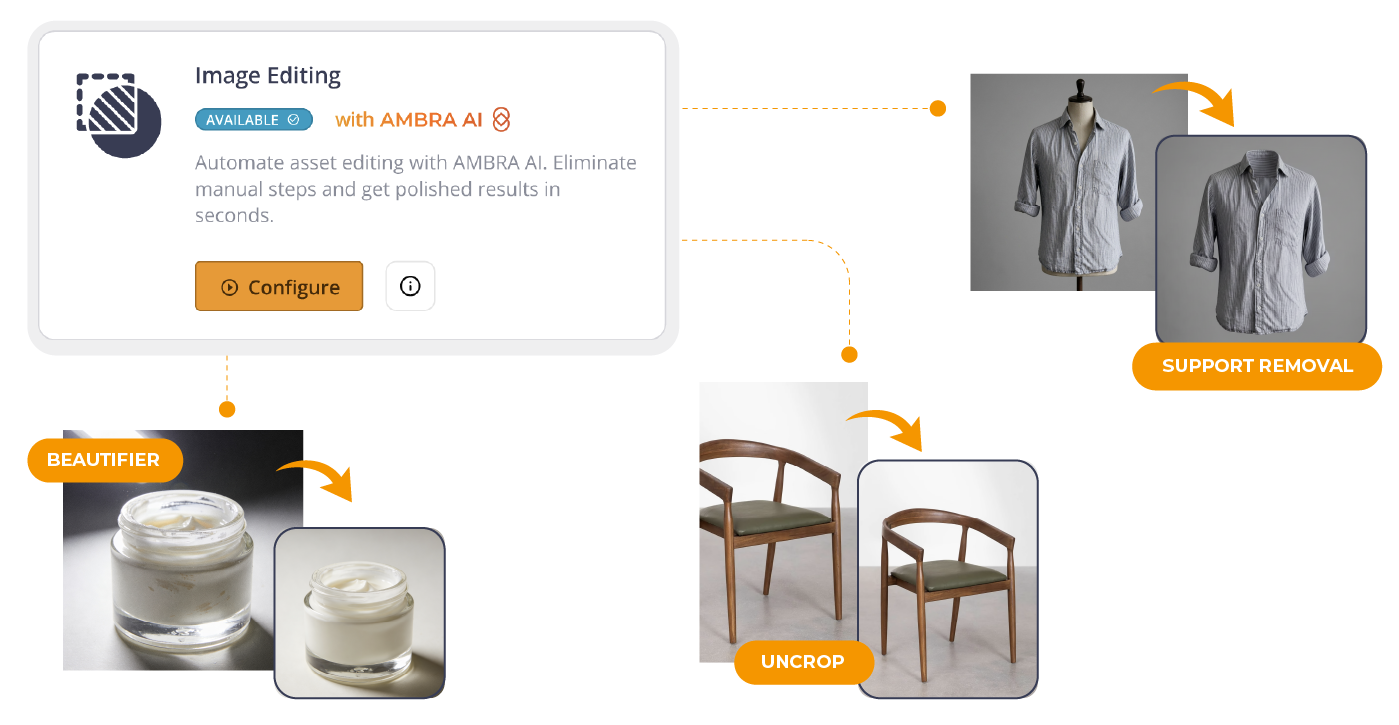
Image Editing automation already made it possible to apply visual transformations to entire folders without manual intervention: background removal, shadow, padding, centering, and margin.
With this update, the catalog of available transformations expands with three new Retouch features from AMBRA AI Transform:
Support Removal: removes hangers, mannequins, and other scene props
Uncrop: regenerates missing portions of a photographed product
Beautifier: automatically enhances the appearance of the subject
The configuration logic stays the same: choose the source folder, select the transformations to apply in combination, and set the frequency. The automation runs without any further input, ensuring visual consistency at scale.
You can also choose whether each transformation generates a new version of the original asset (so already-published channels update automatically without having to redefine references and integrations) or a separate new content item, keeping the original completely intact.
Before running the automation across the entire folder, you can test the transformations on a sample image and save the configuration only once the result is exactly what you were looking for.