Language

In THRON Platform, there is a central repository that brings together all of the company’s products, along with all their information. From this release onwards, you can create separate catalogues for each operational context within that repository, each with its own categories. For example, the e commerce catalogue might include sections such as “New Arrivals”, “Outlet” and “2026 Catalogue”, while the catalogue for the reseller network could be organised by geographical area.
The same product can appear in multiple catalogues at the same time, because catalogues do not duplicate data. They all draw on the same central repository, organising products in different ways depending on who is viewing them and for what purpose.
Any products that have not yet been assigned remain available at all times in the “Not in Catalogue” section, which can be accessed from the left hand column alongside all the catalogues that have been created.
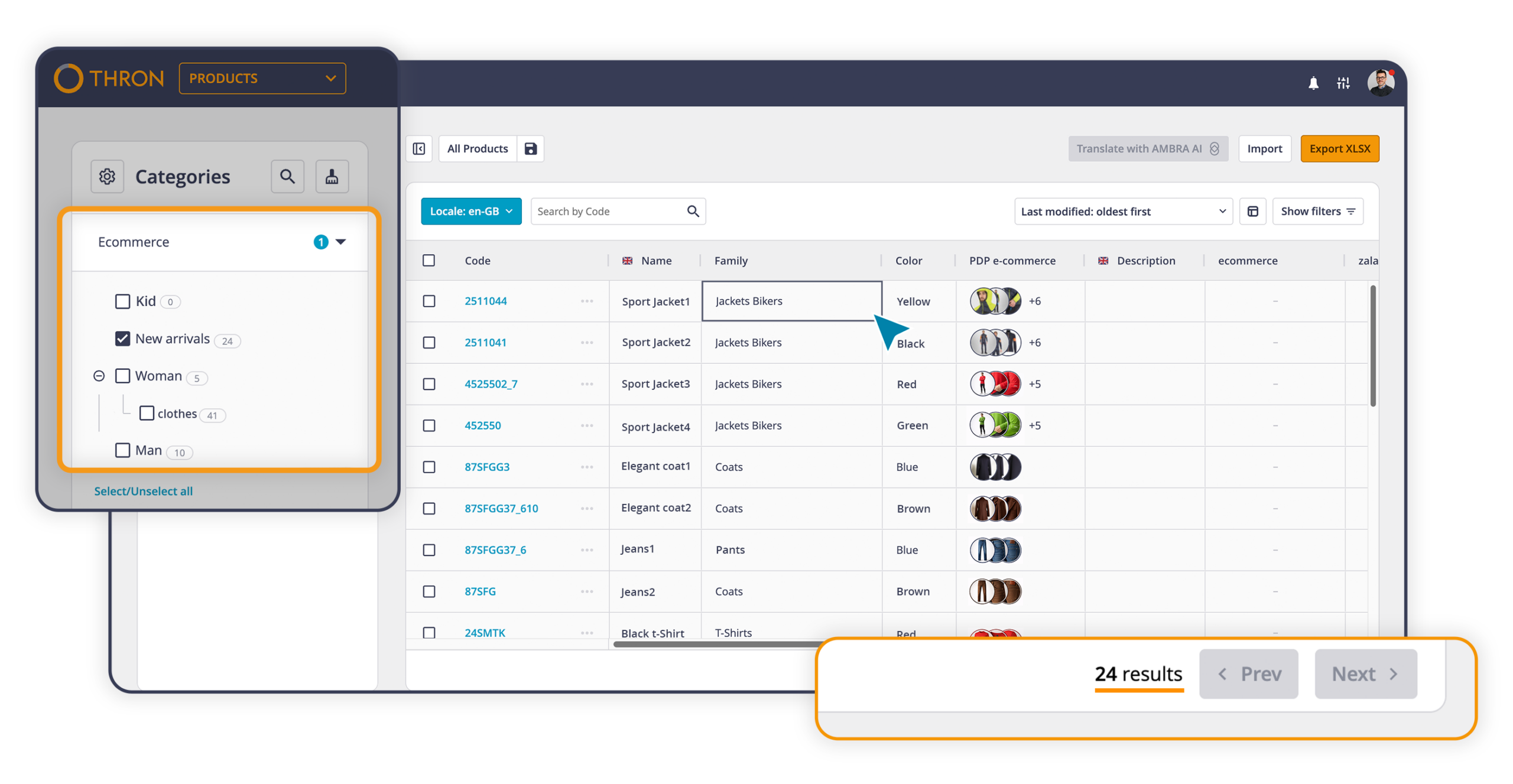
Some changes to the interface:
The catalogue configuration is available in the platform settings, immediately after Families.
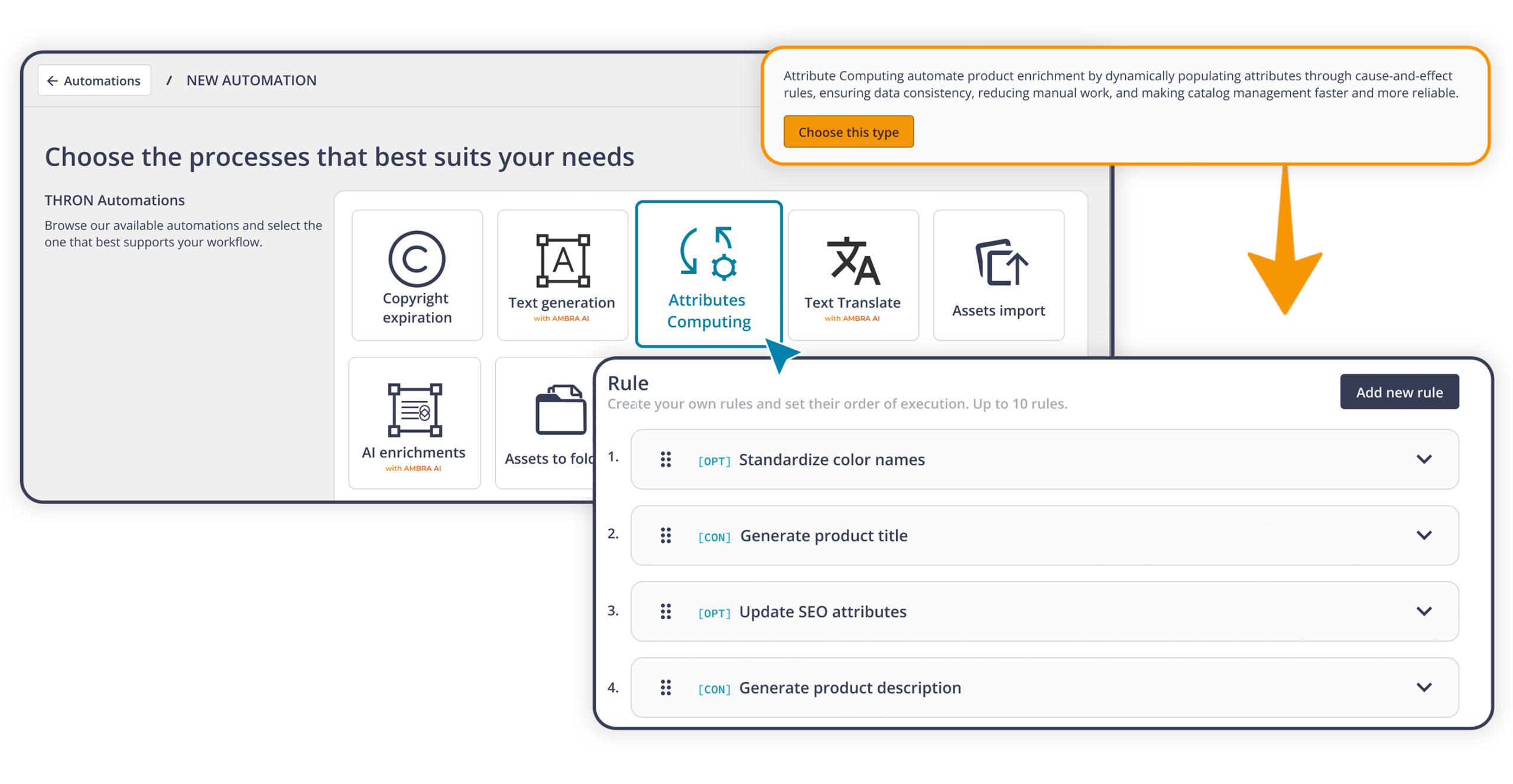
The first of the three Attributes Computing steps is now available, introducing the new Automation Studio automation designed to keep catalogue data consistent over time.
Many companies manage product information in separate business systems such as ERP software, PLM systems and MDM platforms. These systems often send technical codes that cannot be used directly in the catalogue as they are.
Conversion Rules automate this transformation process. Starting from a value already available in THRON Platform, such as a colour code like “000000” received from an external business system, they automatically convert it into the values needed for each use case. The same code can therefore become “Nero” for the Italian catalogue, “Black” for the English one, and also update the colour filter for e commerce, all in a single step.
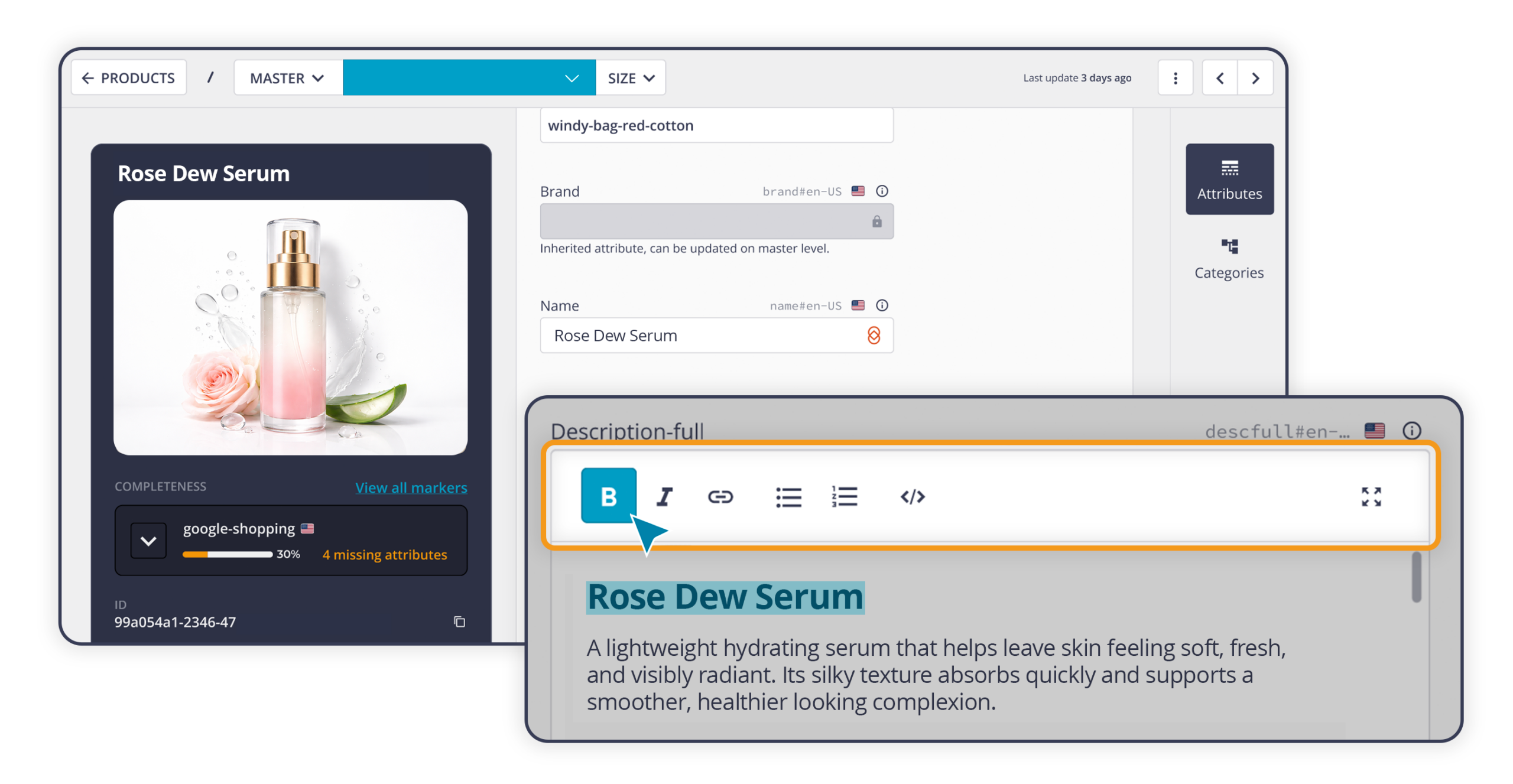
In product pages, some information benefits greatly from formatting: a bold heading, a bulleted list in the body text, a table with technical specifications, or a link to a more detailed page. Until now, adding this kind of content in THRON Platform required HTML to be written manually, which was both technical and prone to errors.
Long text fields can now be configured as visual editors: you write, select the text, apply bold, italics, bullet points, links or tables, and immediately see how the content will look once published. This is particularly useful, for example, for presenting sizes, measurements or comparative specifications in a clear format without having to rely on anyone else. The editor is available in a simplified version on the product page, and in an advanced version by expanding the field.
Anyone who previously used paglets to display data in tabular form will find this feature a more direct and fully integrated solution.
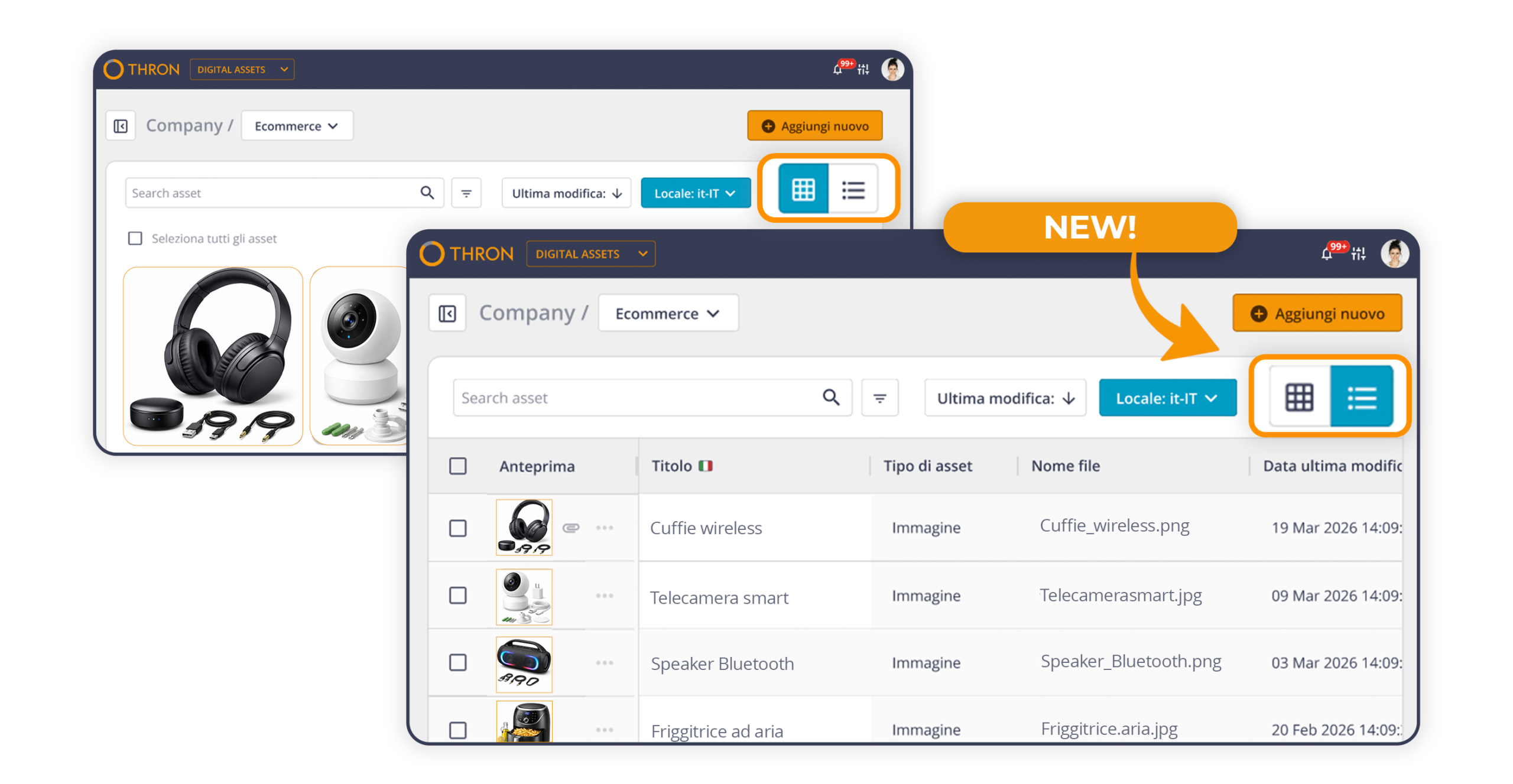
The Digital Asset Library now includes a table view, already familiar to anyone working with the Product Sheet Library, alongside the existing grid view.
Each user can choose which columns to display from attributes such as title, description and author, as well as system information such as modification date, file type and extension. You can select up to ten columns, and the configuration is saved even when switching browser or device.
Anyone with editing permissions can make changes directly in the cells: double click to open the field, edit it, then confirm by pressing Enter or clicking elsewhere. No need to open the detail page, and no interruption to the workflow.
The table view and grid view always stay in sync, so selections, filters and edits carry over seamlessly.
The THRON connector for Drupal, the open source content management system used to build websites and web portals, has been updated with a new interface and three operational improvements:
The result is a smoother media management experience, where searching, selecting and uploading all happen within the same area.
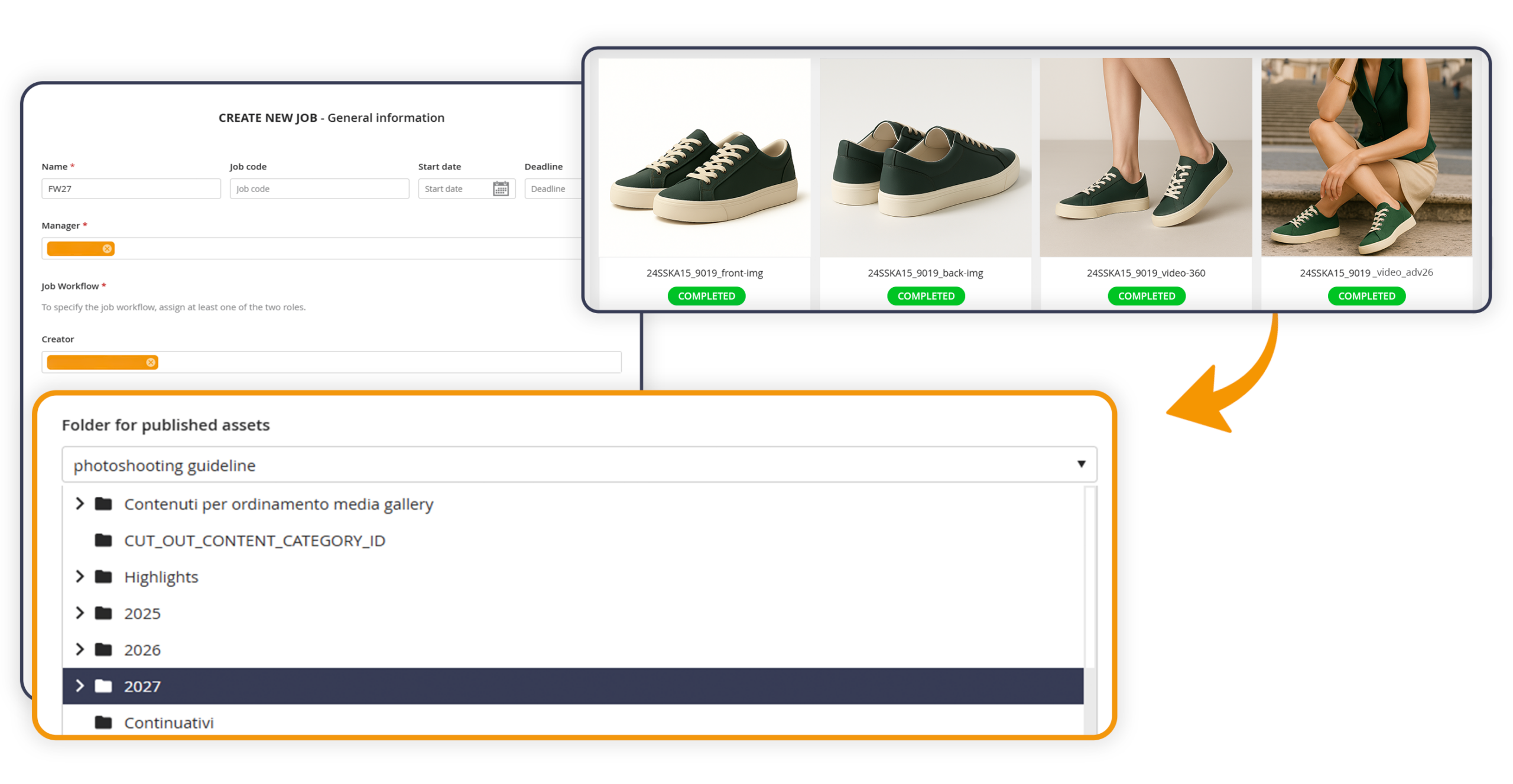
Product Workflow is the tool used to coordinate content production jobs, such as photo shoots, bringing together everyone involved in planning, shooting and approval.
When creating a job, it is now possible to specify a destination folder for approved shots. At the end of the approval process, each asset is automatically copied into a subfolder with the same name as the job, within the selected folder. A copy still remains in the original “Published” folder, so no existing reference is disrupted. The destination folder can be chosen from those you have access to and where you have permission to add content.
This is optional, so anyone who does not configure it can continue working as before.