Discover news, releases and enhancements of our platform.
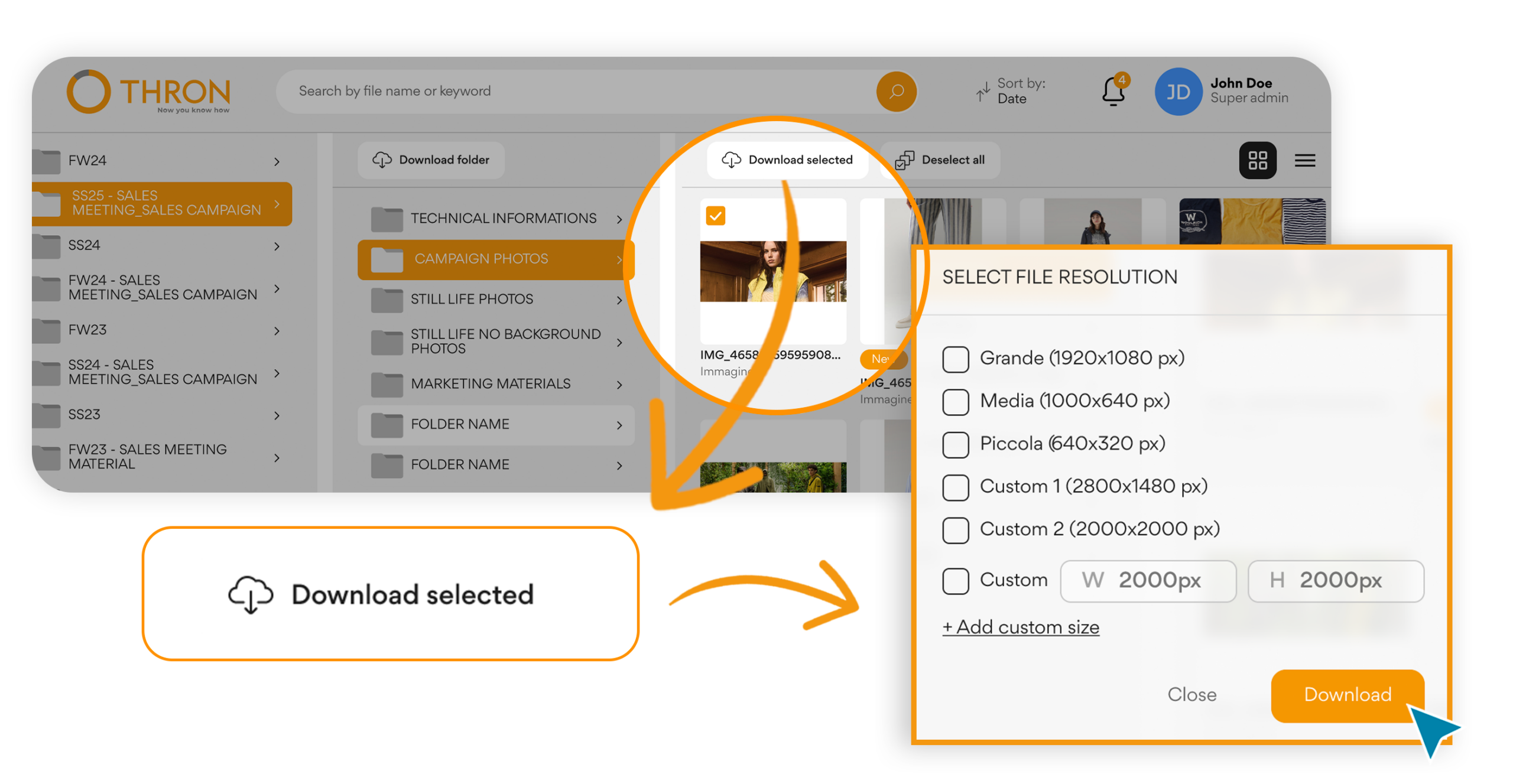
Those who access the B2B area can now download each asset in the resolution most suitable for their use.
The materials uploaded to the platform, often in high resolution to ensure maximum quality across every channel, now also become available in lightweight formats optimized for web and eCommerce.
Based on the permissions of their group, those who download can access the original or limit themselves to derived versions: they select the desired format and proceed, without intermediate steps. The same logic already present in the Digital Asset Library is thus replicated in the B2B portal, ensuring a consistently coherent user experience.
The result:
More autonomous partners in choosing materials
Governed distribution through group permissions
The B2B portal becomes more open to the outside, but always under full control.
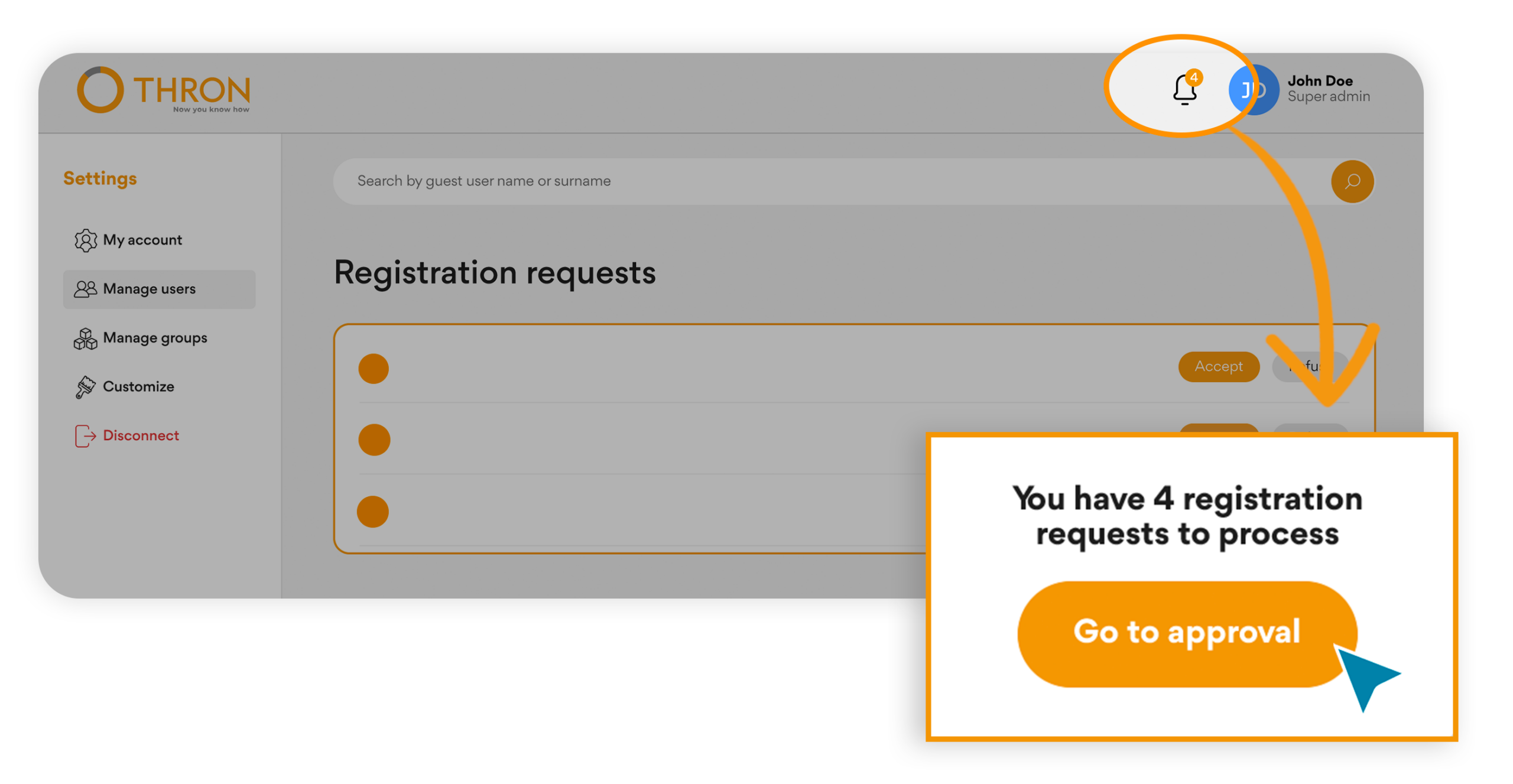
New partners or new operational figures can request access directly from the portal, without email exchanges or manual steps.
Admins and Super Admins receive all requests in a dedicated section, with email notifications and visible alerts on every page. From here they can approve or reject with one click, and those who submitted the request automatically receive notification of the outcome.
An evolution that brings:
An orderly and transparent flow for those entering and those managing
Reduced activation times thanks to automated communications
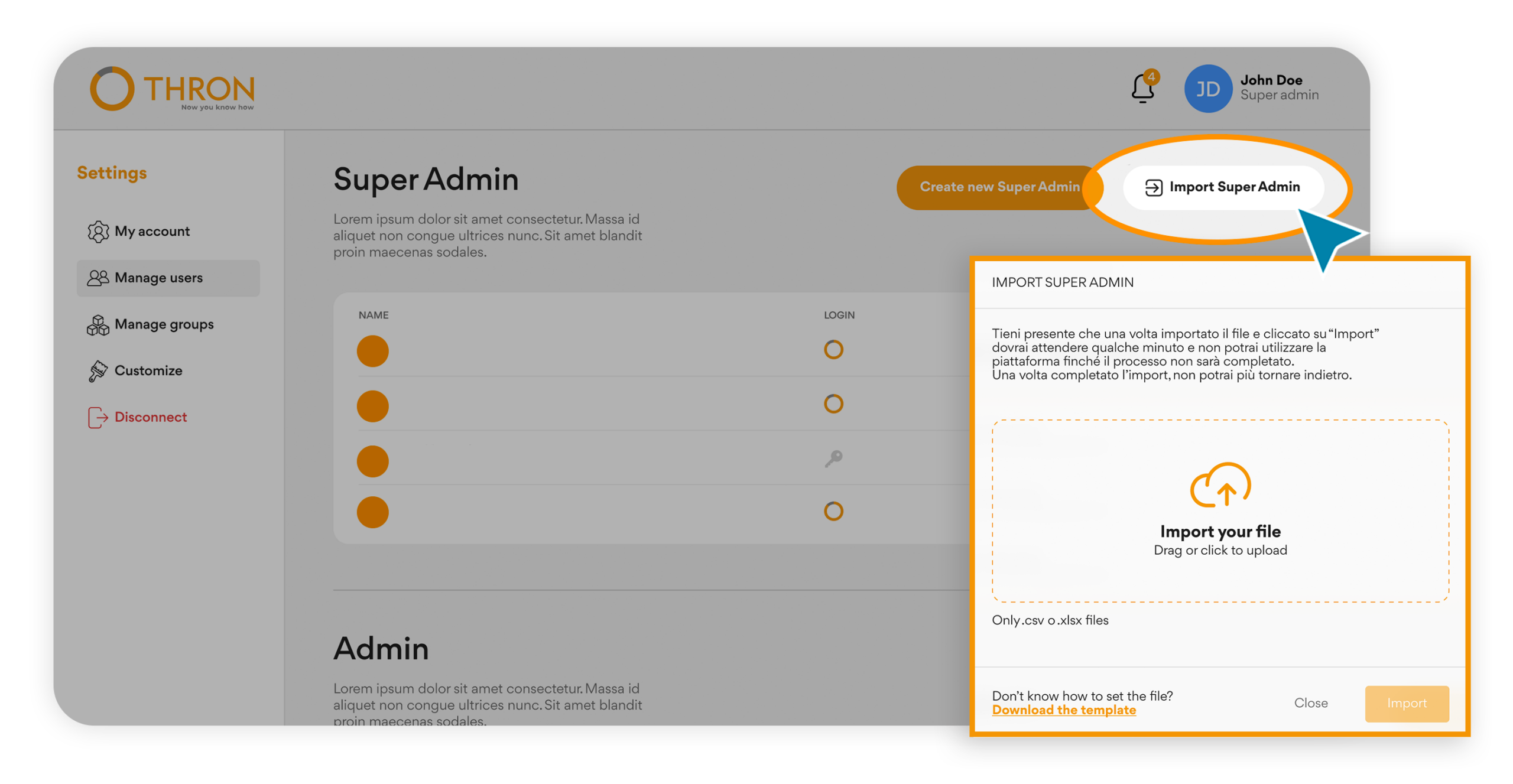
From the management section, you can download a template, fill it in with the necessary information, and upload it to automatically generate all accounts, even of different types.
Super Admins and Admins can now quickly enable entire partner networks in a single operation, facilitating commercial expansion.
The advantages for those coordinating commercial activities:
Scalability without additional effort: the network grows, the operational structure stays the same
No slowdown during commercial expansion periods
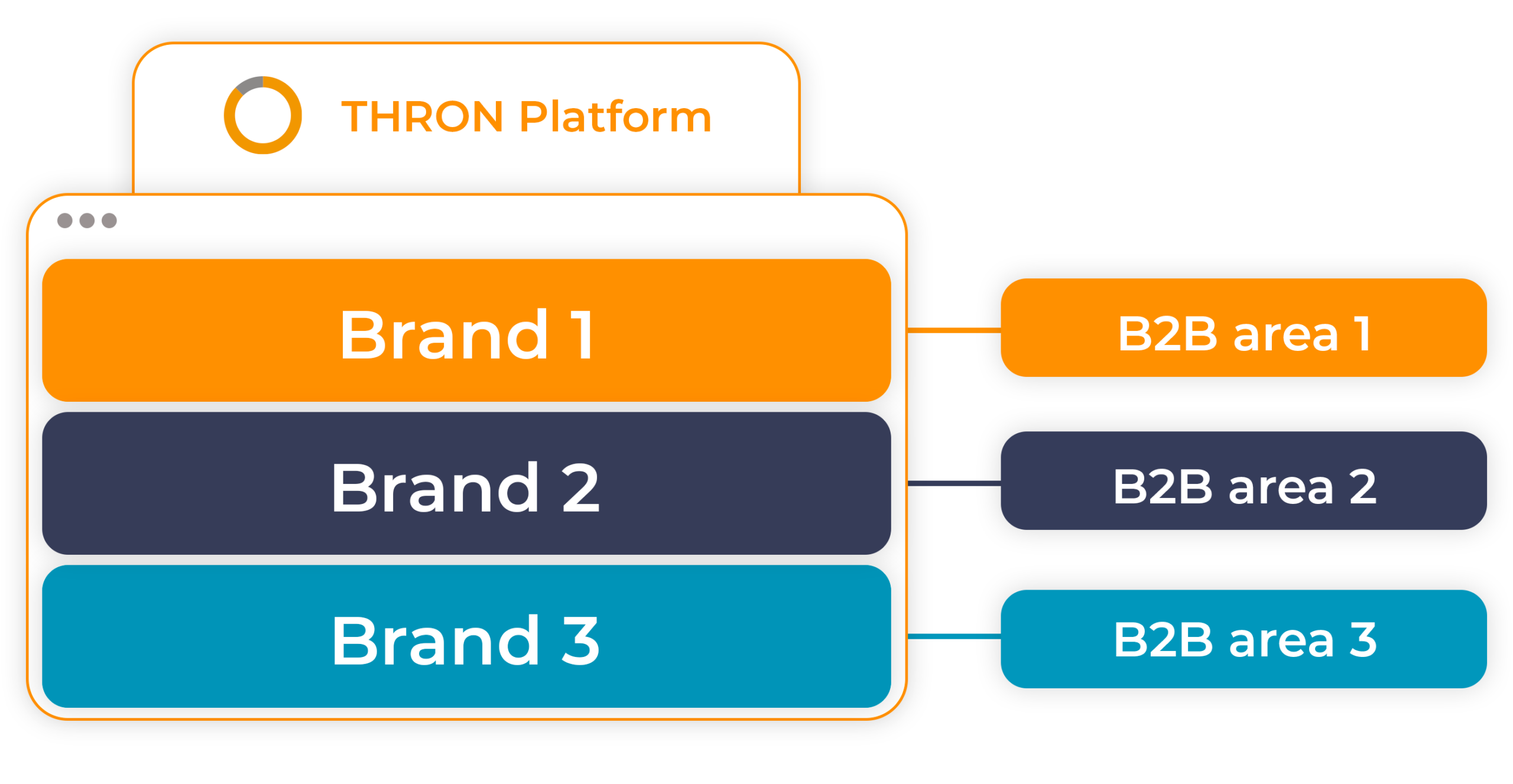
For organizations managing multiple brands within the same THRON environment, this evolution introduces the ability to create dedicated B2B portals for each brand.
Each portal displays exclusively the products of its reference brand, customizable with colors and logo for an experience consistent with the brand.
The mechanism is simple: an attribute valued at the product level determines in which portal it will be visible, and within each portal, administrators decide which catalogs to make accessible to different groups.
Products continue to reside all in the same environment, without duplicates: it’s the attribute configuration that governs what appears in each portal.
This architecture offers:
Simplified governance: each brand manager operates within their own perimeter, without interference
A single data source: products reside in the same THRON environment, visibility is governed by the membership attribute
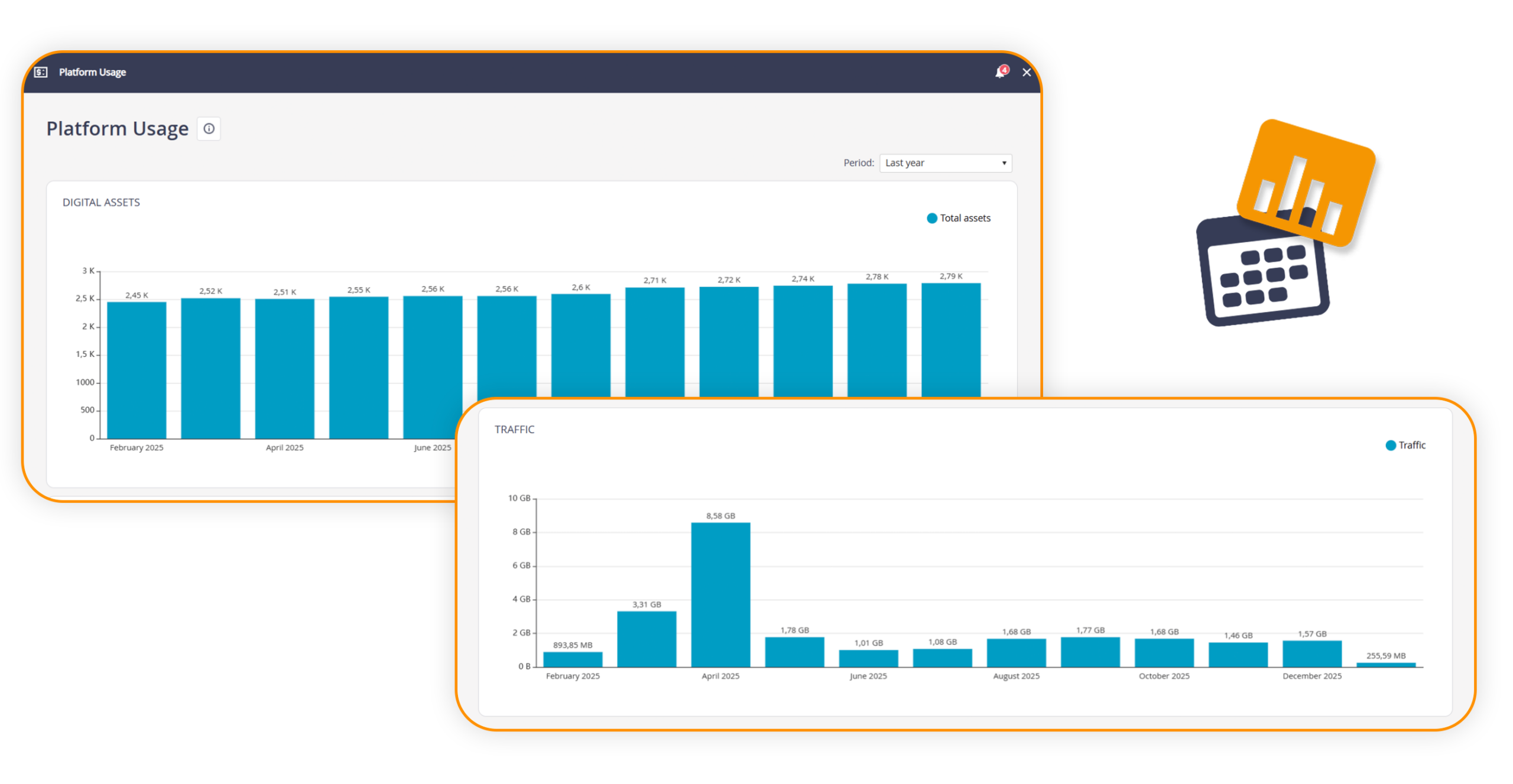
The section previously called Account & Billing has been renewed and becomes Platform & Usage.
The interface has been updated to offer a clear and immediate view of the main consumption parameters related to Fair Usage Policies, eliminating information that is no longer relevant. The section now shows exclusively the graphs related to the number of assets and traffic, making the monitoring of usage metrics simpler and more focused.
This evolution represents a further step forward towards an increasingly transparent platform management oriented to what really matters.
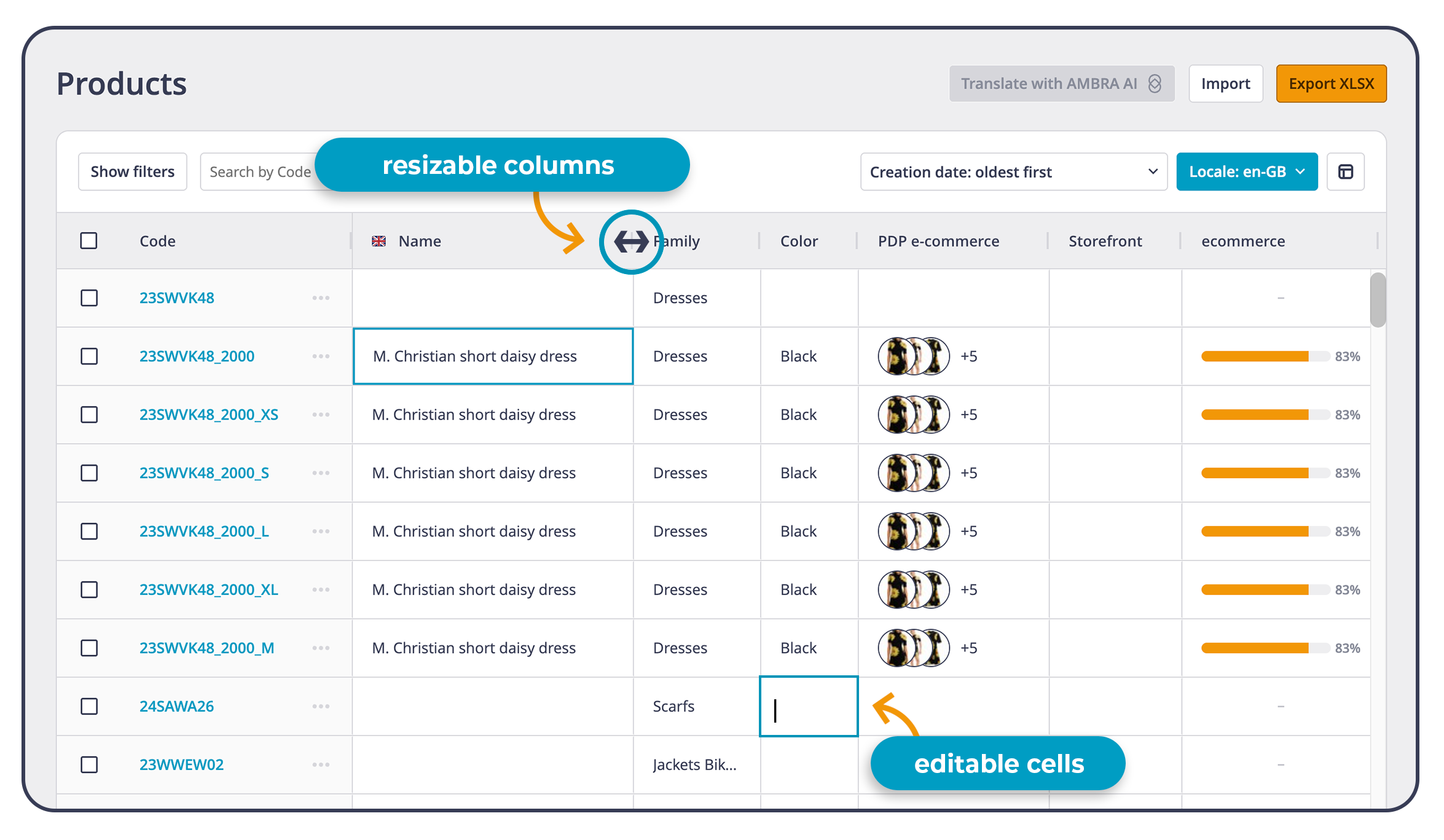
Managing a large catalog means working daily on a lot of information, often with the logic of Excel: rows, columns, filters, quick edits, continuous checks. From today, this way of working finds space where it produces the most value: in THRON Platform.
SpeedSheet is here: the new product list view in THRON, designed for those who manage a lot of catalog information and want to operate as in a spreadsheet.
For those who still work a lot in Excel, it means entering a complete catalog management without changing habits, gaining speed, control and data reliability across all connected channels.
What SpeedSheet enables in daily work:
A working view in Excel style: organizable and configurable columns to get a table that reflects the way you actually work on the catalog.
Clearer reading even with many fields: natural scrolling, resizable columns and a more stable structure to always keep all information clear.
Direct editing in cell, as in a spreadsheet: enter the field of interest with a double click, edit, confirm and continue even via keyboard.
Mass updates up to twice as fast: fewer repetitive steps, more operational continuity even when the catalog grows.
Reliable data at the center of the supply chain: changes live at the heart of THRON Platform and promote consistency between teams, so that information and content are ready to reach eCommerce, marketplaces and touchpoints.
During the daily update of availability, variants, short descriptions or detailed information, SpeedSheet allows you to intervene in sequence on multiple products, maintaining a continuous and focused workflow.
This evolution brings the product list experience closer to the logic of spreadsheets, reducing manual work and making the interface more fluid and guided, so as to accelerate time to market and free up time along catalog management processes.
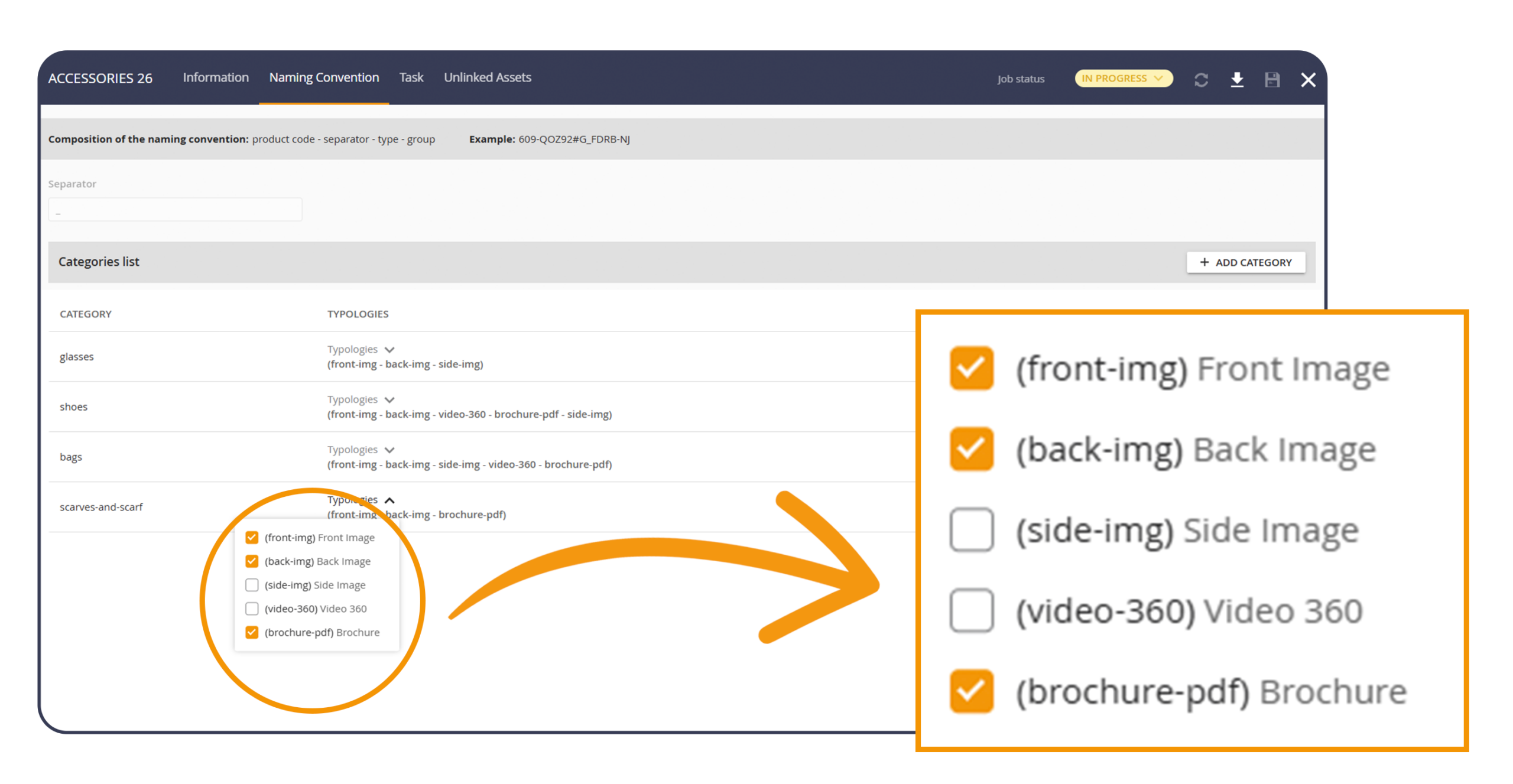
Product Workflow introduces the ability to expand an already started job, adding new typologies and new operational spaces to be associated with products already in progress.
From now on you can:
Expand during the work: add new typologies during processing with related slots for resources, so that the same container remains valid even when additional requests emerge or corrections are needed.
Have a single job as an operational reference, even when integrations or corrections are needed, with consistent rules and assignments.
Consult more linear traceability: activities, history, progress and responsibilities remain readable along the entire path, with fewer fragmentations.
To add new typologies to an ongoing job, simply open the Naming convention section and use the dedicated dropdown for typologies to select those to include. Saving immediately updates the job, making the new typologies operational while respecting already set rules and assignments, so that the flow remains unique and consistent.
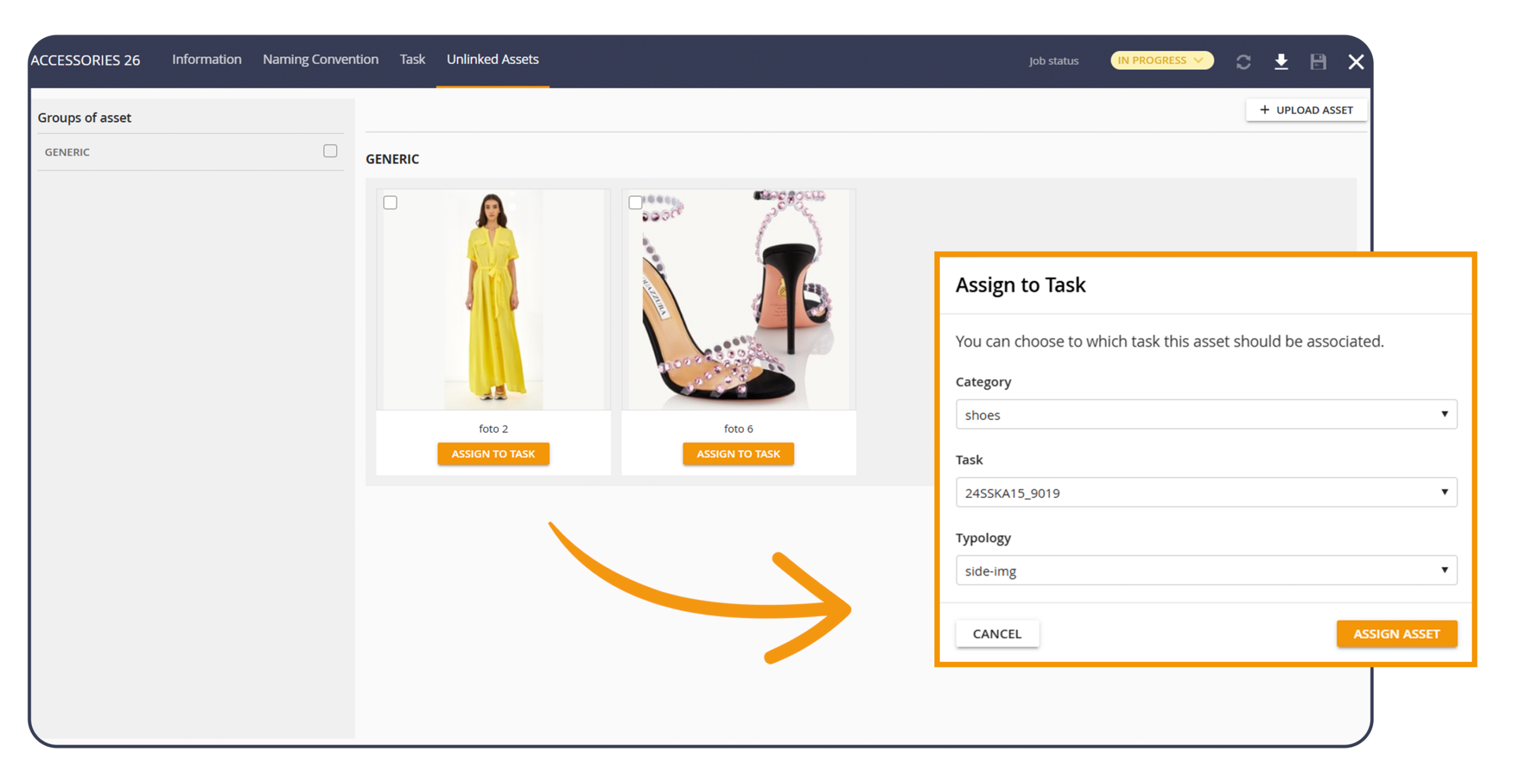
In content production, shots often arrive in advance of the definition of the final product code. Product Workflow introduces dedicated management for content still waiting to be linked to a product, so that uploading can happen immediately and association can be completed when information and codes are ready.
Benefits of the new update:
Early content upload: resources enter the job even when the final reference product code still needs to be finalized.
A dedicated section to govern what is pending: content awaiting association remains visible, filterable and manageable with clarity in the “Unlinked content” section.
Precise association: when the final product code is available, each pending content is linked to the correct product, one by one, without having to repeat the upload.
Consistent history along the lifecycle: progress and annotations follow the transition from “pending” content to linked content, supporting control and collaboration between teams.
Both Product Workflow evolutions reduce operational friction typical of production flows, keep activities focused on a single, readable path and support a faster time to market, because data and content remain governed in THRON Platform with continuity and consistency.
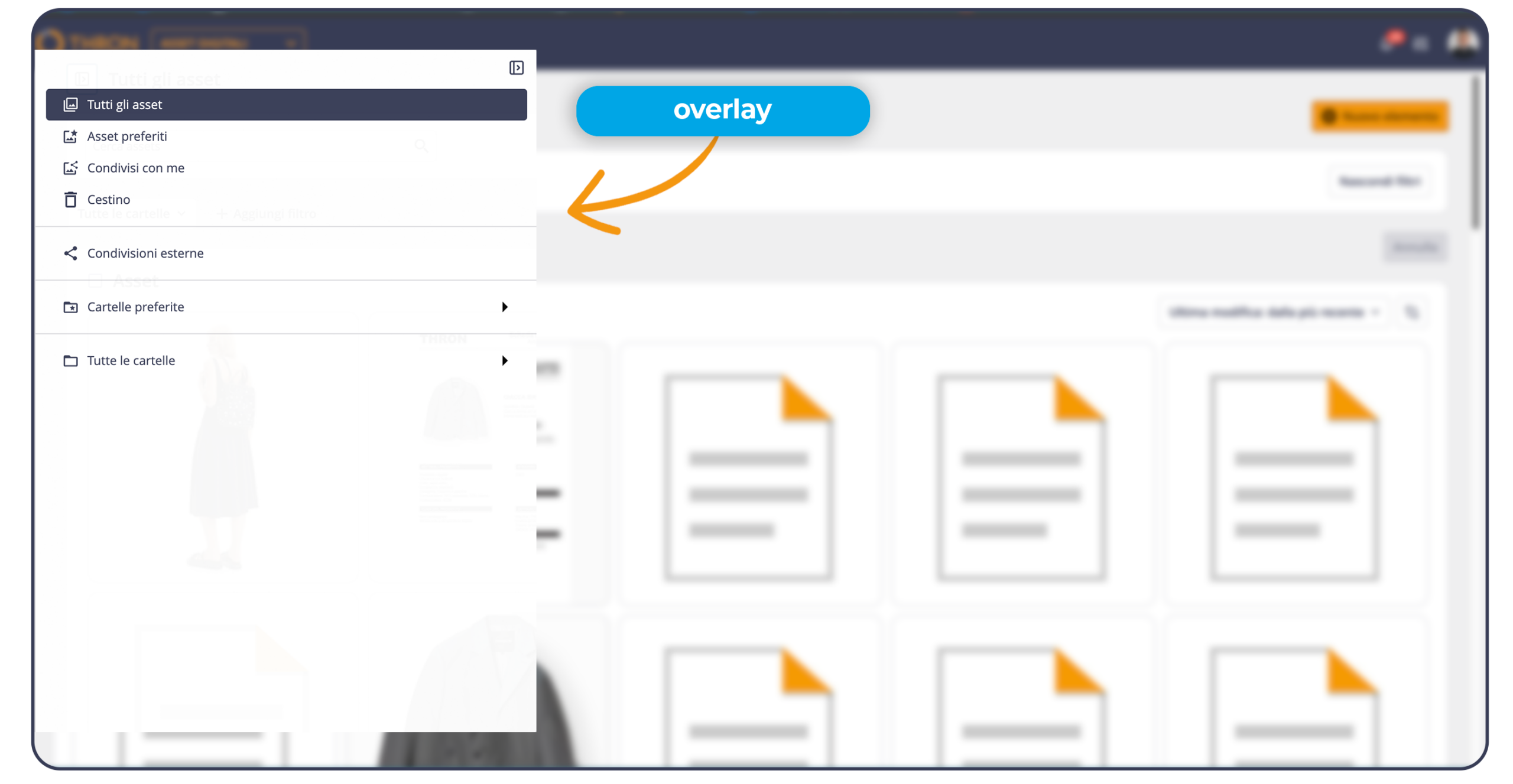
In the Digital Assets area, the folder column is now more flexible and adaptable to the working context. It is now possible to expand it up to one third of the screen, so as to read and manage complex structures more comfortably, or compress it to give priority to asset display.
When the column is compressed, simply hovering the cursor over the left edge makes it appear in overlay maintaining the same width previously set, so that navigation between folders does not interrupt the workflow. The same applies to drag and drop, ensuring immediate and continuous movements into folders.
The chosen size is also maintained between sessions, so that browsing is always consistent with your preferences during the session.